The best mobile call management software for businesses captures every business call made on employees' Android phones, logs it to the CRM automatically and keeps work and personal calls clearly apart. It should also give managers live visibility into calling activity and let admins add, move and remove users without losing history, all without forcing staff onto new numbers or a new dialer.
What mobile call management software does
This kind of software sits between the phones your team carries and the systems your business runs on. It records the details of each business call, applies the outcomes and rules your managers set, and sends that information to the CRM so customer conversations become part of the shared record.
The need has grown because more customer work now happens away from desks. Sales reps, account managers, recruiters and service staff call from their mobiles throughout the day, and without a management layer those calls remain invisible to colleagues, managers and anyone who inherits the account later.
Key capabilities to compare
Feature lists vary widely, so it helps to focus on the capabilities that decide whether the software will actually be used and trusted. Each one below deserves a hands-on check during a pilot rather than a tick on a vendor's comparison sheet.
Automatic call capture
Incoming, outgoing and missed calls should be logged without any manual step from staff. If people have to start a call from a special screen or press a save button afterwards, gaps appear within days and the data stops being trustworthy.
CRM integration
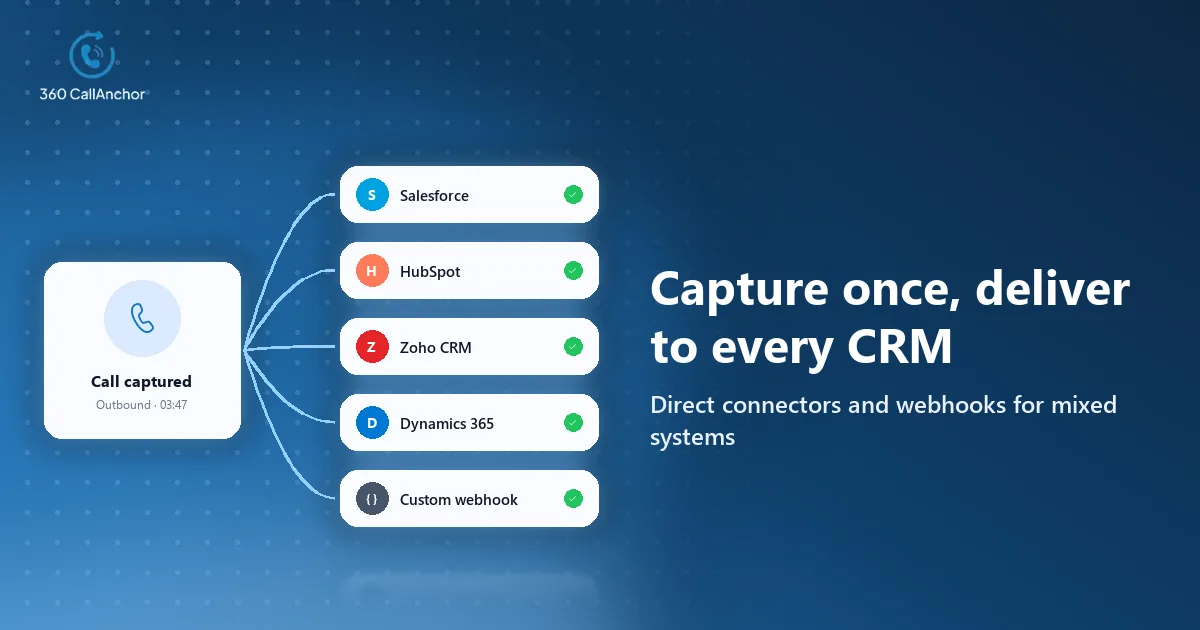
Calls should reach the right records in the CRM your business already uses, rather than living in a separate portal that nobody opens. When you assess this capability, look closely at two details that often separate a solid integration from a fragile one.
Matching each call to the right record
Ask how the software links a phone number to a contact, lead or account, and what it does with a number that matches nothing. New enquiries frequently come from unsaved numbers, so that behaviour decides whether fresh leads are captured or lost.
Visibility when a sync fails
Even reliable connections break occasionally when a password changes or a phone loses signal for hours. A per-call sync status lets admins find and fix a problem quickly instead of discovering a hole in the data during a quarterly review.
Required call outcomes
A required outcome after each call keeps follow-ups and reports reliable, because a log that shows activity without results leaves managers guessing. A short list that mirrors your pipeline works far better than open notes that each person fills in differently.
Recording controls
Admins should decide which calls are recorded and where recordings are stored, so coaching value does not come at the expense of privacy or compliance. Ask whether recordings attach to the CRM record alongside the outcome.
Analytics and license administration
Managers should see calls, talk time and outcomes by person and team in one place, while admins should be able to add, reassign and remove users without losing call history. Together these keep the system useful as teams change shape.
Approaches to managing business calls on mobiles
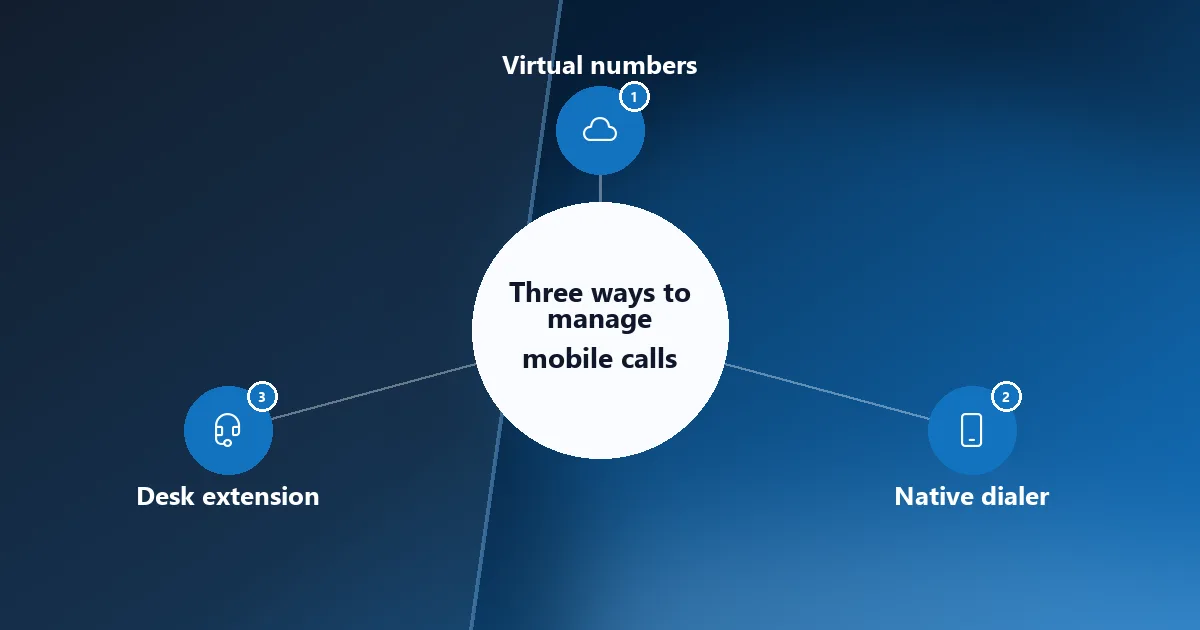
Products in this market take three broad approaches, and the right one depends on how your staff already call customers and which numbers those customers recognise.
Virtual-number calling apps
Some products give each employee a virtual business number inside a calling app. This creates a clean separation between work and personal calls, but customers see a new number and staff have to remember to call through the app every time.
SIM-based call management
SIM-based software works with the phone's own dialer and the number customers already know. Staff call the way they always have, while the software captures business calls in the background and leaves personal calls alone.
Mobile extensions of desk phone systems
Some desk phone platforms offer mobile apps that extend the office line to a handset. That suits teams that already use the platform heavily, although calls placed from the phone's native dialer usually stay outside it.
Why businesses switch to VoIP apps, and when SIM works better
VoIP calling apps became popular because they give every employee a business number, add features such as call routing and voicemail to email, and make it easy to manage users from a web dashboard. For teams that work mostly online or from desks, those benefits are real and often worth the change.
The trade-offs show up for mobile teams in the field. Call quality depends on a data connection, customers see an unfamiliar number, and any call staff forget to route through the app is not managed at all. SIM-based management avoids those problems by using the dialer and network the phone already relies on, while still logging business calls to the CRM.
A SIM-based option for businesses
For businesses whose customer calls happen on employees' own mobile numbers, a SIM-based tool covers the most ground with the least change. 360 CallAnchor has solutions for sales team call tracking, sales ops, account managers, recruitment and field sales. It runs quietly alongside the calls your team already makes, without a new SIM card, a new dialer or an app to learn.
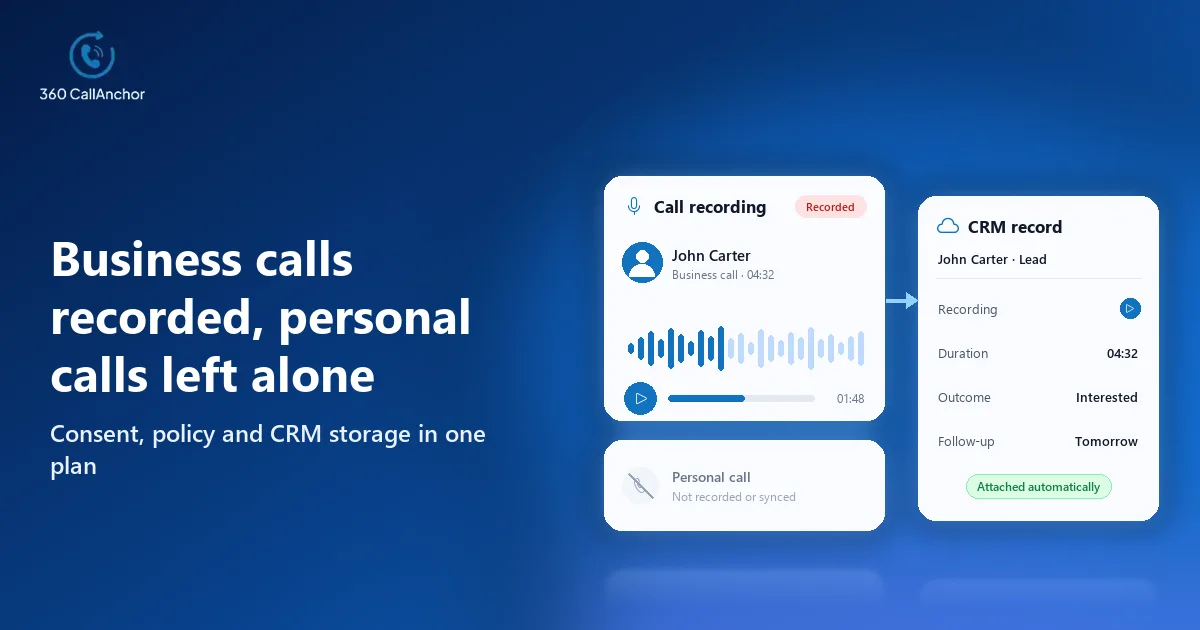
Business and personal calls are handled differently, which matters when people use one phone for both. The app separates business calls from personal calls, so private conversations never reach the CRM. Admins set the recording rules, reps classify a call as business, and the recording syncs to the CRM record.
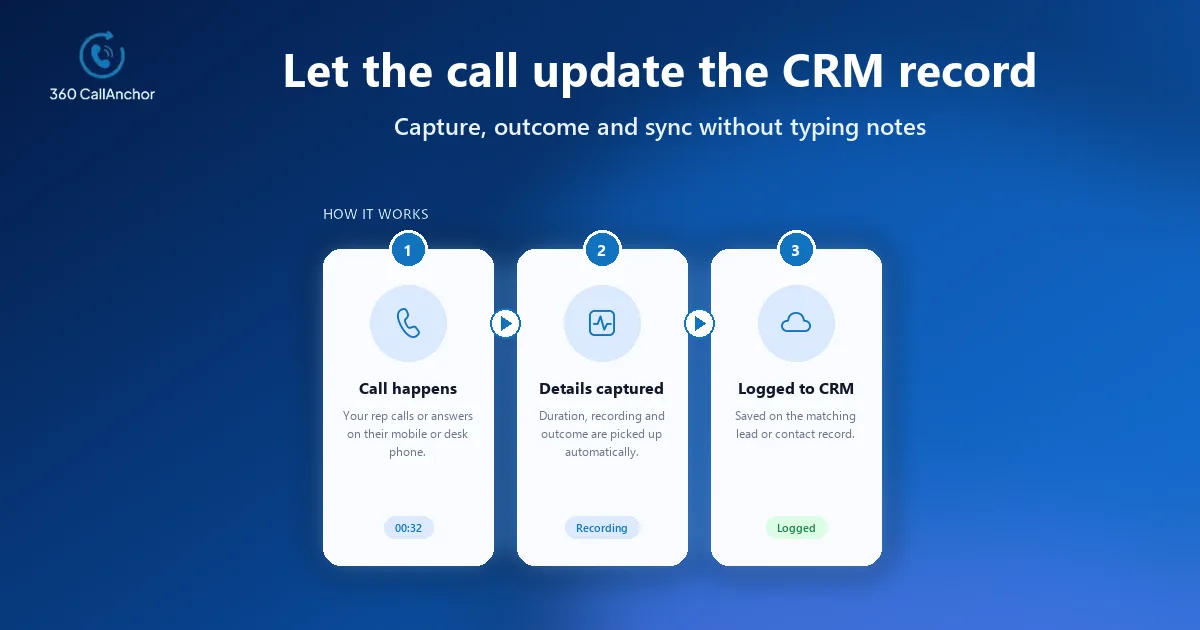
Every call carries enough detail for follow-up and reporting. Incoming, outgoing and missed business calls are captured automatically, including the timestamp, duration, direction and the user who handled each one. Each business call is then pushed into the right CRM record.
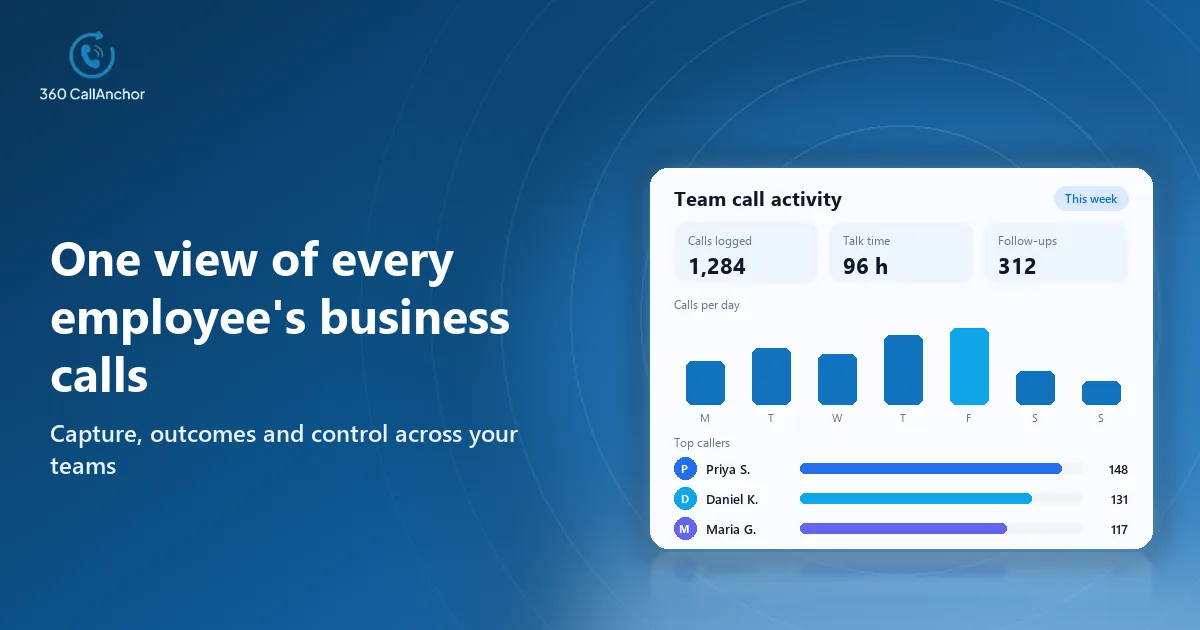
Managers and admins work from the same picture of activity. The app tracks total calls, total talk time, average talk time, agent call duration, missed calls and the disposition breakdown. An admin adds a license, a SIM number is assigned and verified by OTP, the rep signs in, and licenses can be reassigned without losing history. The mobile call analytics and license management pages cover both in more detail.
Managing calls across different teams
Most businesses have several teams with different calling patterns, and good call management adapts to each of them rather than forcing one workflow on everyone.
- Sales teams: need fast follow-up on leads, clear outcomes after every call and visibility of missed calls from prospects.
- Account managers: need a complete history of conversations with each client so that handovers do not lose any context.
- Recruiters: need screening calls logged against candidates, with the next step agreed during the call itself.
- Field and service staff: need calls captured between site visits without any extra steps on a busy day.
Recruitment shows how this pattern works in practice for a team outside sales. With 360 CallAnchor, every screening call is logged, and the outcome, recording and next step are synced into the CRM automatically. The same sequence of capturing the call, the outcome and the next step applies to every team on the list above.
Security, data storage and offboarding
Mobile call data includes customer numbers, recordings and notes, so IT teams should review where it is stored and who can reach it. A tool that keeps its own copy of every call adds another system to secure and audit, while a pass-through design keeps data inside systems the business already governs.
Call data passes through the service, and customer data is not stored permanently on its servers. Client data is kept directly in your CRM instead. Call data that has already synced stays in the CRM permanently and is not deleted when a license is removed, which protects customer history when people leave the business.
Common mistakes to avoid
Many businesses choose a call management tool for the right reasons and still end up with incomplete data. The most common mistake is picking a tool that asks staff to change how they call, because any extra step quietly erodes adoption once the launch enthusiasm fades.
Another frequent problem is skipping the outcome step. Without a required outcome after each call, the CRM fills with records that show activity but not results, and managers are back to asking people what happened. A short, mandatory outcome list fixes this with very little effort from staff.
Businesses also underestimate privacy concerns on shared phones. If employees are unsure whether personal calls are visible, they will resist installing the app, so explain clearly how business and personal calls are separated before the rollout begins.
How to choose the right software
A focused evaluation gets you to a decision quickly and makes sure the chosen tool fits how your business really works:
- Understand calling patterns: find out which teams call from mobiles, which numbers they use and how often they call.
- Set your requirements: decide which of the capabilities above are essential and which are simply nice to have.
- Check CRM fit: confirm that the software supports your CRM and writes calls where your teams expect to find them.
- Run a real pilot: give the software to a small team for a few weeks and review every record it creates.
- Plan the rollout: agree outcomes, recording rules and license ownership before you expand to everyone else.
Measuring results and bringing staff on board
To judge whether the rollout is working, compare a few simple measures before and after: how many customer calls appear in the CRM, how quickly new leads receive a first call and how many missed calls are returned. Improvements usually show up in pipeline reviews within weeks, giving leadership a clear reason to extend the rollout. The call analytics dashboard updates in real time, so managers can follow these measures day by day.
Even the best software fails if employees do not trust it, so plan the people side as carefully as the technical setup. Explain early what is captured, what stays private and how the data helps each person, for example by removing manual note-taking and surfacing follow-ups they might forget. When managers use call reports for coaching rather than policing, staff see the software as support, and the quality of the data improves as a result.
Conclusion
The right choice for most businesses is software that captures every business call on the phones staff already use and sends it to the CRM with an outcome attached. Three points usually decide it: whether calling habits and numbers stay the same, whether personal calls remain private, and whether the CRM connection matches calls to the right records reliably. VoIP apps still suit desk-based teams, so some businesses will run both. A sensible next step is to map which teams call from Android phones, agree a short outcome list and pilot a shortlisted tool with one team before rolling it out more widely.
Frequently asked questions
What is the difference between call management and call logging?
Call logging records the details of each call, while call management adds rules, outcomes, recordings, licenses and reporting on top. Most businesses need both, because logging alone does not tell managers what happened next.
Can employees keep their own mobile numbers?
Yes, with SIM-based software that works through the phone's own dialer on Android phones. Virtual-number apps, by contrast, give staff a new business number inside a separate calling app that they must remember to use.
How are personal calls kept private?
Good software separates business calls from personal ones and only logs the business calls to the CRM. Ask each vendor to demonstrate this on a real phone during your pilot rather than on slides.
Which teams benefit most from mobile call management?
Field sales, account management, recruitment and service teams benefit most, because they spend the most time calling customers away from a desk. Their calls are also the ones most likely to be missing from the CRM today.
Is VoIP or SIM-based call management better for mobile teams?
VoIP suits teams that work online and are happy to call through an app, while SIM-based management suits teams whose customers expect calls from familiar mobile numbers. Many businesses use both approaches for different teams, as long as both write to the same CRM.
How long does it take to roll out mobile call management?
It depends on how many teams are involved and how much field mapping your CRM needs. A pilot with one team usually shows within a few weeks whether the data is complete enough to expand to everyone else.
See it working on your own calls
Share a few details and our team will get back to you.
Prefer to compare plans first? See pricing.