
Automatic Call Logging Software to Log Every Call the Moment It Ends
Runs in the background on your rep's phone, captures every incoming, outgoing, and missed business call automatically, and syncs the full record into your CRM.
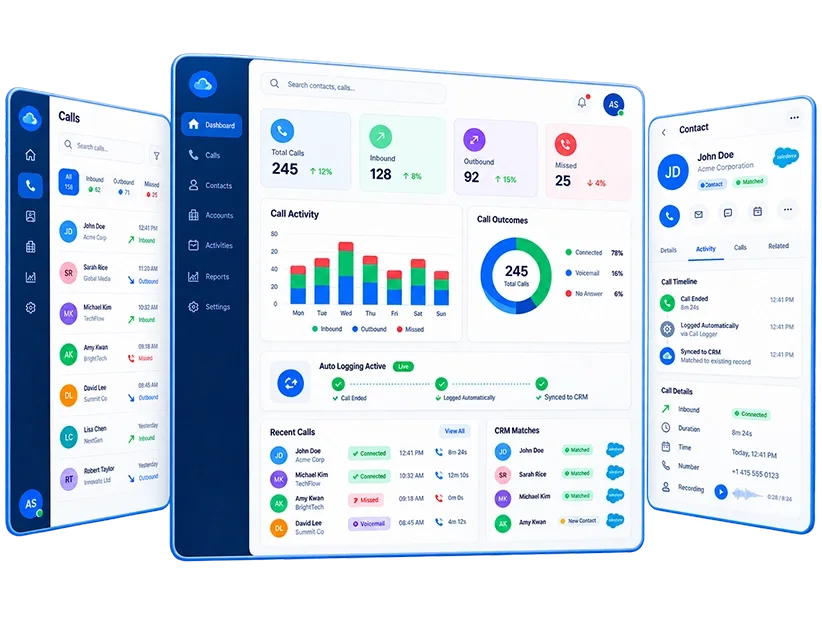
How Automatic Call Logging Software for Mobile Work
The log exists whether the rep remembers to create it or not.
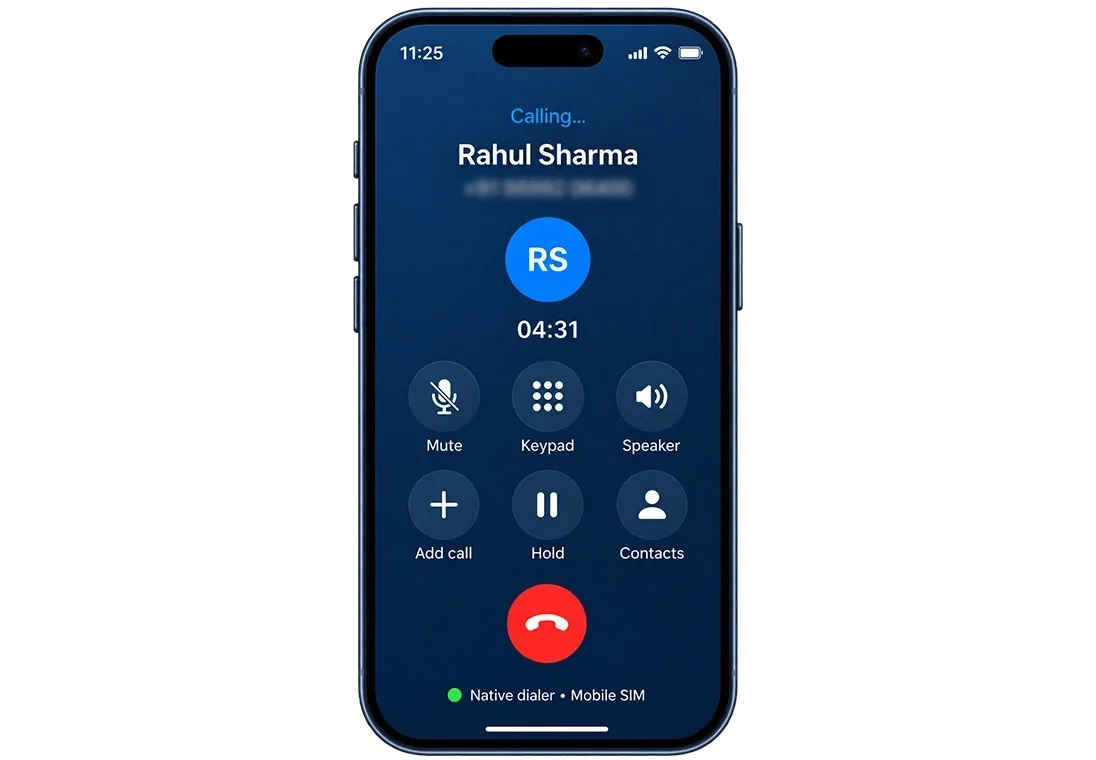
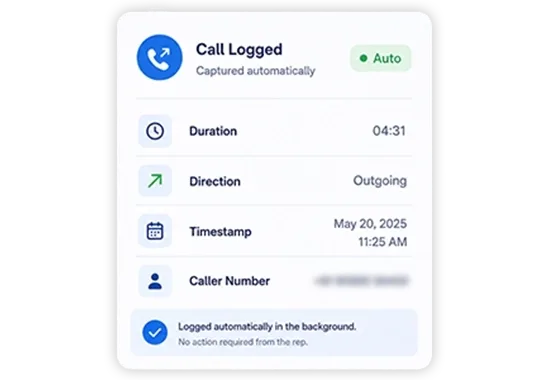
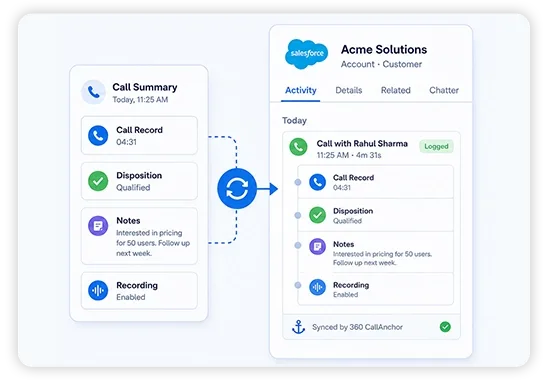
Automatic Call Logging Tool for CRM Captures That a Rep Never Would
Manual logging captures what the rep remembers. Automatic logging captures what actually happened.

Background Call Logging Software
Runs without the app being open. A rep does not need to launch 360 CallAnchor before dialing for the call to be captured.

Missed Calls Logged Too
Unanswered inbound calls log the same way as connected ones. Nothing disappears from the record just because no one picked up.

Survives a Phone Restart
Logging resumes automatically after a device restart with no silent gap in the call record.

Rep Attribution on Every Entry
Every log is tied to the device and rep it came from. Who made which call is never ambiguous.

Disposition Locked In Post-Call
The outcome prompt appears the moment the call ends and keeps prompting until it is filled.

Auto Call Logging App for Any CRM
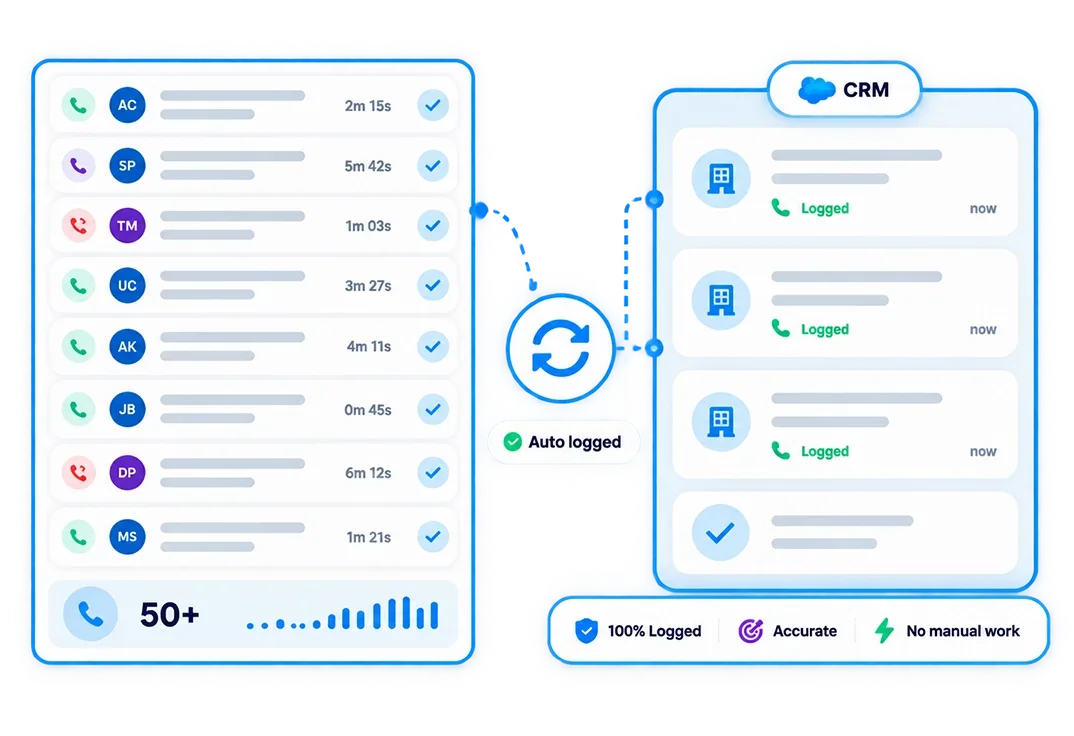
Logs sync into Salesforce, Zoho, HubSpot, or any CRM via webhook. One auto call logging app, one data model, every platform.
See How Complete Your Call Log Actually Is.
Works With Any CRM. No Manual Entry Required.




Your CRM Already Has the Records. It Just Does Not Have the Calls Yet.
Automatic call logging only works if the log reaches the right system. 360 CallAnchor sends every captured call into whichever CRM your team already reports from.
-
One-Time Connection
Add your CRM endpoint in Settings once. Every call syncs automatically from that point on.
-
Nothing Arrives Separately
Duration, timestamp, outcome, recording, and follow-up land as one complete activity on the right record.
-
No IT Involvement
Configuration is in the portal. No code, no middleware, no support ticket needed.
- Call log & direction
- Talk time
- Disposition outcome
- Recording reference
- Scheduled follow-up
Stop Plugging Call Data Gaps at the End of Every Day
50 Calls a Day. Manual Logging Can't Keep Up.
- The Problem: Reps cannot accurately reconstruct fifty conversations at end of day. The calls they forget are usually the ones that mattered.
- What Changes: Every call logs the moment it ends. By the time the rep starts the next dial, the previous call is already in the CRM.
- Who This Fits: High-volume telecalling, inside sales, and EdTech admissions teams where logging speed directly affects data accuracy.
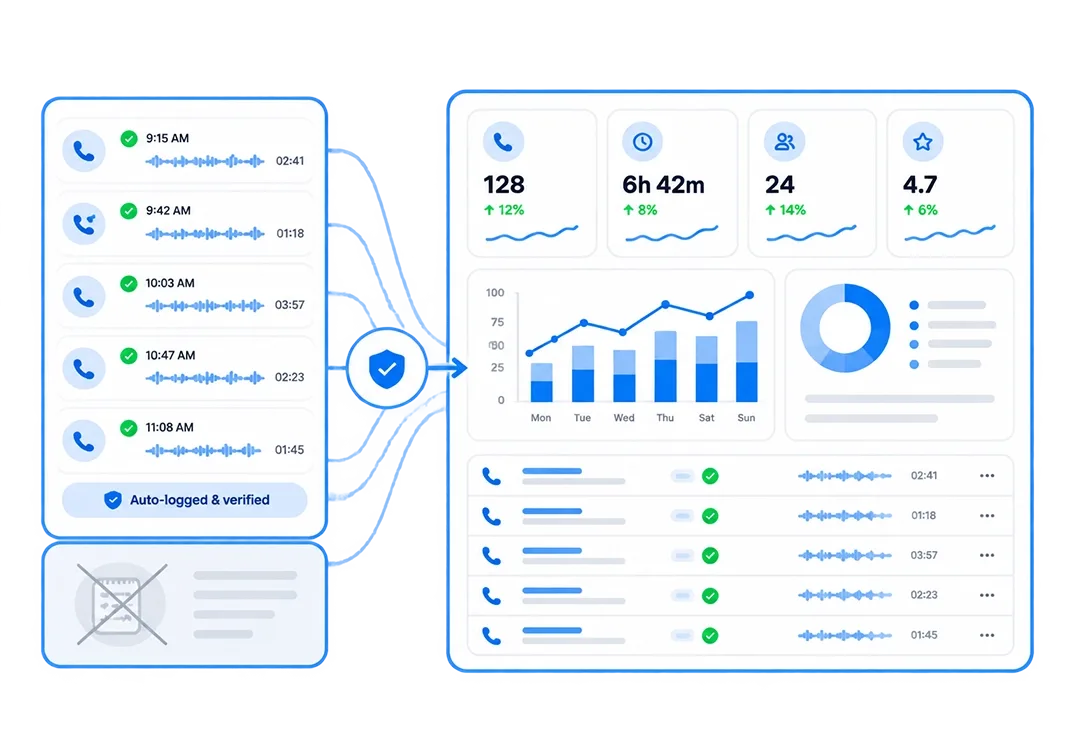
Your Manager Wants Reports. Your Reps Are Guessing.
- The Problem: When call data comes from self-reporting, the numbers in a weekly review are only as accurate as whoever remembered to log the most.
- What Changes: Background call logging means every call in the dashboard is a real call, not an estimate reconstructed from memory.
- Who This Fits, Every Rep: Sales ops managers and CRM admins who need reliable activity data for pipeline decisions.
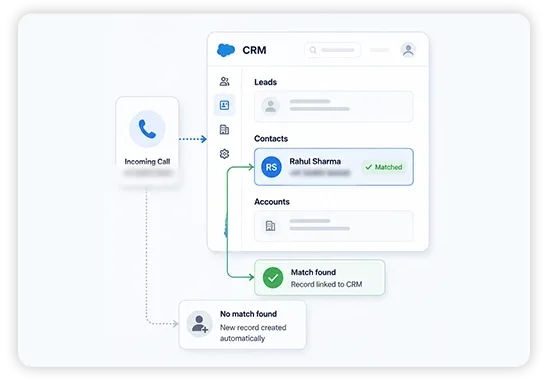
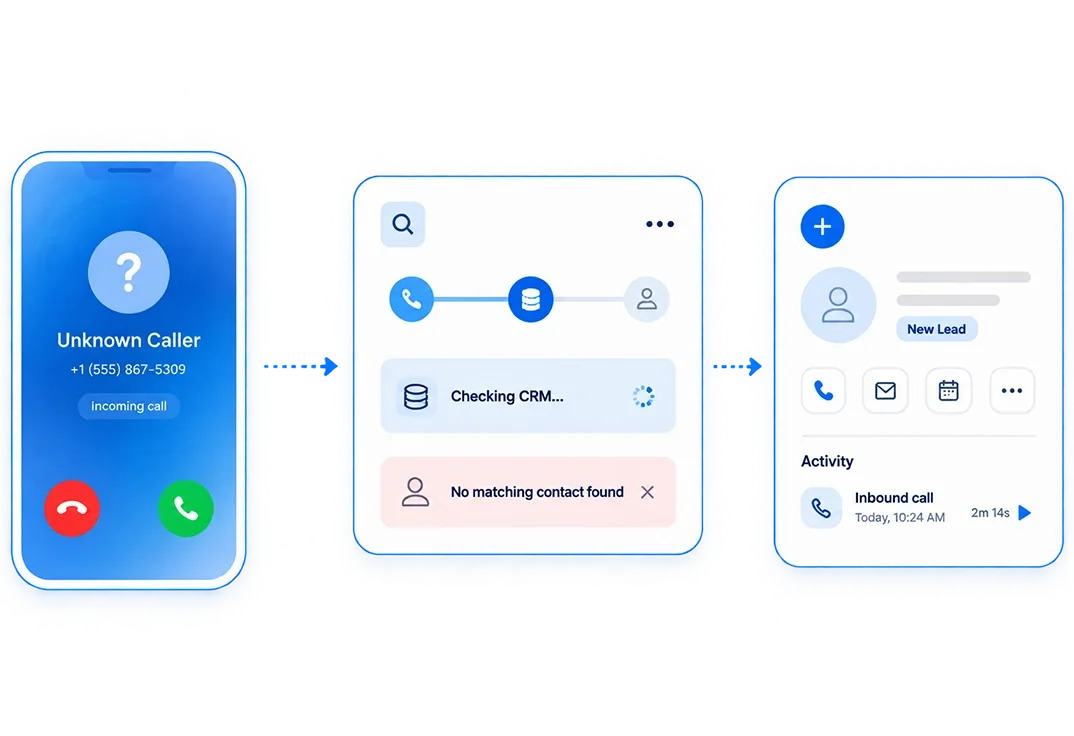
A New Lead Called In. No One Knows Who It Was.
- The Problem: An unknown number calls a rep's mobile. The call ends. Nobody logs it, nobody creates a record, and the lead is gone.
- What Changes: Every inbound number is checked against the CRM automatically. No match? A new lead is created and the call is attached to it instantly.
- Who This Fits: Real estate teams, NBFC DSAs, and any team where inbound leads call directly to a rep's mobile.
Automatic Call Log vs. Manual Call Log
Manual logging isn't just slower, it's incomplete by nature. A rep who forgets to log a call doesn't just create a gap, they create a gap no one knows exists.
| What a Call Log Needs | Automatic Call Log | Manual Call Log |
|---|---|---|
| Every call captured, not just the ones remembered | ✓ | ✗ |
| Timestamp and duration accurate to the second | ✓ | ✗ |
| Missed calls logged, not just connected ones | ✓ | ✗ |
| No end-of-day backfilling from memory | ✓ | ✗ |
| Consistent format across every rep | ✓ | ✗ |
Stop Losing Calls to Reps Who Forgot to Log Them
Automatic call logging means the log exists whether or not anyone remembers to create it.