
Multi User Call Logging Software
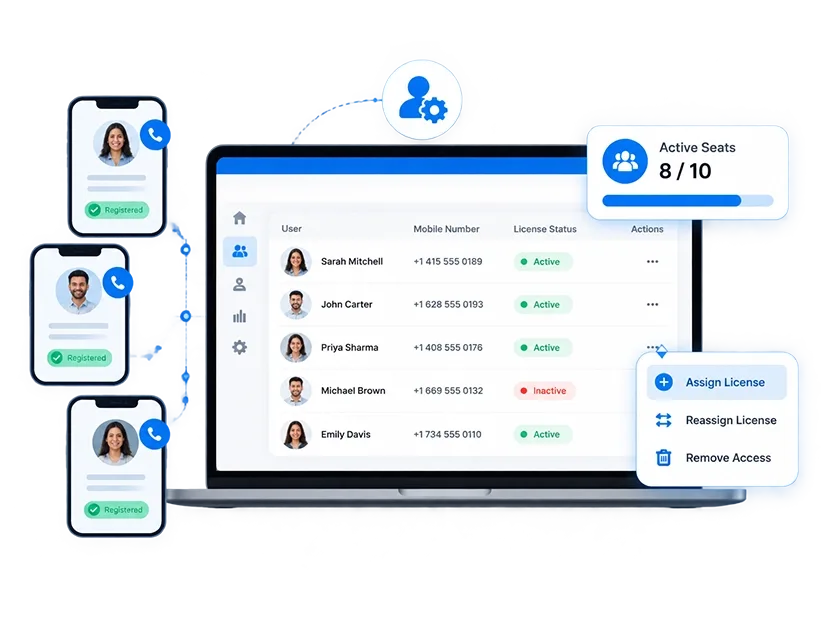
Give admins a single dashboard to assign call logging licenses to registered mobile numbers, manage active seats, and reassign access the moment a team changes.
How Call Logging License Management Works
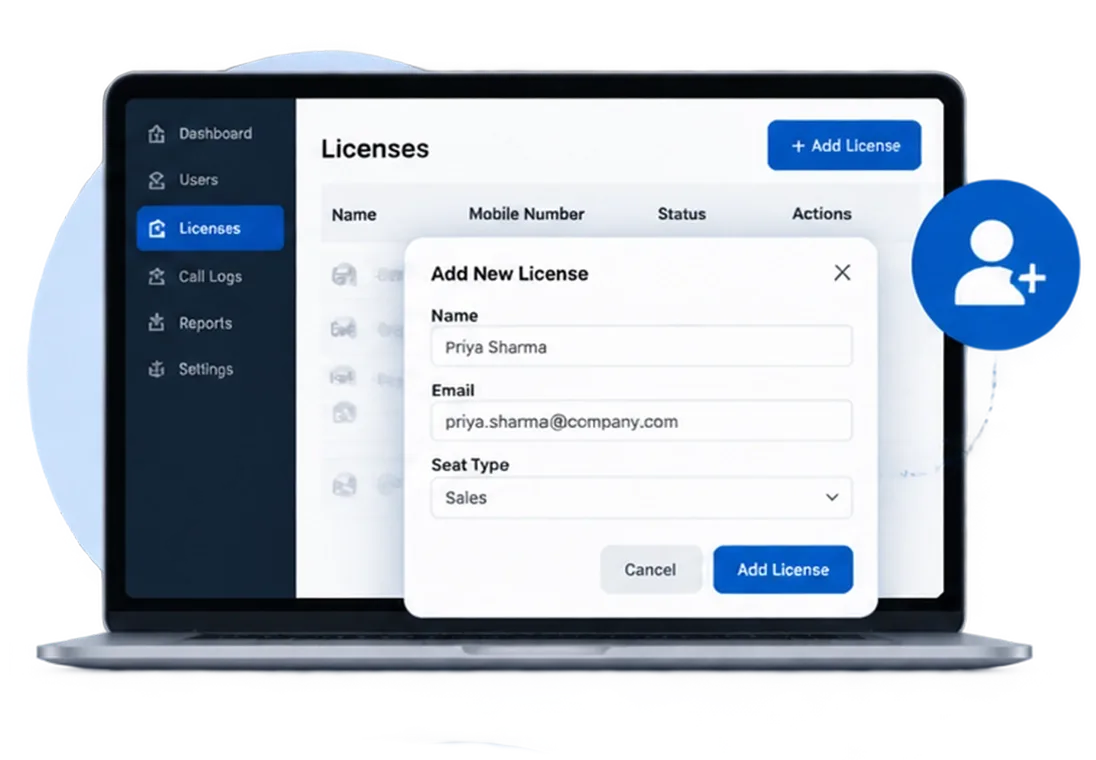
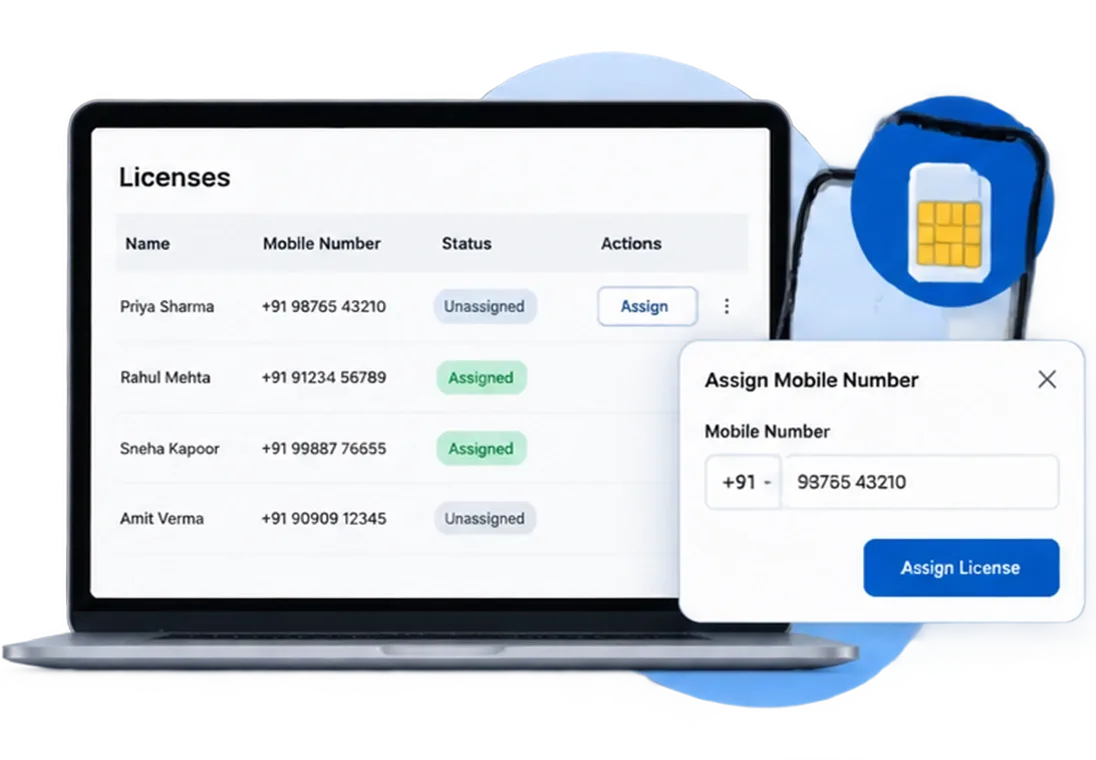
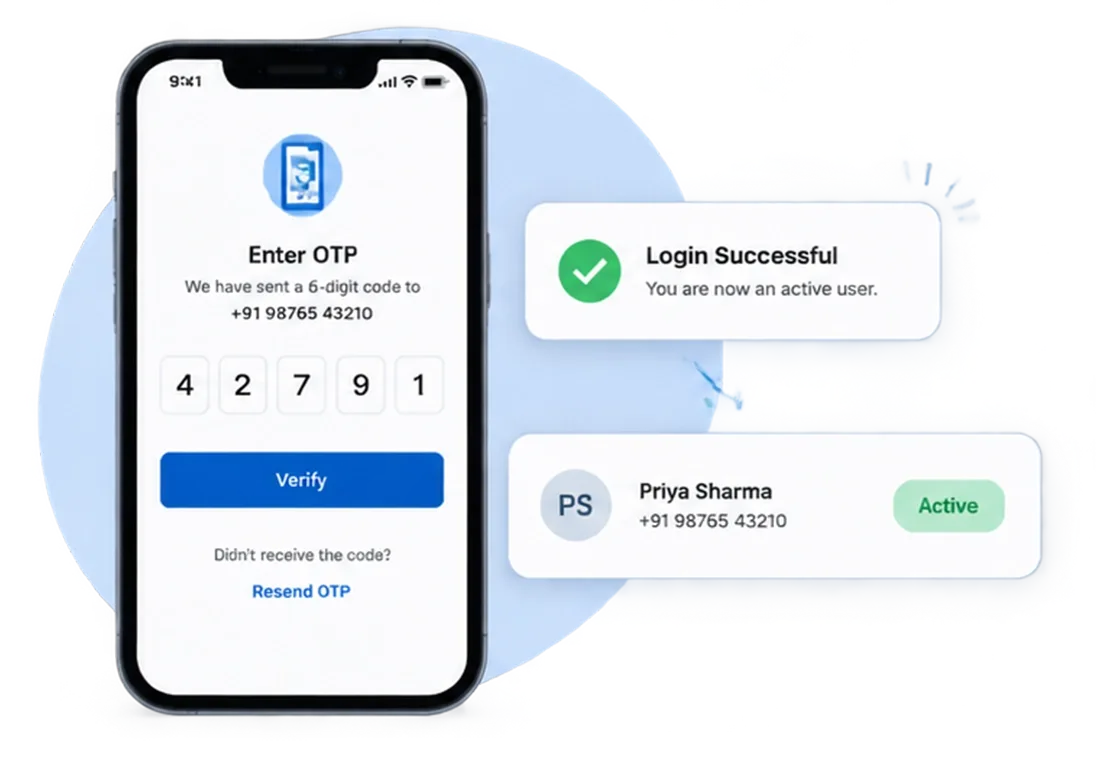
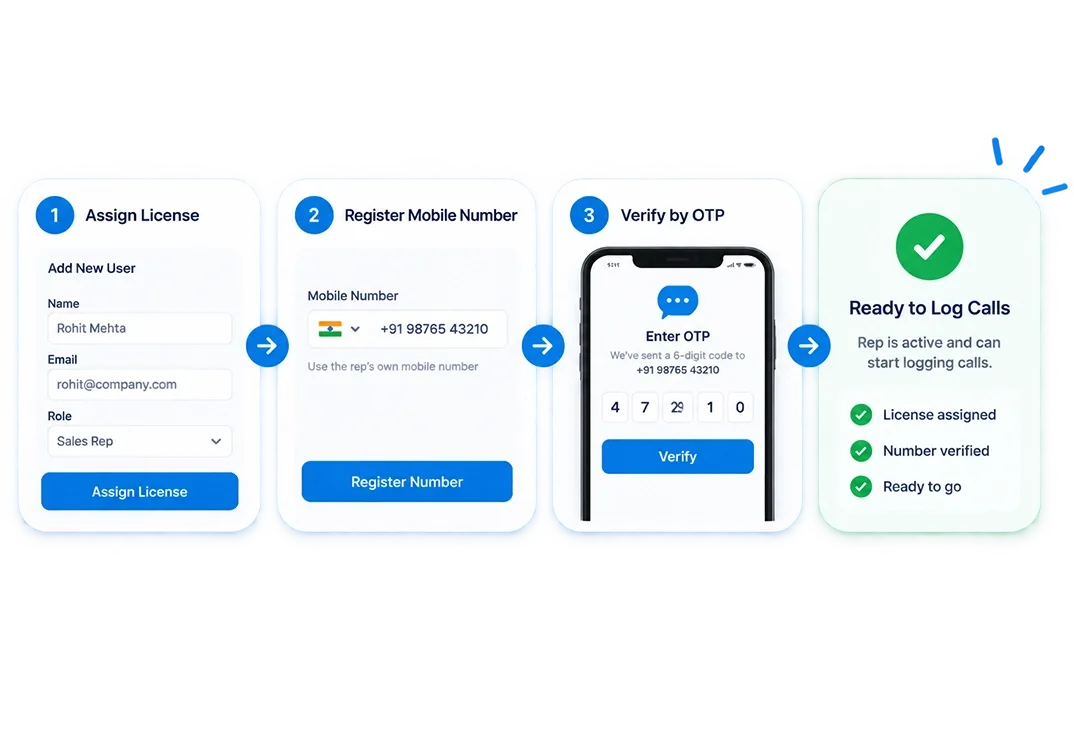
A new rep is ready to log calls the moment their number is assigned and verified. An admin handles all of it from one screen.
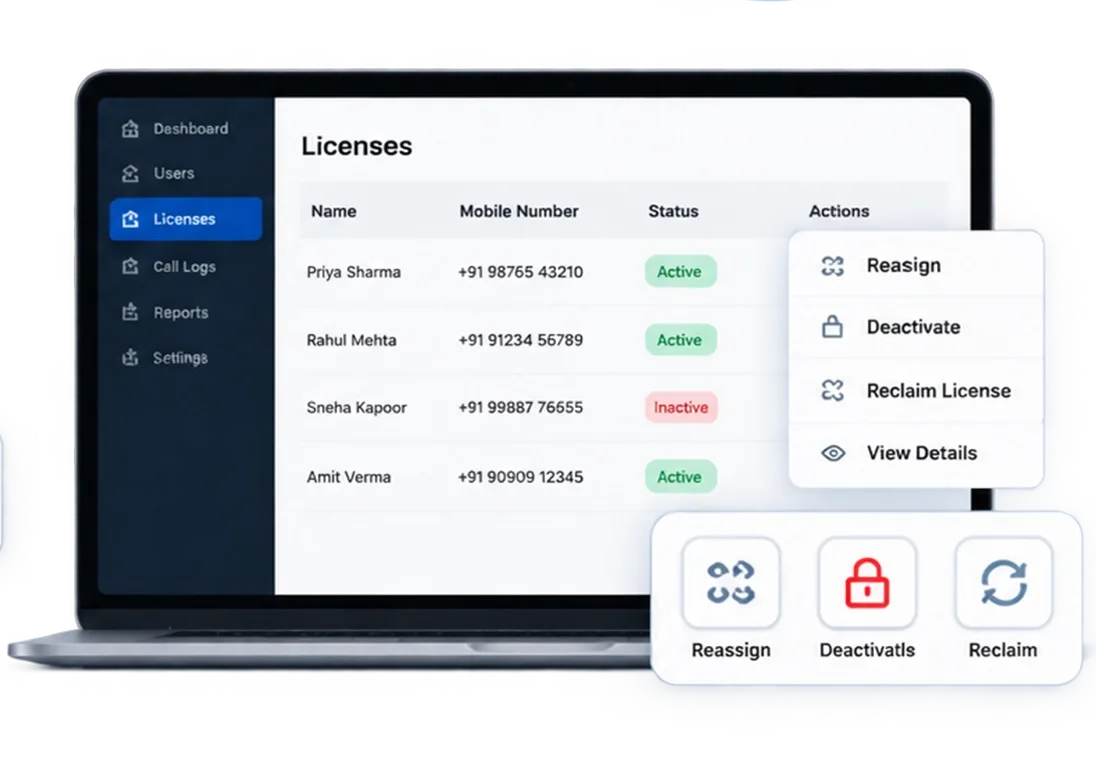
One Place to See, Assign, and Manage Every Rep's Call Logging Access
One dashboard for every rep, every number, and every license, updated the moment something changes.

Centralized License Overview
Total, used, and available seats in one view. No counting, no cross-referencing.

Per-rep Seat
Each rep on their own assigned seat. Call activity attributed to the right person, always.

Number Verified by OTP
The number the rep verifies is the number that logs their calls.

Reassign Without Losing History
Hand a license to a new rep in two clicks. Previous call history stays intact.

Full License History
Every assignment and status change tied to each seat, visible to admins at any time.

Admin-Only Control
Reps cannot provision, modify, or remove their own acces
See Exactly Who's Using a License, and Who Isn't.
Works With Every CRM Platform. No Migration Required.




Simplify Call Logging License Management at Scale
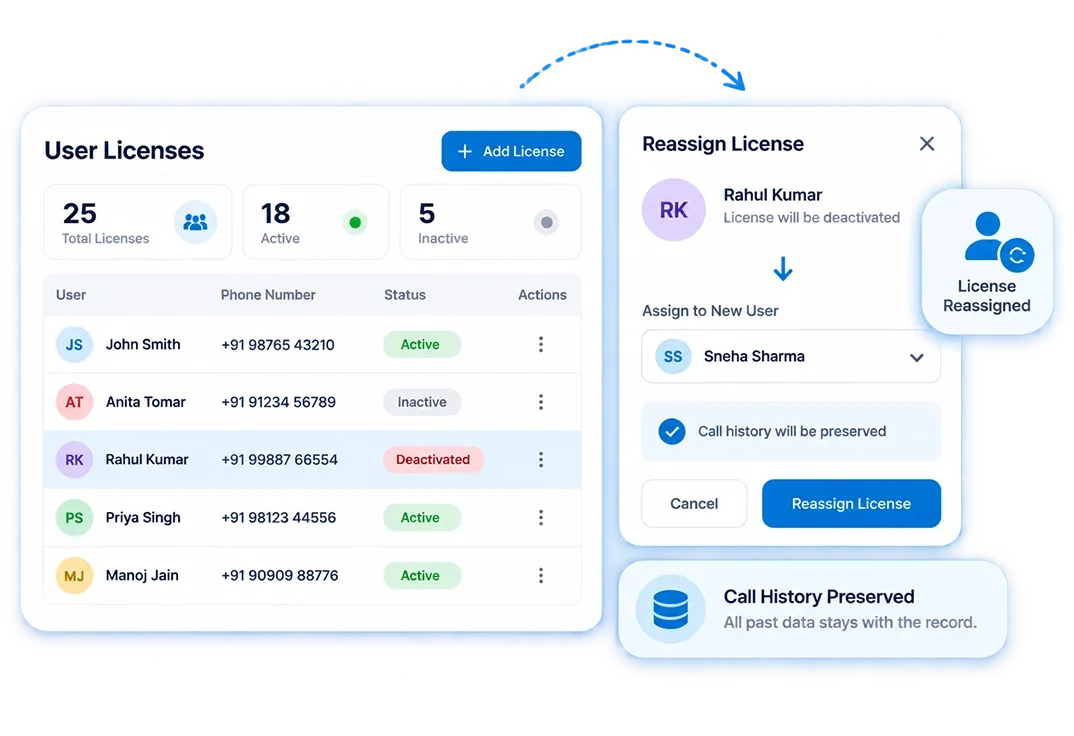
Reassign Licenses When Reps Leave.
- The Problem:Former reps keep active licenses, increasing costs and access risks.
- What Changes:Deactivate and reassign licenses in two clicks while preserving call history.
- Best For: Sales teams with regular rep turnover where access control needs to stay current without an IT ticket.
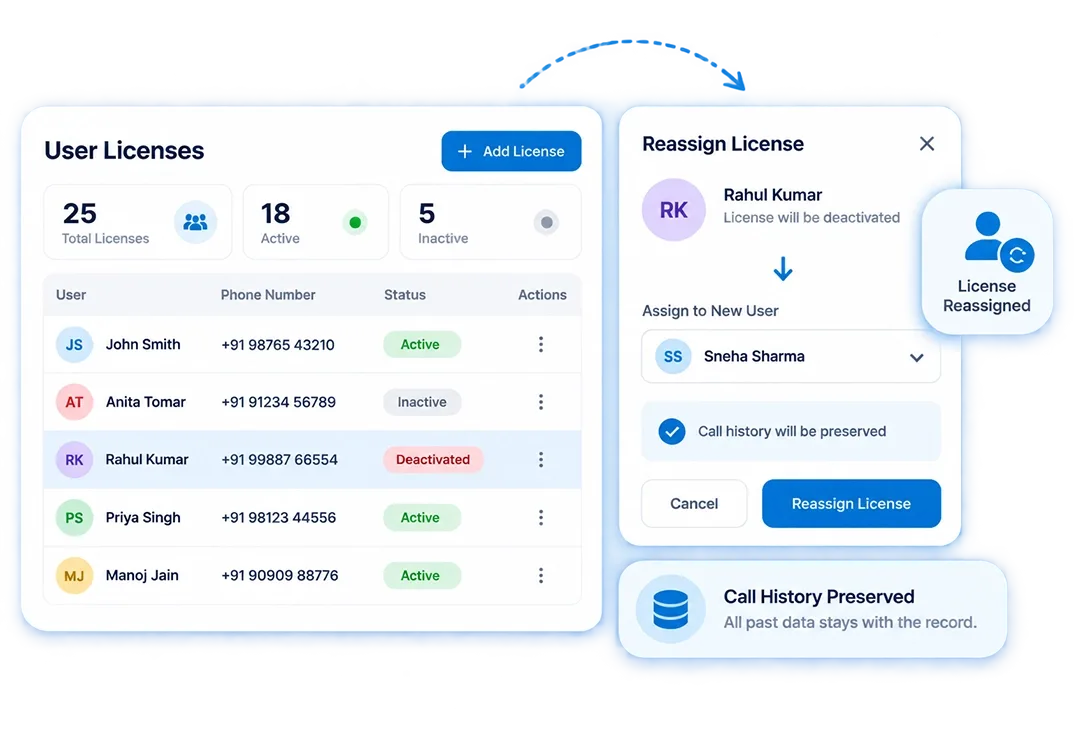
Know Which Number Belongs to Each Rep.
- The Problem: Admins cannot easily match personal mobile numbers with active users.
- What Changes:View every rep, registered number, and license status from one screen.
- Best For: Distributed and field-based teams where reps are rarely in the same place as the admin managing them.
Get New Reps Logging Calls the Same Day.
- The Problem: Complex setup delays call logging for new hires.
- What Changes: Assign a license, register the rep's own mobile number, verify by OTP.
- Best For: Fast-growing sales teams where onboarding speed directly affects how quickly call data becomes reliable.
Call Logging License Management vs Other Methods
What separates user management for call tracking software from a spreadsheet or a shared login is attribution. You cannot report on call activity by rep if you cannot tell which rep made the call.
| Capabilities | SIM-based (360 CallAnchor) | Spreadsheet Tracking |
|---|---|---|
| Per-rep seat with individual number | ✓ | ✗ |
| Admin-only license changes | ✓ | ✗ |
| Number verified by OTP | ✓ | ✗ |
| Deactivate without losing call history | ✓ | ✗ |
| Full license usage visible in one view | ✓ | ✗ |
| No IT process for new rep setup | ✓ | Manual |
Every Seat Accounted For. Every Number Registered. Every Change Logged.
Manage call-logging licenses, users, and access in one place, no spreadsheets required.