
Call Logging Software for Field Sales Who Are Never at Desk
Turn field calls into CRM-ready records with automatic logging, recordings, dispositions, and follow-ups from reps’ existing mobile SIMs.
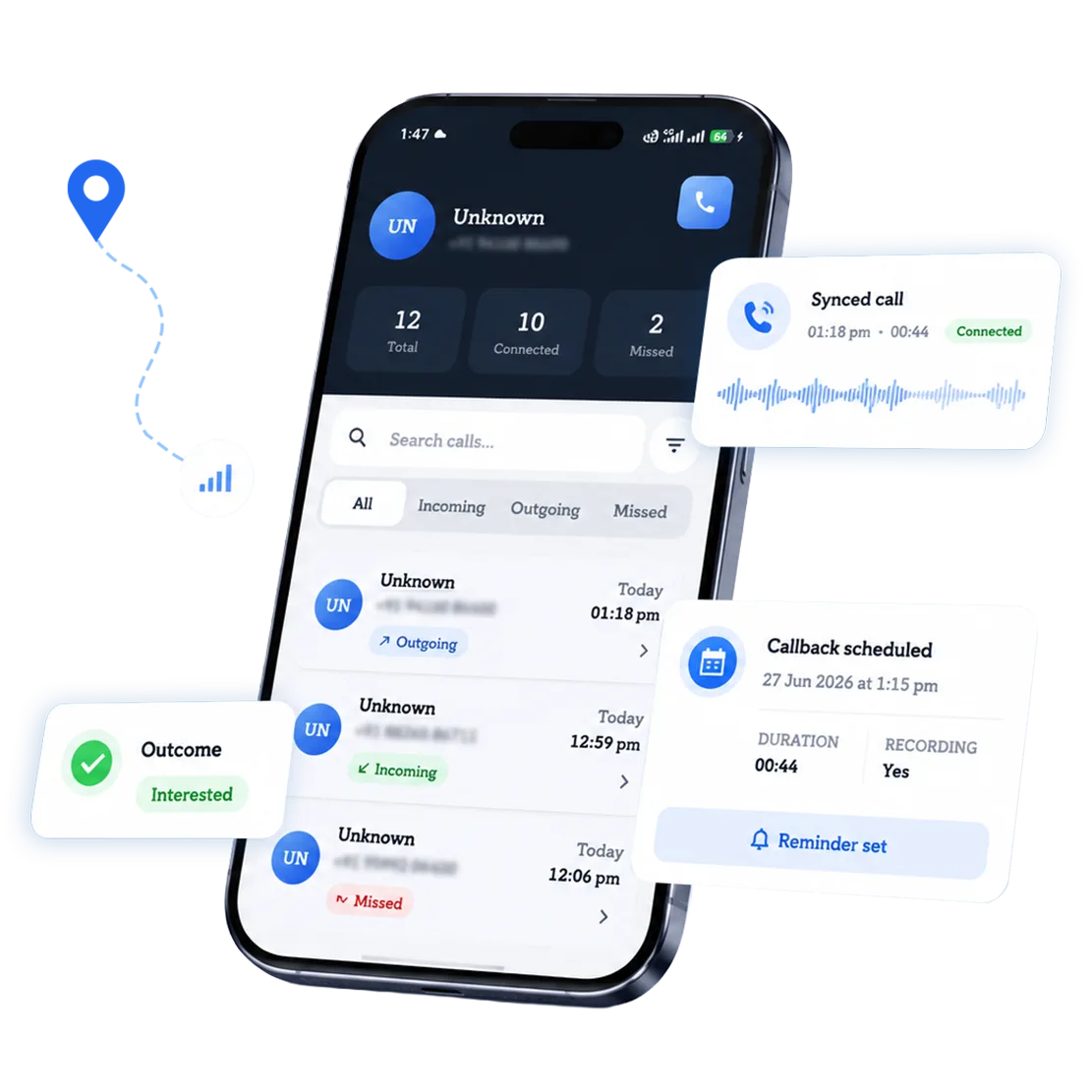






A Field Rep's Best Calls Happen Between Stops, Where No One's Watching to Log Them
Your Sales Team Doesn’t Need to Change How They Work
Your reps keep calling from their own numbers. 360 CallAnchor runs in the background and handles everything else.
-
Step 01
Sales Rep Makes a Call
Use their own number and SIM. No VoIP needed.
-
Step 02
Call Logged Automatically
Duration, recording, and caller ID captured instantly.
-
Step 03
Synced to Your CRM
Call disposition and notes land on the right record.
Your Field Sales Keep Selling in the Field
Your reps keep calling from their own numbers, on the road or at a site. 360 CallAnchor runs in the background and handles the rest.
-
Step 01
Sales Rep Makes a Call
Use their own number and SIM. No VoIP needed.
-
Step 02
Call Logged Automatically
Duration, recording, caller ID captured instantly.
-
Step 03
Synced to Your CRM
Call disposition and notes land on the right record.
The Four Problems Desk-Built Call Tracking Can't Solve on a Route
Field sales call logging has to work without a laptop, a desk, or reliable signal. Here's what that actually requires.
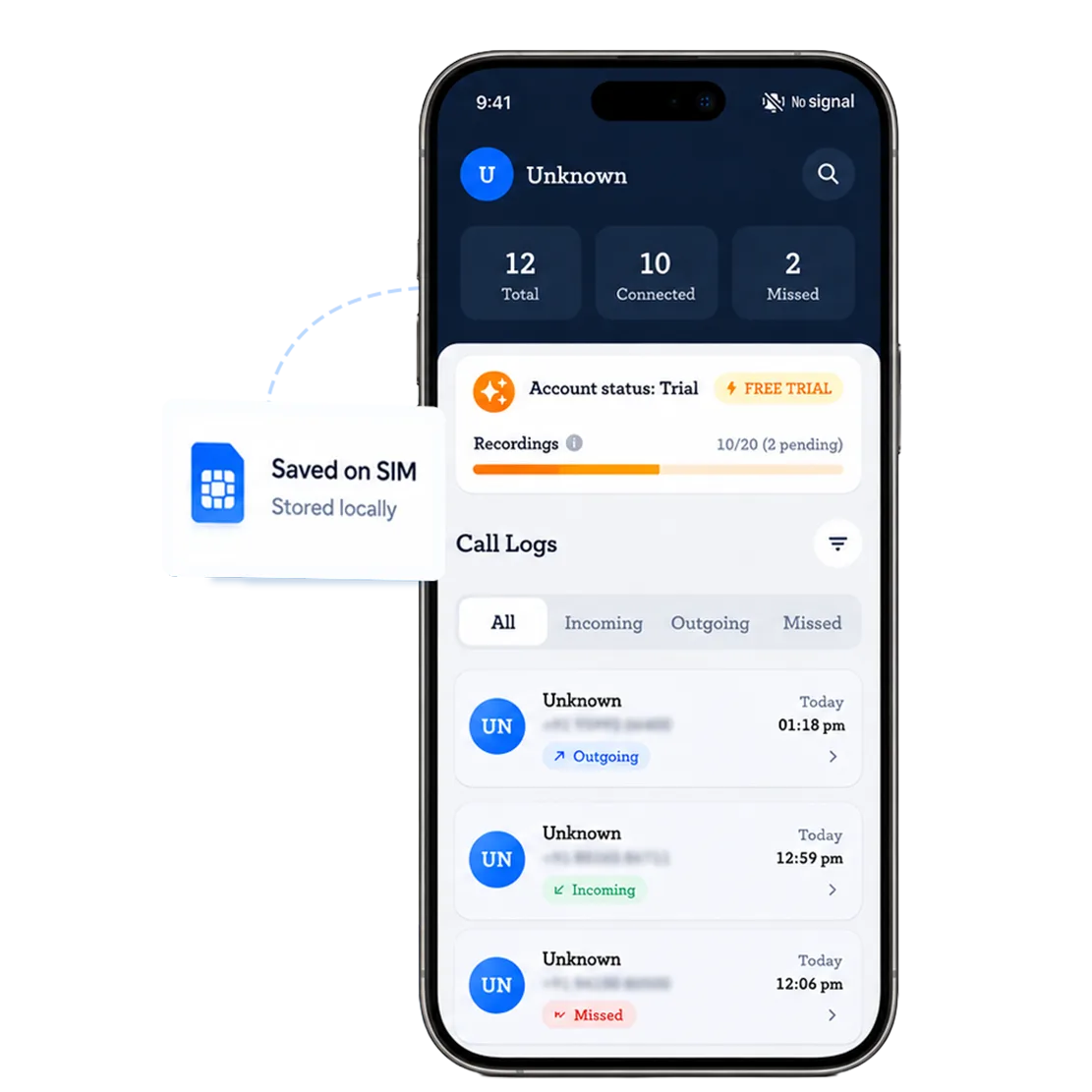
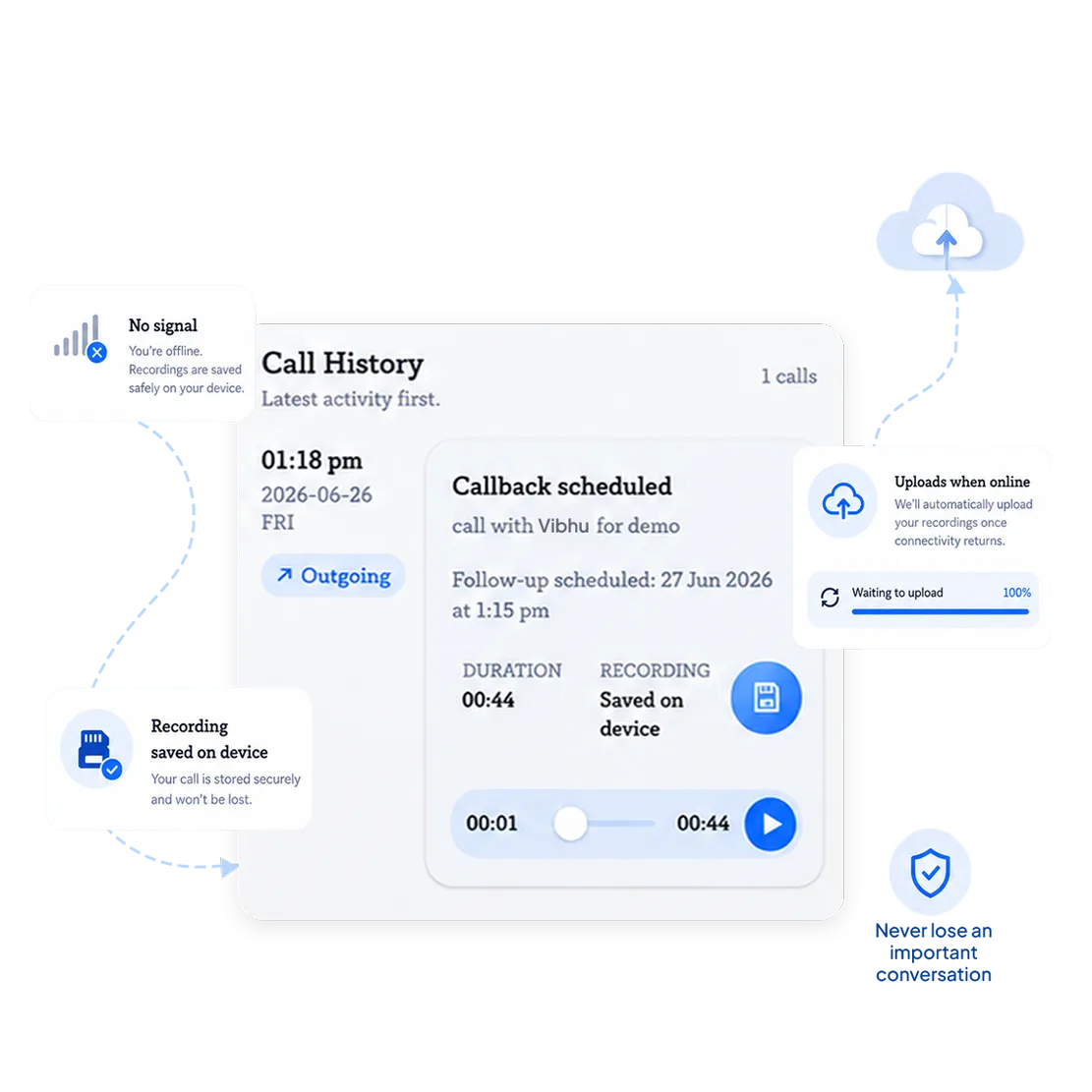
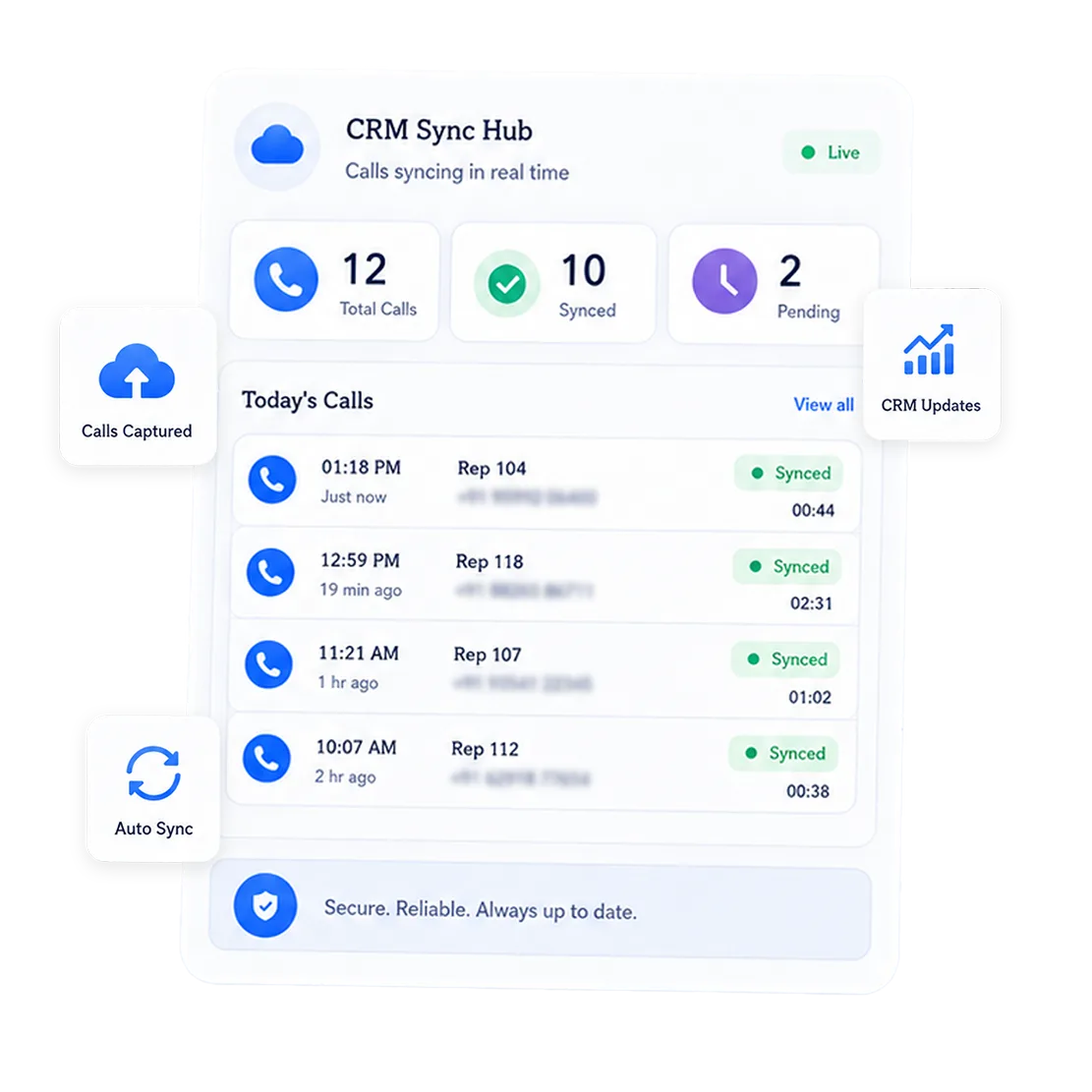
Calls log locally the moment they happen, on the SIM itself, whether the rep is in a basement, a rural property, or an industrial estate with no signal.
Recordings save to the device first and upload once connectivity returns, instead of failing silently in a dead zone.
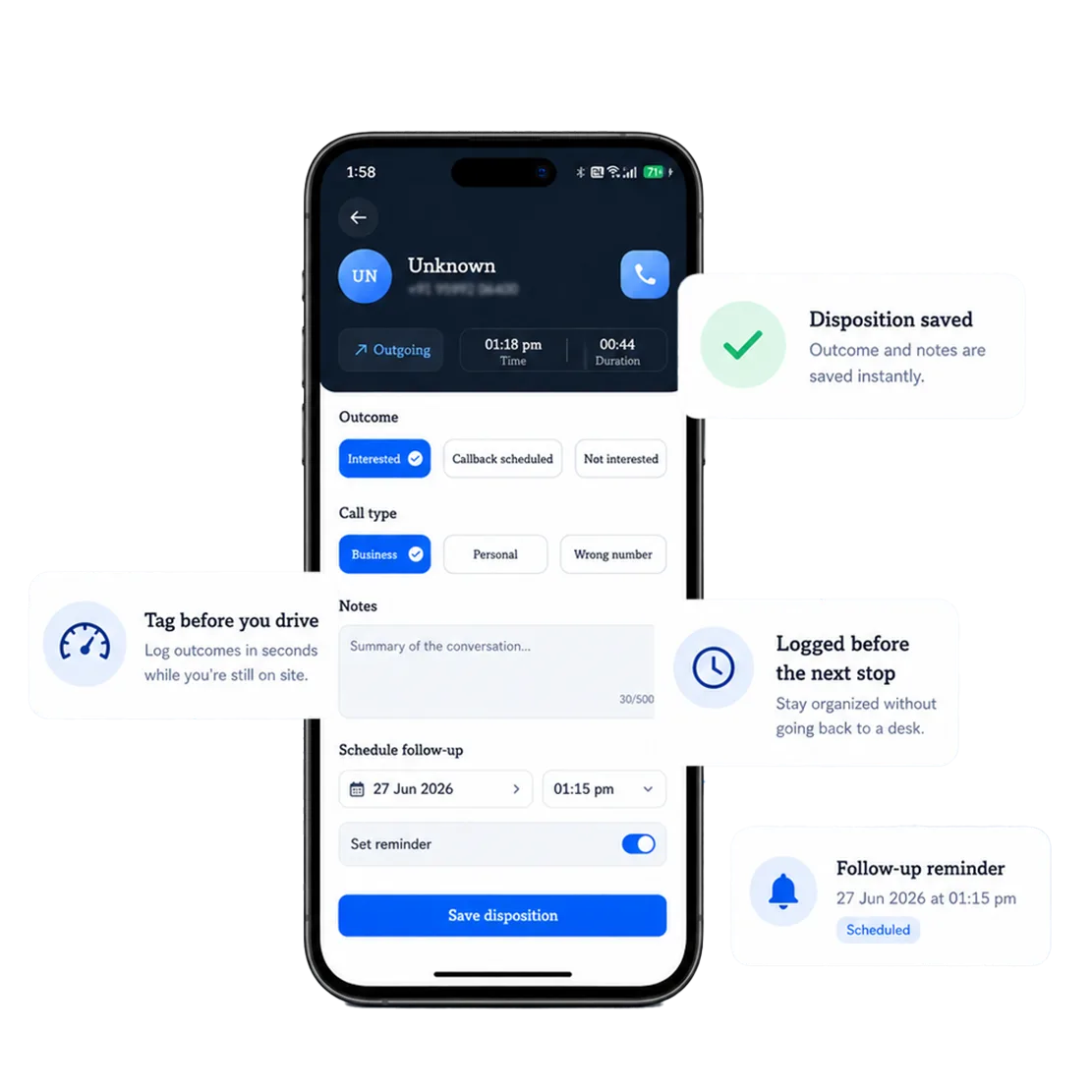
Reps review the call log and tag the outcome in the app before pulling out of the driveway, not after they're back at a desk that might be six stops away.
Managers see the day's calls land in the CRM as connectivity allows, not as a batch someone has to manually true up at 6pm.
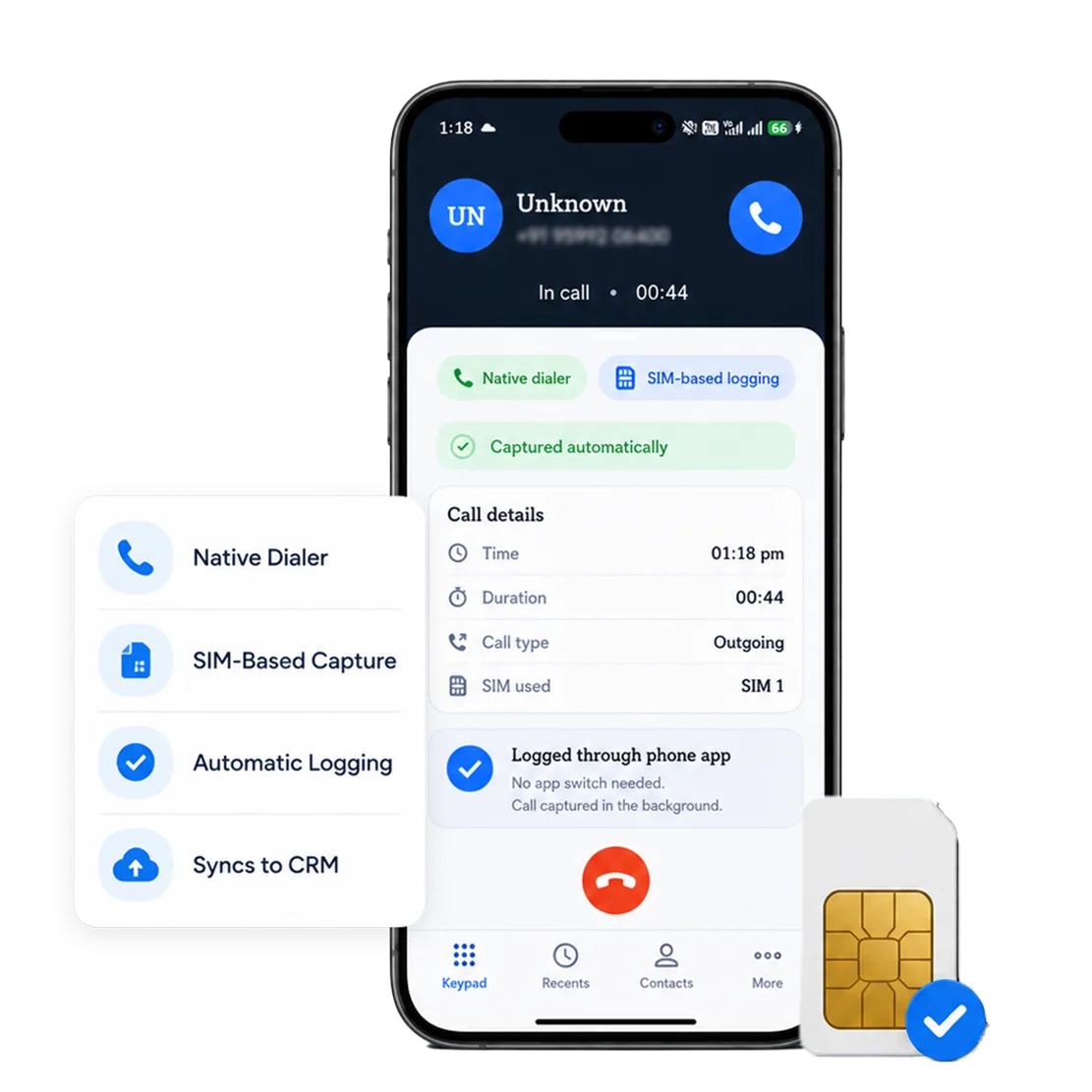
Reps can log calls from their native dialer without switching apps between stops.
Field Sales Call Recording, Built for Coaching and Accountability
Call recording in 360 CallAnchor is not a side effect of syncing. For field sales managers, it is often the only unfiltered view of how an on-site conversation actually went.
What Gets Recorded
Calls made or received on a field rep's SIM, captured where recording is enabled. Not a transcript reconstructed later, the actual audio.
Where Recordings Live
Attached to the lead or account record in the CRM once synced, next to the visit history and any notes from the last site call.
How Field Managers Use It
To hear how a rep actually handled an objection on a doorstep call, or confirm what was promised on a follow-up before the next visit gets scheduled.
Personal and Business Calls Stay Separate
Reps mark calls as business or personal. Personal calls are never recorded or synced. Recording follows consent laws and company policies.
Hear a Real Call, From a Rep's Truck to the CRM
Book a walkthrough. We'll show you a real call, from a rep's driveway to the CRM record.
Track Field Sales Call Activity Without Waiting on a Check-In
With call management software for field sales, managers get rep-level visibility automatically, instead of relying on a 6pm call to find out how the day went.
 Calls Logged Per Route
Total calls made and received, grouped by route or territory, not just by day.
 Talk Time Per Stop
How long a follow-up call actually ran versus how long it was supposed to.
 Calls Outside Working Hours
Calls a rep makes closing a deal on their own time, after the last scheduled stop.
 Connect Rate by Time of Day
Whether afternoon call attempts land better than morning ones on a given route.
 Disposition by Stop Type
Outcomes grouped by door-to-door, scheduled site visit, or service call.
 Follow-ups Still Owed
Promised callbacks from an on-site conversation that haven't happened yet.
How You Get Started
No lengthy rollout. Most field teams go from installing the call logging app to their first logged call the same day.
Install the app
On the rep's own phone. No rugged hardware, no in-vehicle kit, no VoIP setup.
Connect your CRM
Link any CRM via webhook or API. A one-time configuration in the portal.
Calls start logging
From the very next call, captured on-device and synced whenever the rep has signal again.
Our Field Team Call Logging App Integrates With Every CRM
Fits into your field sales team’s existing CRM stack without disrupting their workflow.




Canvassing, Routes, and Site Visits Don't Call the Same Way
Door-to-door, route sales, and field service all call differently. 360 CallAnchor tracks work-related calls the way each role actually operates, not one generic workflow.
Door-to-Door / Canvassing
A doorstep conversation ends with “I'll call you.” That callback, made from the sidewalk five minutes later, logs itself.
Territory / Route Sales
Ten stops, ten follow-up calls, none from the same location twice. Every one lands on the right account automatically.
Field Service & Installation
A call to confirm a job or close one out happens on-site, often with one bar of signal. It still logs, and still syncs once the van's back near a tower.
How Many of This Week's Site Calls Never Made It Into a Single Record?
What a Rep Actually Needs From Call Tracking on the Road
Reps keep their real mobile numbers, improving pickup rates and reducing spam concerns, while every business call syncs automatically into the CRM the team already runs.
| What Field Reps Need on the Road | 360 CallAnchor | CRM-Replacement Call Apps |
|---|---|---|
| Keeps capturing calls with no signal | ✓ | ✗ |
| Reps keep their existing mobile number | ✓ | ✗ |
| No in-vehicle hardware or PBX | ✓ | ✗ |
| Syncs into the CRM the team already runs | ✓ | ✗ |
| Disposition doesn't require a laptop | ✓ | ✗ |
| No end-of-day manual reconciliation | ✓ | ✗ |
Trusted by Field Sales Teams Across Industries
Built to plug into the CRM stack field sales teams already run, not to make them switch.

Nativel CRM Integration
Salesforce via native OAuth. All other CRMs via webhook or API. Any CRM that accepts a webhook connection is supported.

Real Mobile Number, Not Virtual
Calls run over the mobile network. No virtual numbers, no cloud dialer, no separate telephony subscription.

CRM Data Stays in Your CRM
Client data is stored directly in your CRM, not on CallAnchor servers, so the CRM remains the system of record.
Give Your Field Sales Managers Call Visibility, Without a New CRM
Reps call from their own numbers while 360 CallAnchor syncs every business call to the team’s CRM.
Frequently Asked Questions From Field Sales Teams
01What exactly does mobile call logging software for field teams do that a standard call tracker can't?+
02If a rep forgets to fill in the disposition, does the call still get logged?+
03 Does field sales call recording still work in areas with no signal?+
04Is 360 CallAnchor a CRM replacement, or does it work with the CRM we already use?+
05 How do personal calls from a field rep's phone stay separate from business calls?+
06 Which CRMs does call management software for field sales support?+
Thank you
Your request has been received. Our team will reach out shortly.