
Call Disposition Software That Logs Every Call Outcome
A call disposition management software that opens a prompt the moment every business call ends and syncs the outcome, notes, and follow-up date to the right CRM record.
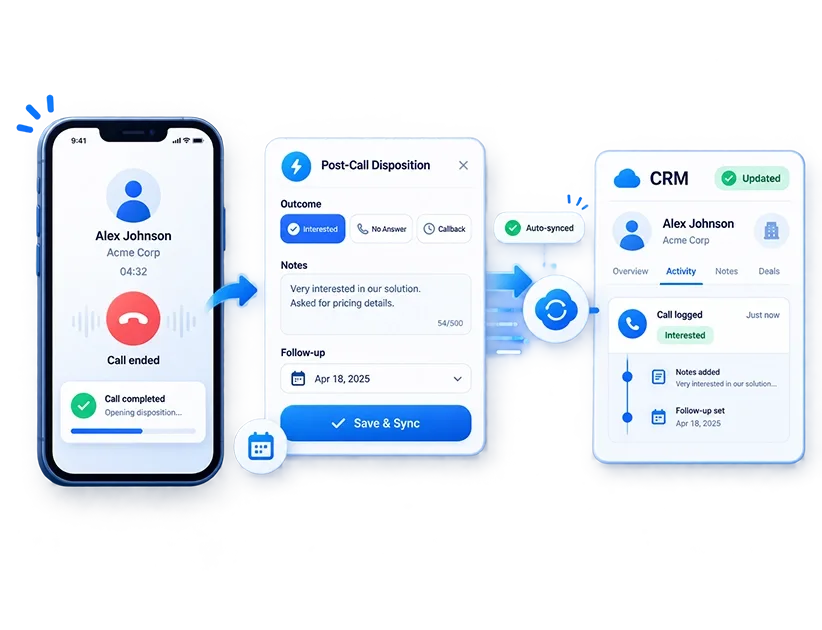
How Call Disposition Tracking Software Works
The outcome prompt appears before the rep can move on. Not after they remember. Not at end of day.
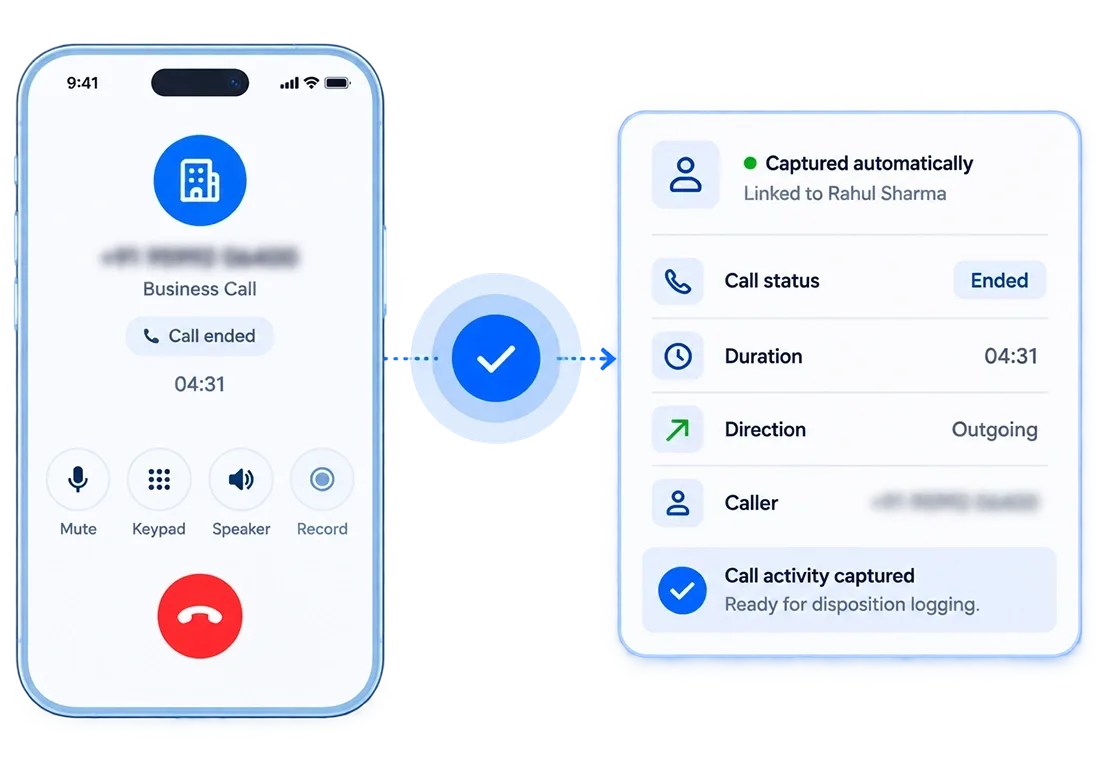
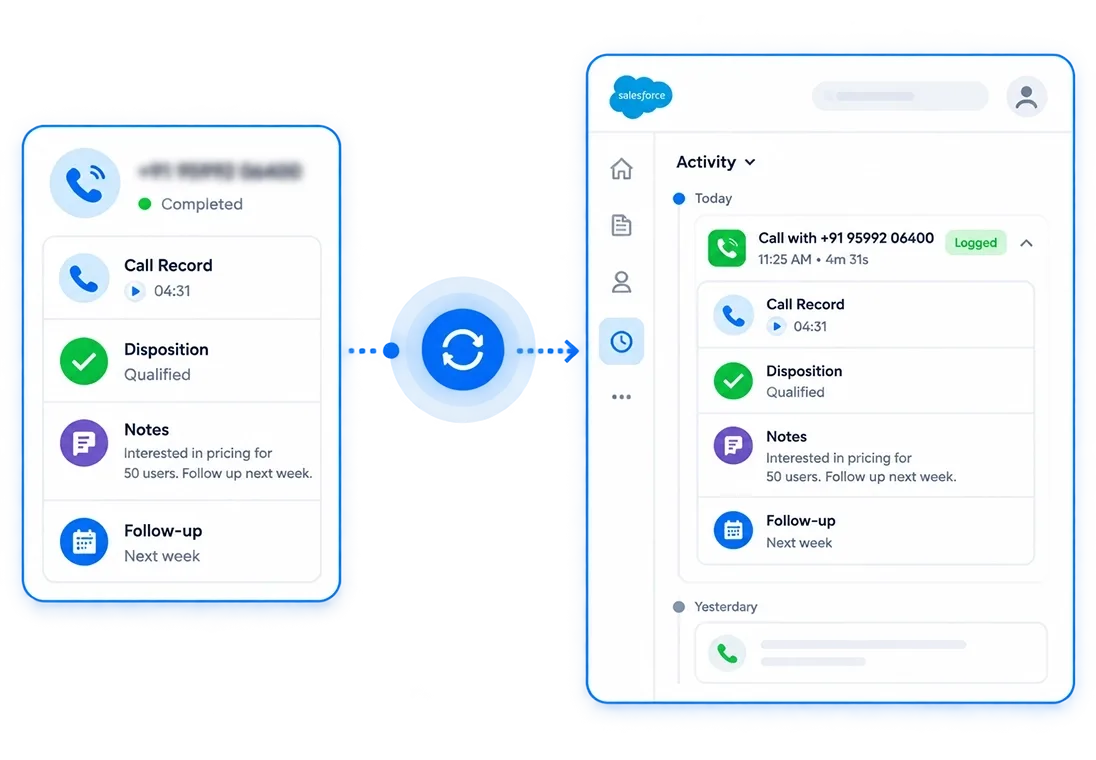
Disposition Data Your Team Can Actually Report On
Five things that determine whether disposition data is actually reportable or just a list of tags nobody trusts.

Prompt Appears Immediately Post-Call
The outcome screen opens over the dialer the moment the call ends, not after the rep has moved on to the next dial.

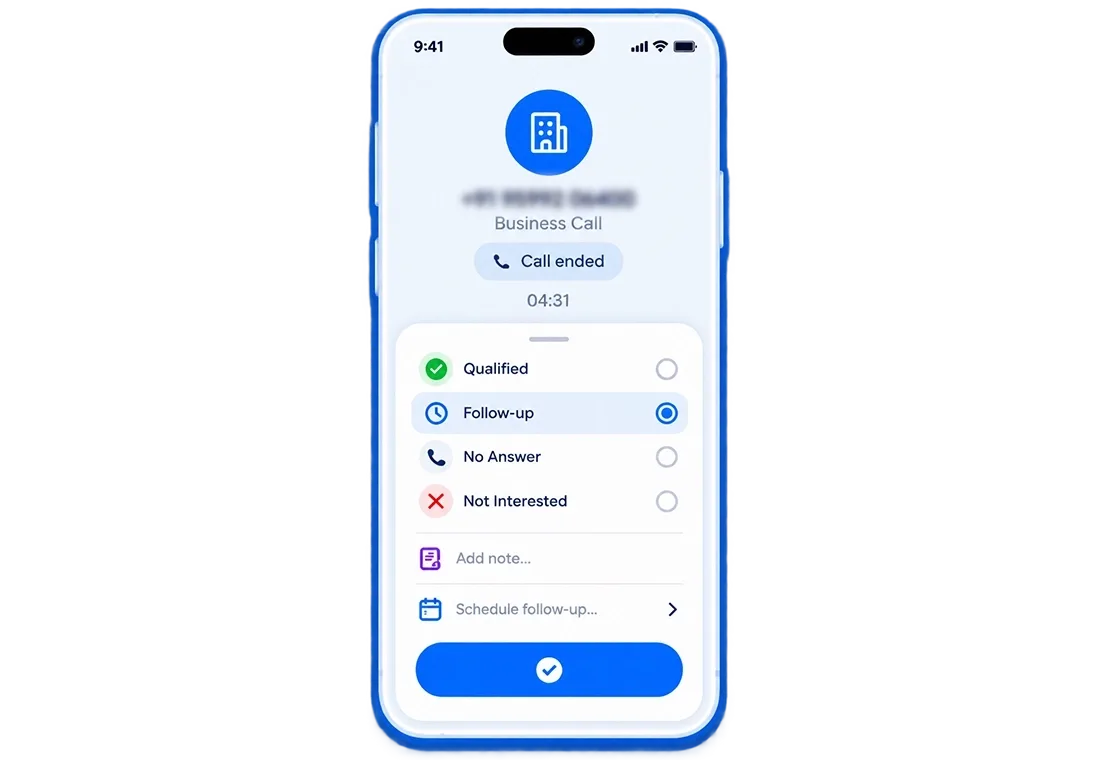
No Way to Skip the Disposition
The prompt keeps appearing until the rep selects an outcome. There is no dismiss button, no workaround. Every call gets a logged result.

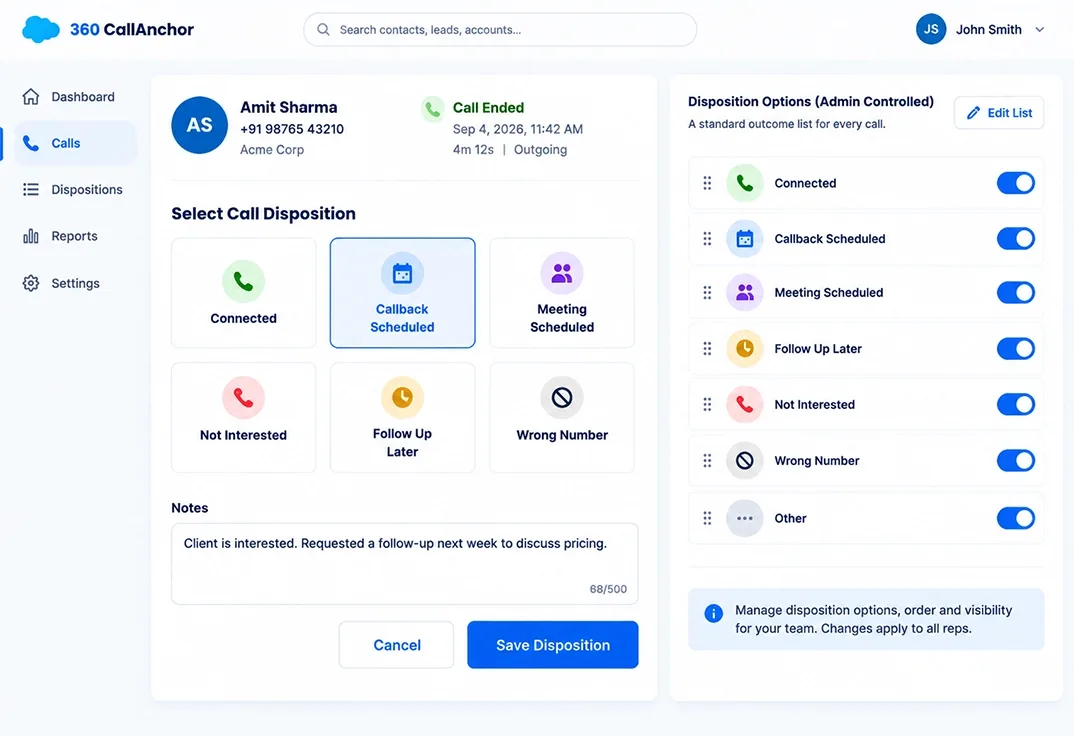
Outcome Options Set by Admins
The full list of outcomes a rep can choose from is configured centrally. No freeform text, no inconsistent labels across the team.

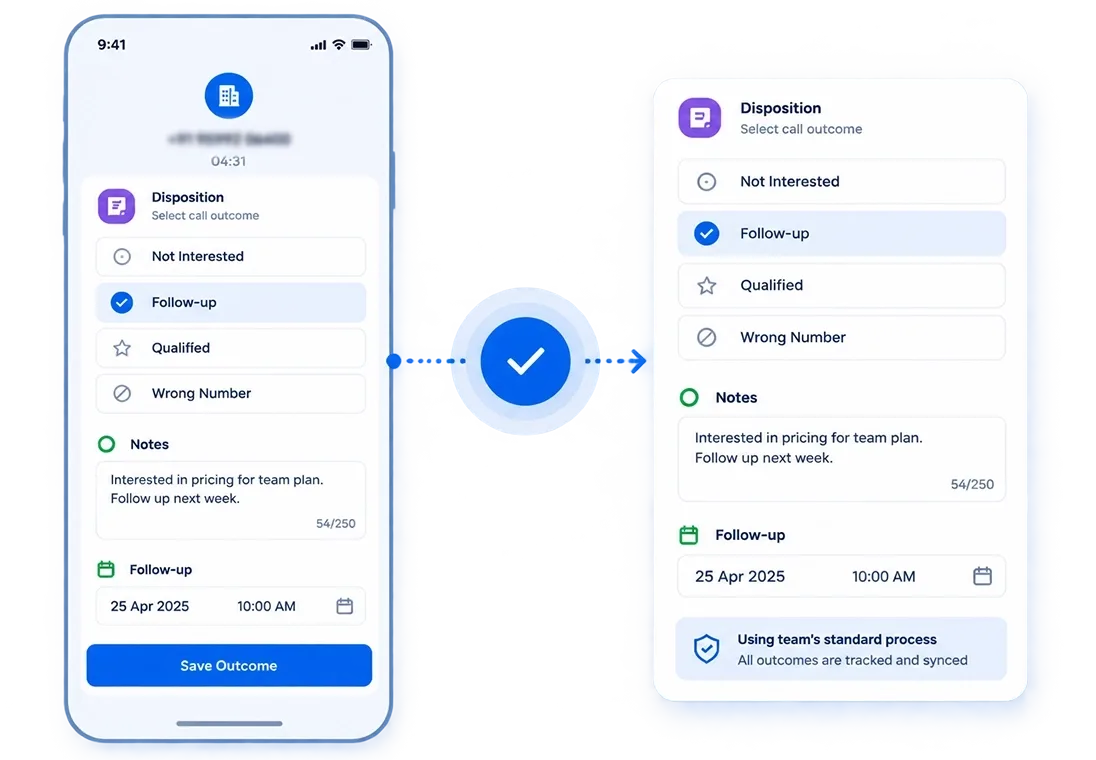
Notes and Follow-up in the Same Screen
Reps add context and set the next callback in the same prompt. Nothing requires opening the CRM separately.

Outcome Synced to the Right CRM Record
The disposition lands on the matching lead or contact in the CRM as part of the call activity. No duplicate entry step.
Prompt Appears Immediately Post-Call
The outcome screen opens over the dialer the moment the call ends, not after the rep has moved on to the next dial.
See How Every Outcome Gets Tracked Before the Next Call Starts.
Works With Any CRM. No Manual CRM Update Required.




Your Outcome Data Should Land in the CRM Your Team Already Reports From
Disposition data is only useful inside the system your pipeline lives in. If your CRM accepts a webhook, 360 CallAnchor sends every outcome there.
-
One-Time Setup
Add your CRM endpoint in Settings once. Every disposition syncs from that point forward.
-
Outcome Arrives With the Full Record
Disposition, notes, duration, and follow-up date land as one CRM activity.
-
No Developer Needed
Configuration lives in the portal. No code, no IT ticket.
- Call log & direction
- Talk time
- Disposition outcome
- Recording reference
- Scheduled follow-up
Your Disposition Data Is Only as Good as What Reps Actually Log
Every Rep Has a Different Definition of Callback Scheduled
- The Problem: Reps use inconsistent outcome labels, making reports unreliable.
- What Changes: One admin-defined outcome list standardizes every call.
- Best For: Sales ops and CRM admins reporting on dispositions.
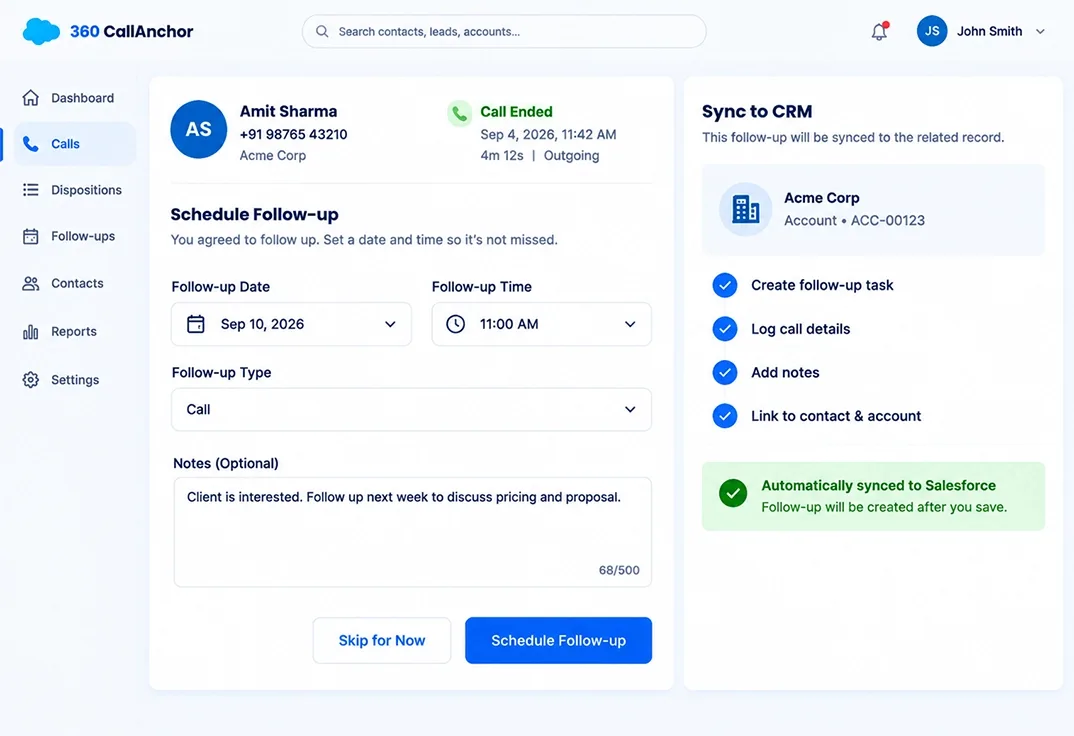
The Follow-up Was Agreed, but Never Actually Scheduled.
- The Problem:Promised callbacks are forgotten between calls.
- What Changes:Reps schedule the follow-up as soon as the call ends, and it syncs to the CRM.
- Best For: High-volume teams where missed callbacks mean lost deals.
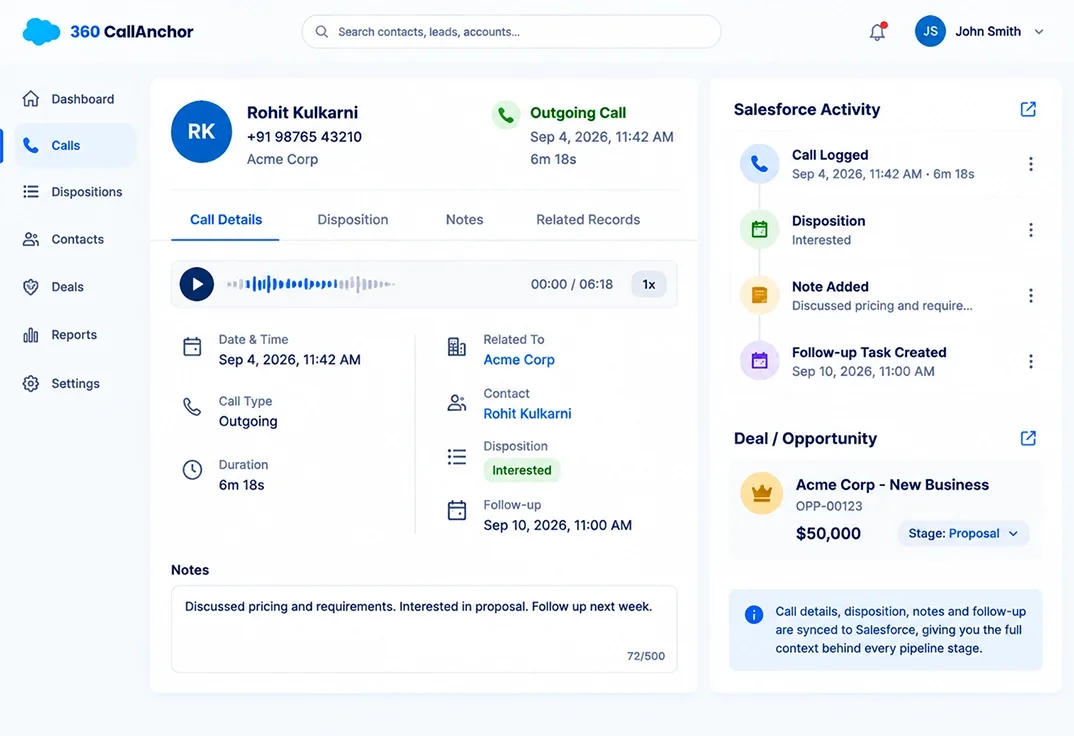
Your Pipeline Doesn’t Show What Was Said.
- The Problem: A CRM stage shows interest, but not the conversation behind it.
- What Changes: Dispositions link outcomes, notes, and call details to every stage update.
- Who This Fits: Sales managers who need context behind a pipeline stage before walking into a forecast meeting .
Automatic Call Outcome Tracking vs Manual CRM Updates
Without automatic call outcome tracking, reps must remember to open the CRM and update every call after it ends.
| What a Team Needs | 360 CallAnchor Workflow | Manual CRM Updates |
|---|---|---|
| Post-call disposition prompt | ✓ | ✗ |
| Standardized outcome options | ✓ | Varies |
| Outcome captured while the call is fresh | ✓ | Depends on rep |
| Rep and call context retained | ✓ | Depends on update |
| Disposition connected to the CRM record | ✓ | Only when entered |
| Notes and follow-up kept with the outcome | ✓ | Varies |
No Call Should Close Without a Logged Outcome
Locks in every call outcome before the next dial starts. No skipped results, no inconsistent labels, no separate CRM update.