
Call Logging Software for Recruiters That Captures Every Screening Call
Candidates pick up numbers they recognise. 360 CallAnchor logs every screening call and syncs the outcome, recording, and next step into your CRM automatically.
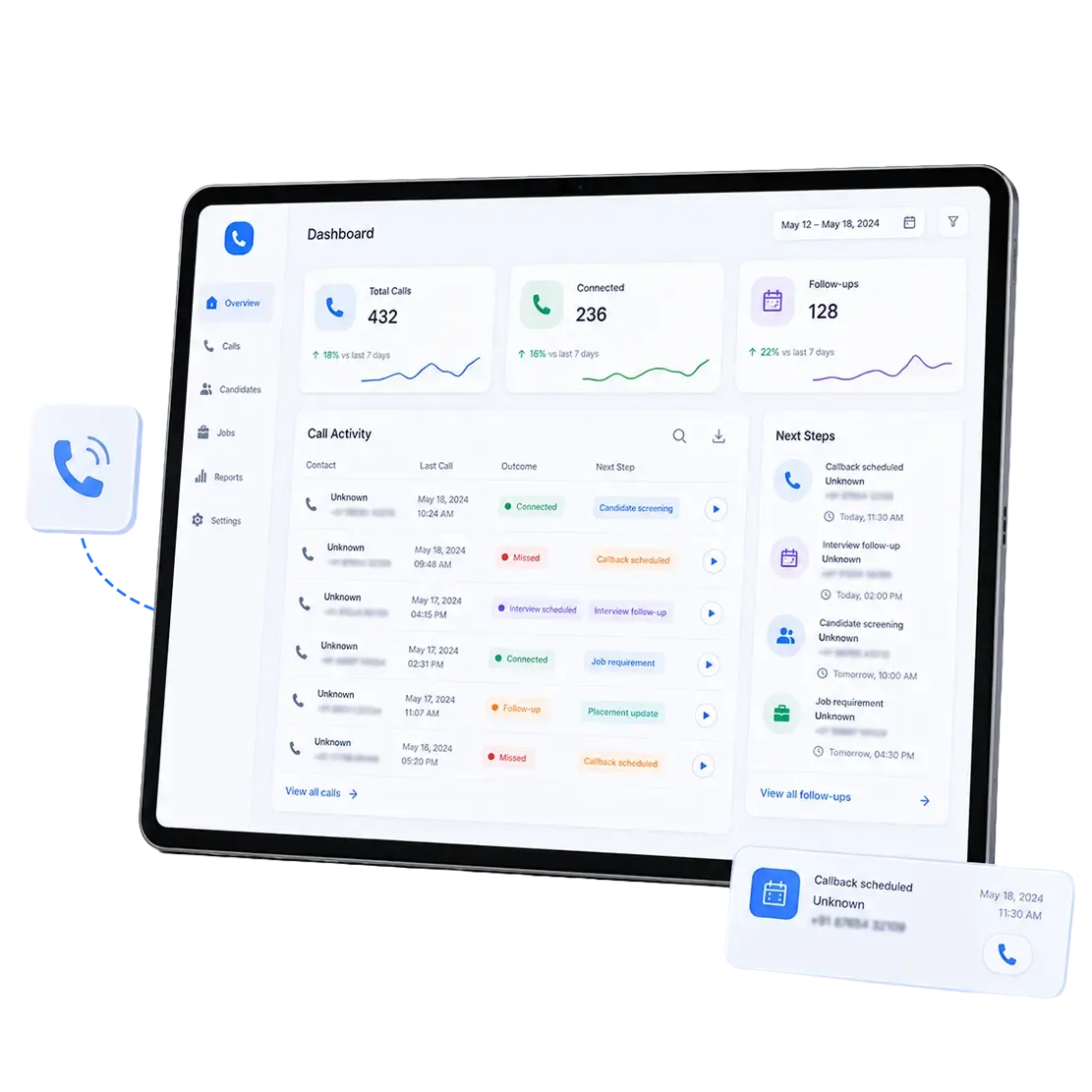






Want to See a Screening Call Land on the Candidate Record?
Your Sales Team Doesn’t Need to Change How They Work
Your reps keep calling from their own numbers. 360 CallAnchor runs in the background and handles everything else.
-
Step 01
Sales Rep Makes a Call
Use their own number and SIM. No VoIP needed.
-
Step 02
Call Logged Automatically
Duration, recording, and caller ID captured instantly.
-
Step 03
Synced to Your CRM
Call disposition and notes land on the right record.
Your Field Sales Keep Selling in the Field
Your reps keep calling from their own numbers, on the road or at a site. 360 CallAnchor runs in the background and handles the rest.
-
Step 01
Sales Rep Makes a Call
Use their own number and SIM. No VoIP needed.
-
Step 02
Call Logged Automatically
Duration, recording, caller ID captured instantly.
-
Step 03
Synced to Your CRM
Call disposition and notes land on the right record.
Everything Candidate Call Logging Software Should Handle
The pieces that work together so call logging happens during the day, not reconstructed from memory at the end of it
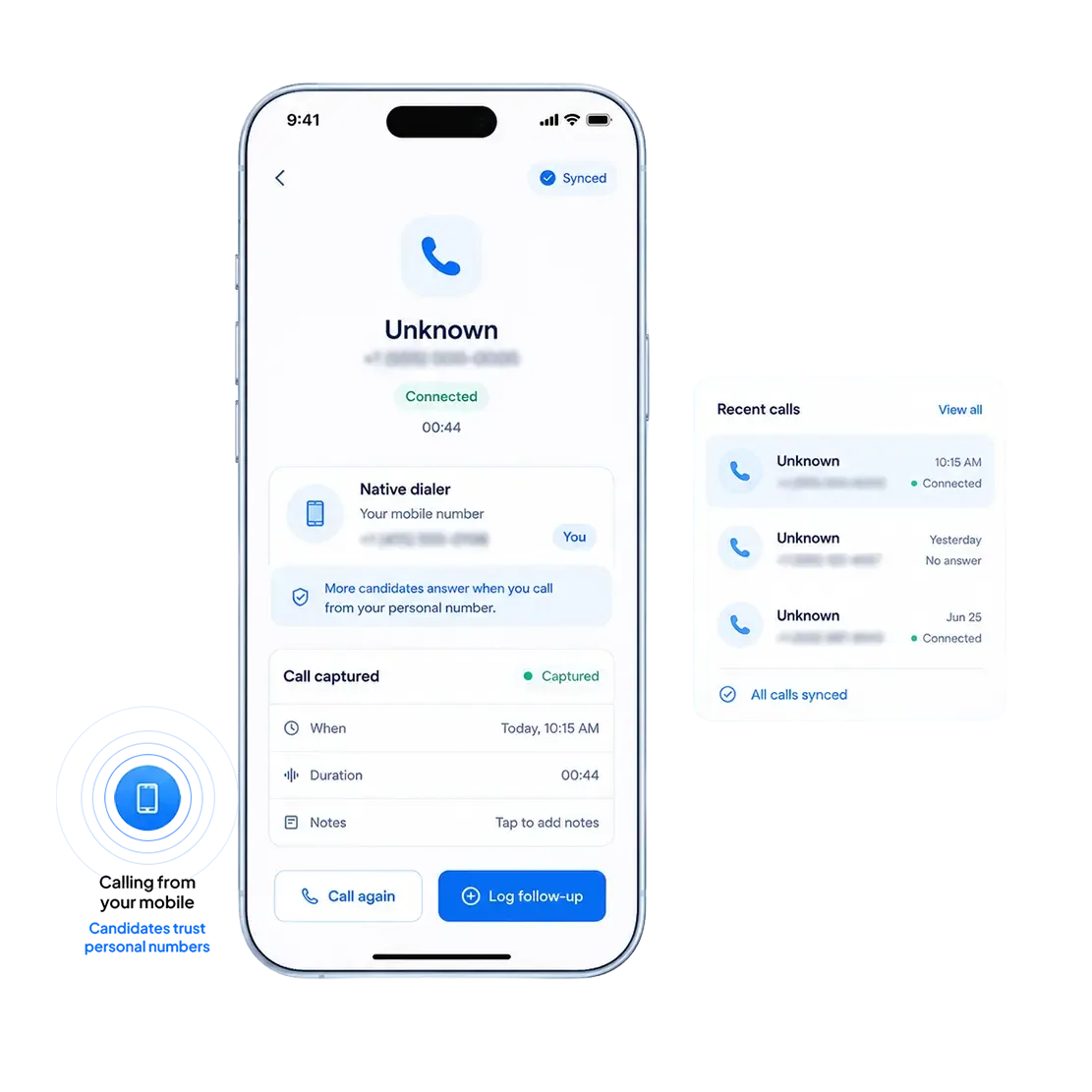
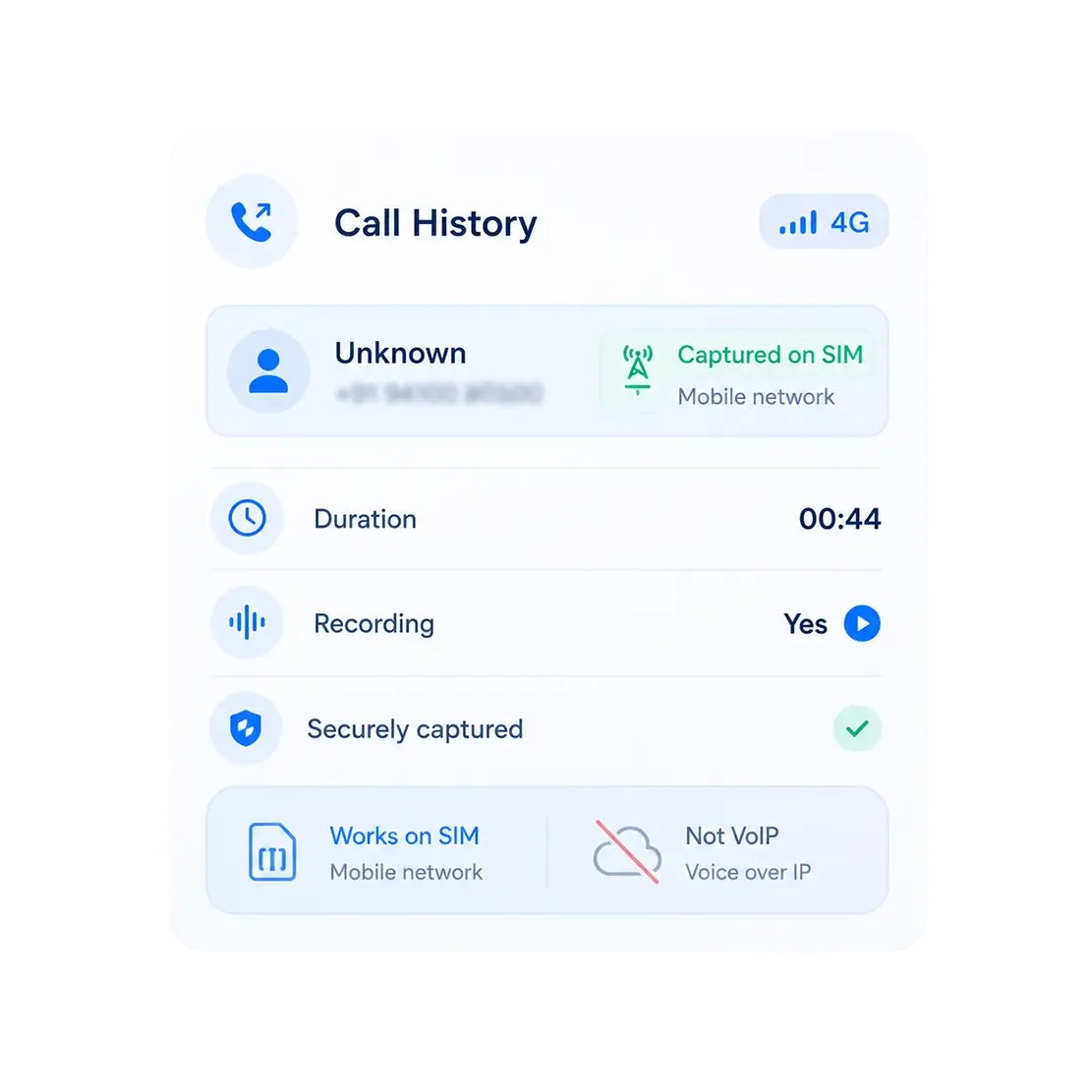
Recruiters call from their own mobile number. No virtual line, no app to open before dialling.
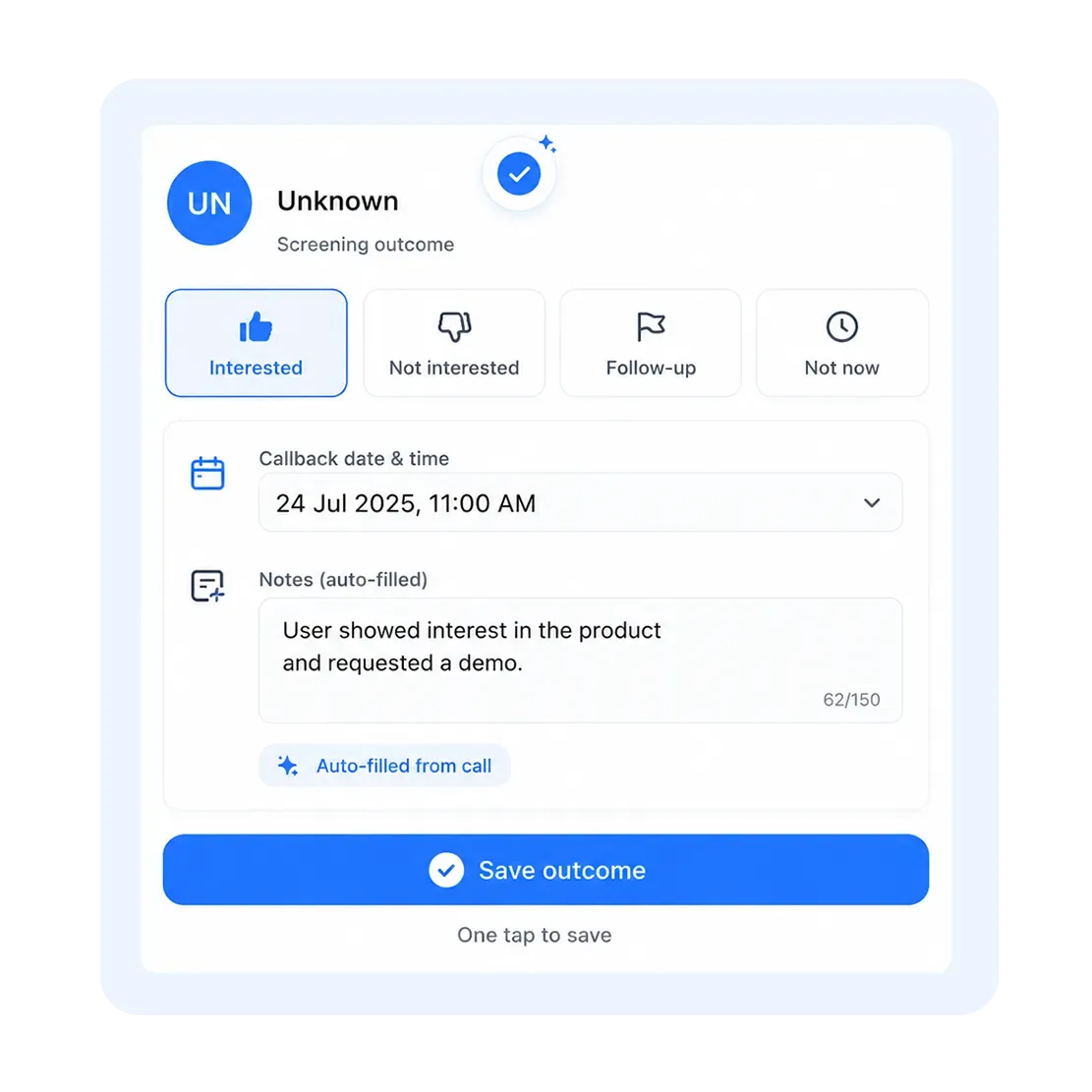
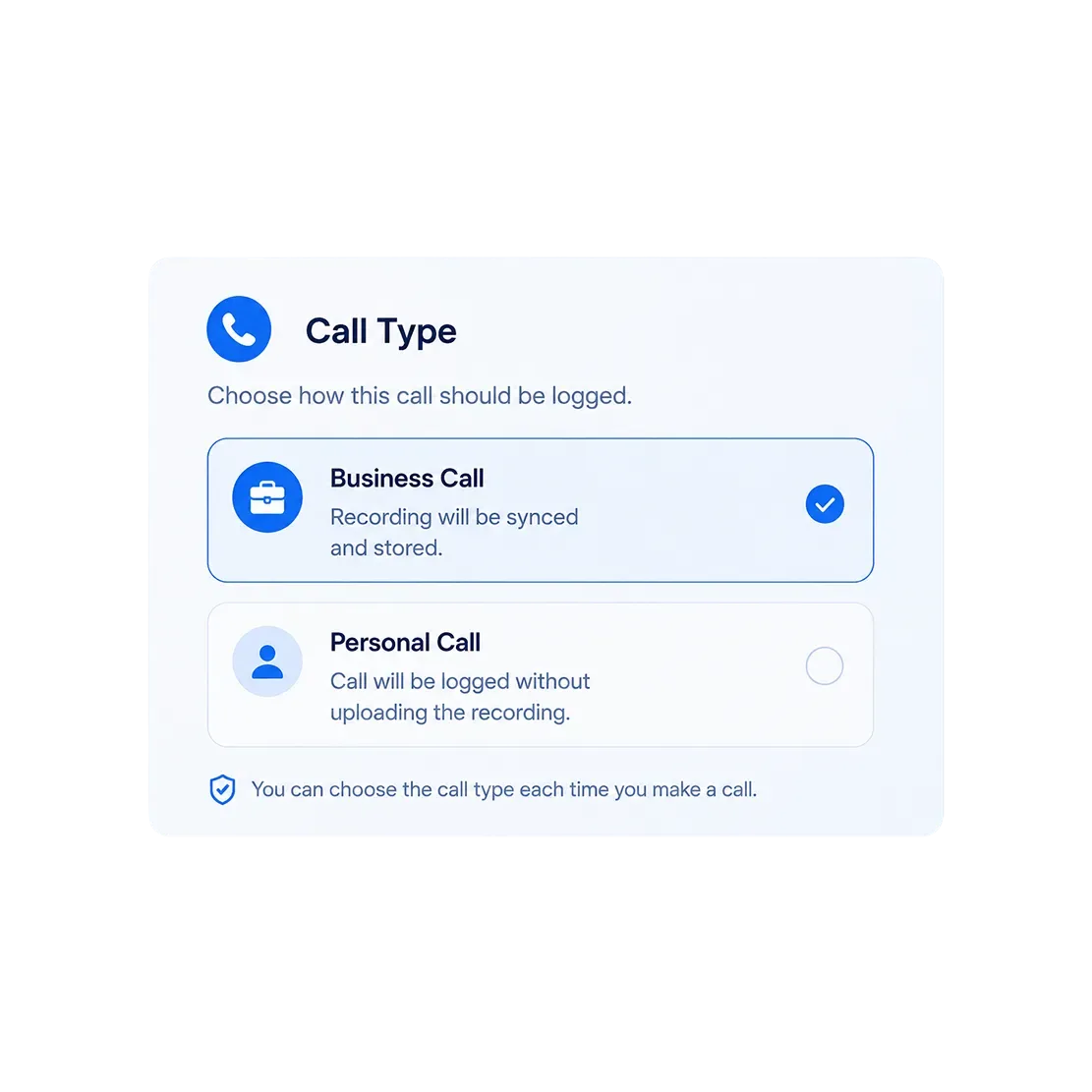
A prompt opens over the dialer, pre-filled. Tag the outcome, set a callback, save.
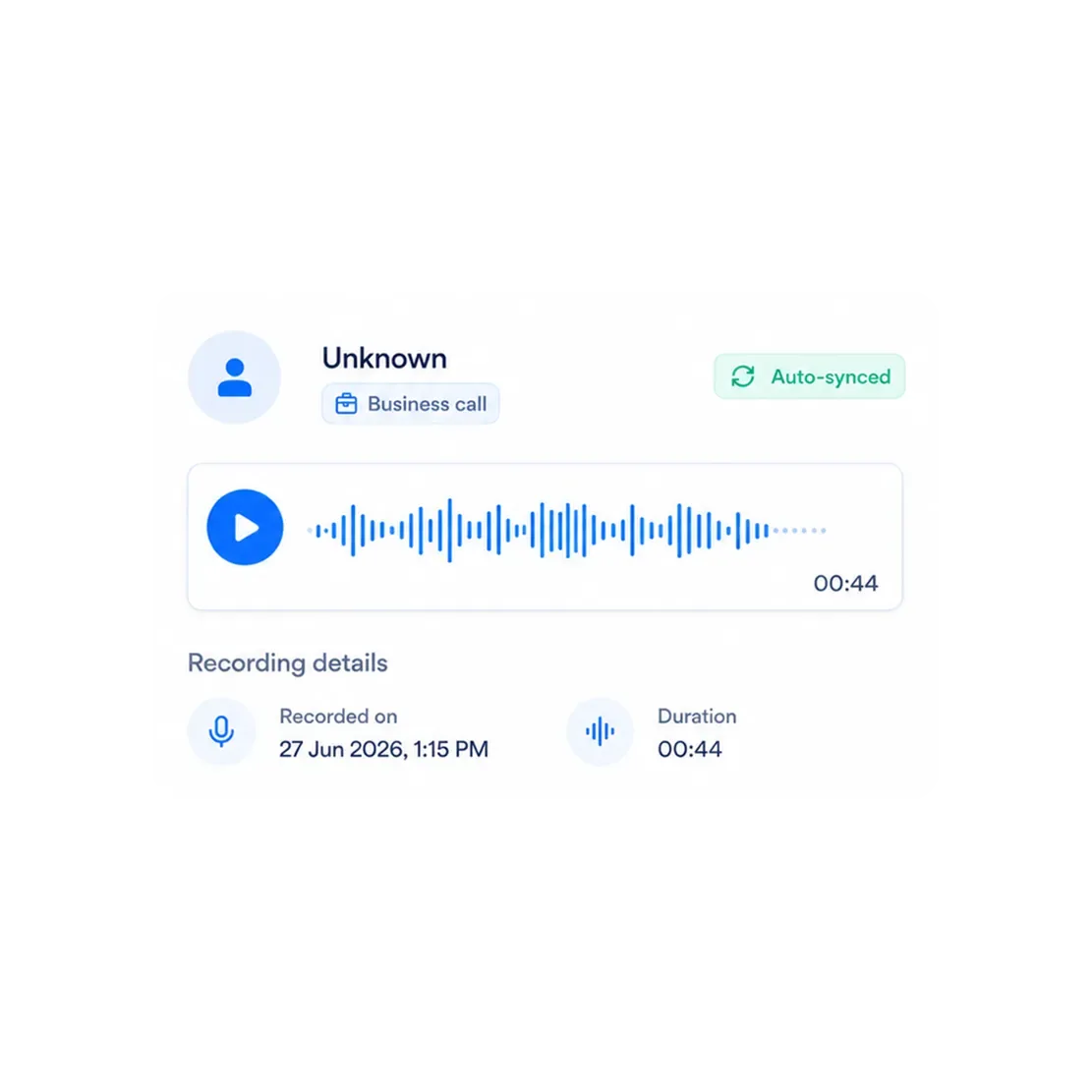
Business calls sync their recording, so notice period and salary are on file.
Personal calls log without the recording being uploaded. The recruiter chooses, per call.
Captured on the mobile network, not over the internet, so calls log whether the recruiter is at their desk or between meetings.
Screening Calls on the Record, Not in a Notebook
Call recording in recruitment is not about monitoring. It is about making sure what was agreed with a candidate or client still holds up three weeks later
What Gets Recorded
Business calls on the recruiter's SIM, recorded where enabled and synced when the outcome is saved.
Where It Lives
On the candidate or client record in your CRM, alongside the outcome, notes, and any callback that was scheduled.
How Teams Use It
Verifying agreed start dates and salary before an offer goes out, and onboarding new resourcers on real screening calls.
Who Controls It
Your admin enables recording and manages outcome options at org level. Recording should follow applicable consent laws.
Want to See a Screening Call Land on the Candidate Record?
Book a walkthrough and we'll show you one real call, from dial to CRM record, with the recording and outcome attached.
See Which Candidates and Clients Are Actually Being Worked
Call activity groups by contact automatically, so desk-level visibility exists without anyone filling in an activity tracker.
 Calls Per Contact
Grouped by candidate or client. Total, incoming, outgoing, missed.
 Answer And Missed Rates
Across the whole desk, or filtered to a single recruiter.
 Call Outcomes
Interested, callback scheduled, not interested. Filterable across your call records.
 Last Contacted
Date and time of the last call, so cold candidates surface before they take another offer.
 Call Duration
Logged on every call, so a two-minute screen and a twenty-minute one are not counted the same.
 Scheduled Callbacks
The date and time your recruiter promised, synced into the CRM with the call.
How You Get Started
No lengthy rollout. Most teams go from install to their first logged call the same day.
Install the app
Reps install CallAnchor on their phone. No new hardware, no VoIP setup.
Connect your CRM
Link any CRM. Salesforce connects via native OAuth. All other CRMs connect via webhook or API in a one-time setup
Calls start logging
Every business call a recruiter makes or takes syncs automatically from that point on.
Candidates in One System, Clients in Another? 360 CallAnchor Syncs Into Both.
Call activity flows into whichever system your recruitment team already works from, with no migration and no manual transfer between platforms.




Built for How Recruitment Desks Actually Operate
In-house TA, agency resourcing, and staffing teams all call differently. Call logging software for staffing agencies needs to reflect that.
In-House Recruiters
Screening calls attach to the candidate record, so hiring managers see real history.
Agency Resourcers
Call history stays with the business when a consultant moves on.
High-Volume Screening
One tap per call, so a 70-dial day does not end with an hour of data entry.
Are Good Candidates Going Cold Between Calls?
Why Recruitment Teams Choose 360 CallAnchor
No new hardware, no new dialer, no new system to learn. The same number candidates already answer, with a record behind every conversation.
| What Recruitment Teams Need | 360 CallAnchor | CRM-Replacement Call Apps |
|---|---|---|
| No new app for recruiters to learn | ✓ | ✗ |
| Recruiters keep their existing mobile number | ✓ | ✗ |
| Calls run on the mobile network, not VoIP | ✓ | ✗ |
| No PBX or VoIP setup required | ✓ | ✗ |
| Syncs into the CRM the team already uses | ✓ | ✗ |
| No manual screening-note entry | ✓ | ✗ |
Your Recruitment Data Stays in Your System
Candidate and client call data is stored directly in your CRM, not on 360 CallAnchor's servers.

Every CRM Your Team Already Uses
Salesforce via native OAuth. All other CRMs via webhook or API. Any system that accepts a webhook connection is supported.

Real Numbers, Better Pickup Rates
Recruiters call from their own mobile SIM, not a virtual number candidates do not recognise. No cloud dialer, no spam-likely label.

Consent and Governance Built In
Recording scoped to approved users and work-related calls, with a per-call Business or Personal classification for every recruiter.
Give Your Recruitment Team Call Visibility, Without a New System
Recruiters keep calling candidates the way they always have. 360 CallAnchor makes sure every business conversation still ends up in Salesforce, Zoho, or whatever CRM you run.
FAQs About Call Logging Software for Recruiters
01What is recruitment call tracking software and how is it different from standard call logging?+
02Can a new recruiter see the full call history on a candidate they have just picked up?+
03 Is 360 CallAnchor ATS call logging software or a standalone system?+
04Which systems does call logging software for staffing agencies support?+
05 How does candidate call logging software handle a recruiter who works across multiple desks or clients?*+
06 What happens to candidate call history when a consultant leaves the agency?+
Thank you
Your request has been received. Our team will reach out shortly.