The best call logging software for any CRM combines direct integrations with the major platforms and a flexible webhook or API option for everything else, so call data reaches whichever system your business runs. It should log every call automatically, match it to the right record and keep the data in your CRM rather than in a separate silo that someone has to export and reconcile by hand.
Why CRM-agnostic call logging matters
Many businesses do not run a single, standard CRM. Some use a mainstream platform, others run an industry-specific system or an in-house database, and many go through a migration at some point in their growth. Logging that only works with one CRM ties the business to that platform and leaves other teams without call data.
A CRM-agnostic approach avoids that trap. The same capture method works for every team, call data flows to whichever system each team uses, and a future CRM change does not mean starting the logging project again from the beginning.
What to check in call logging software for any CRM
When the CRM is not fixed, integration questions matter more than usual, so raise the following points with every vendor on your shortlist and ask to see each one working.
Data that travels with each call
Find out whether outcomes, recordings and analytics travel with each call or only basic details such as number and duration. Thin call records force teams to fill gaps manually, which undoes much of the value of automatic logging.
Record matching and unknown numbers
Ask how calls are matched to contacts, leads or accounts in each connected system, and what happens when a number is not recognised. Unknown callers are often new prospects, so they should create or flag a record rather than vanish.
Where call data is stored
Know whether the vendor keeps its own long-term copy of call data or passes it straight to your systems. A pass-through design means fewer places to secure, audit and clean up when a customer asks for their data to be removed.
Integration approaches compared
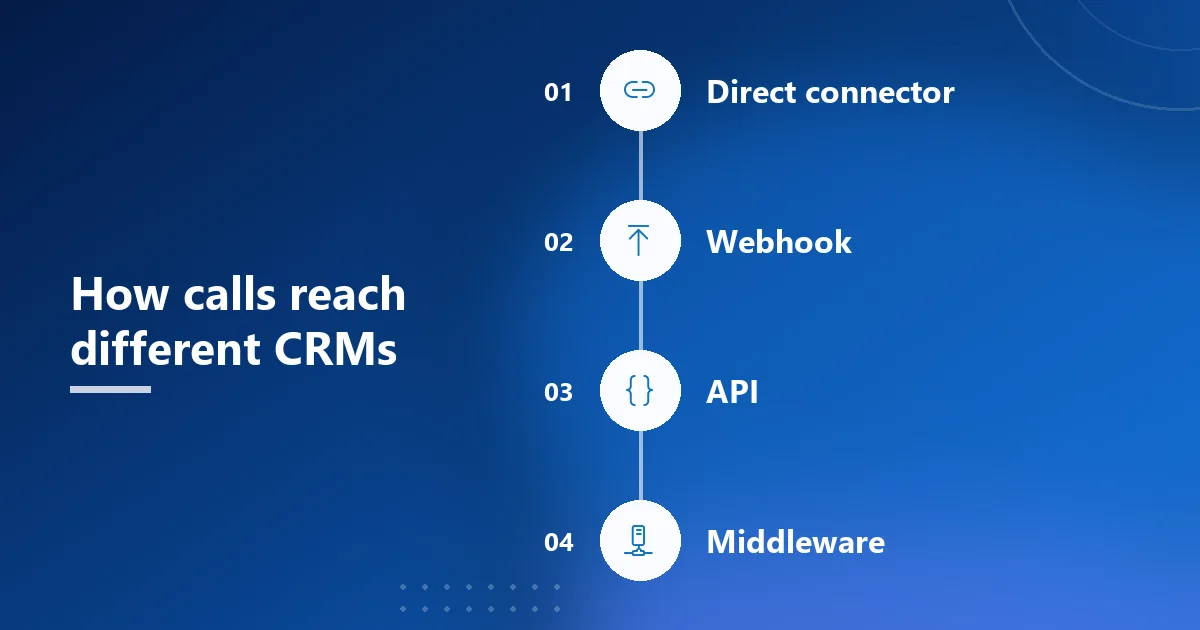
Tools connect to CRMs in a few different ways, and most businesses that run more than one system end up combining them.
Direct CRM integrations
Direct integrations are the quickest to set up for mainstream CRMs, because the mapping between calls and records is already built. They suit teams on popular platforms who want logging running within a day or so, with little technical help.
Webhooks and APIs
Open connections cover the systems that direct integrations miss, and the two main options trade simplicity against control in different ways.
Webhooks for in-house systems
Webhooks push each call to a URL your team controls as soon as it is processed. They work with in-house systems and less common CRMs, although someone has to receive the data and map it to the right records.
APIs and middleware for complex setups
APIs and integration platforms give the most control, letting developers transform call data before it lands in the CRM. That flexibility costs more setup and maintenance effort, so it suits businesses with technical resources and unusual requirements.
Handling call transcripts and recordings across CRMs
Recordings and transcripts are heavier than a basic call record, so check how each connection type handles them before you commit. Some tools send a link to audio stored elsewhere, while others deliver the file itself, and transcripts may arrive as plain text, a summary or not at all.
Whatever the format, the transcript or recording should land on the same record as the call and its outcome. A chain of separate automations that attaches them later can break silently when a field changes, leaving managers with calls that have no audio behind them.
Keeping call data consistent across systems
When different teams use different CRMs, the hardest part is keeping call data comparable. If one team records outcomes as free text and another uses a fixed list, combined reports become unreliable and leaders compare figures that mean different things.
The fix is to standardise before you connect anything. Agree one list of call outcomes, one definition of a missed call and one rule for which calls count as business calls, then make sure every integration sends those same fields. Give someone clear ownership of the integrations too, so a changed field or moved endpoint never turns into weeks of missing calls.
How to connect call logging to your CRM
Whatever CRM you run, a structured setup keeps the data accurate from the very first call onwards:
- Choose the connection type: use a direct integration where one exists, and a webhook or API for the other systems you run.
- Map the fields: decide where call direction, duration, outcome and recording should appear on each record.
- Test unknown numbers: check exactly what the tool does when a caller is not yet in the CRM.
- Monitor the sync: make sure admins can see whether each call arrived and why any attempt failed.
- Roll out gradually: start with one team, review the records it creates, then expand to the next.
A call logging option that connects to many CRMs
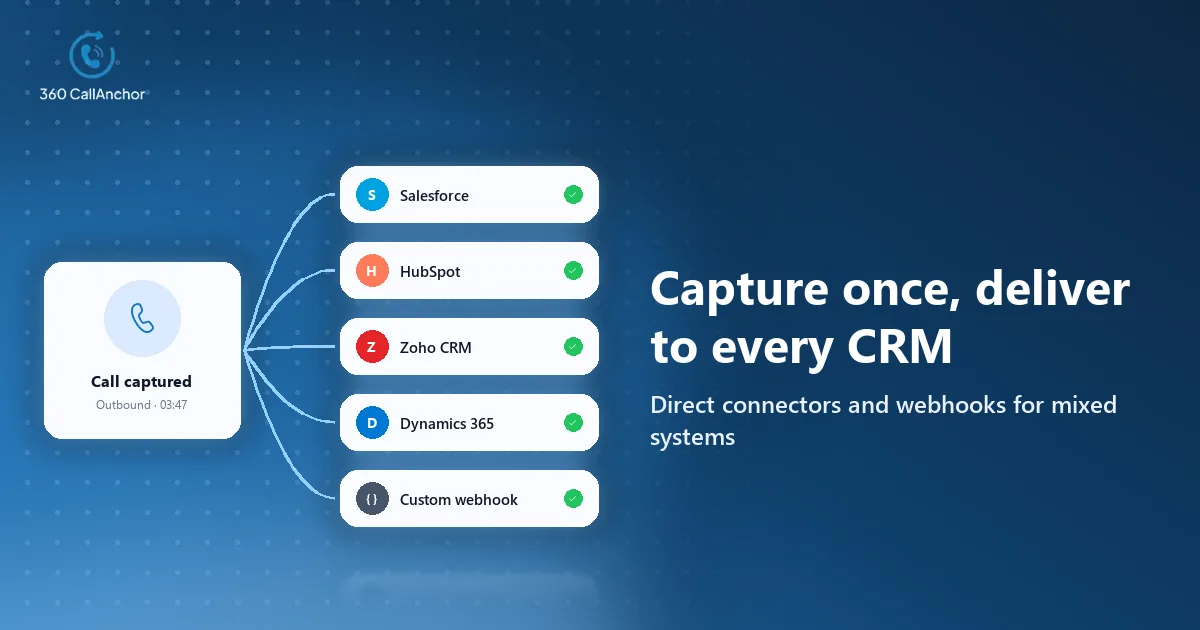
For businesses that need logging across different systems, flexible integration is the deciding factor. 360 CallAnchor supports direct integration with Salesforce, plus a Custom Webhook option that sends call data to any endpoint your team manages, such as an internal system, middleware or another CRM that accepts inbound webhooks. Its supported CRMs include Salesforce, Zoho CRM, HubSpot and Microsoft Dynamics 365.
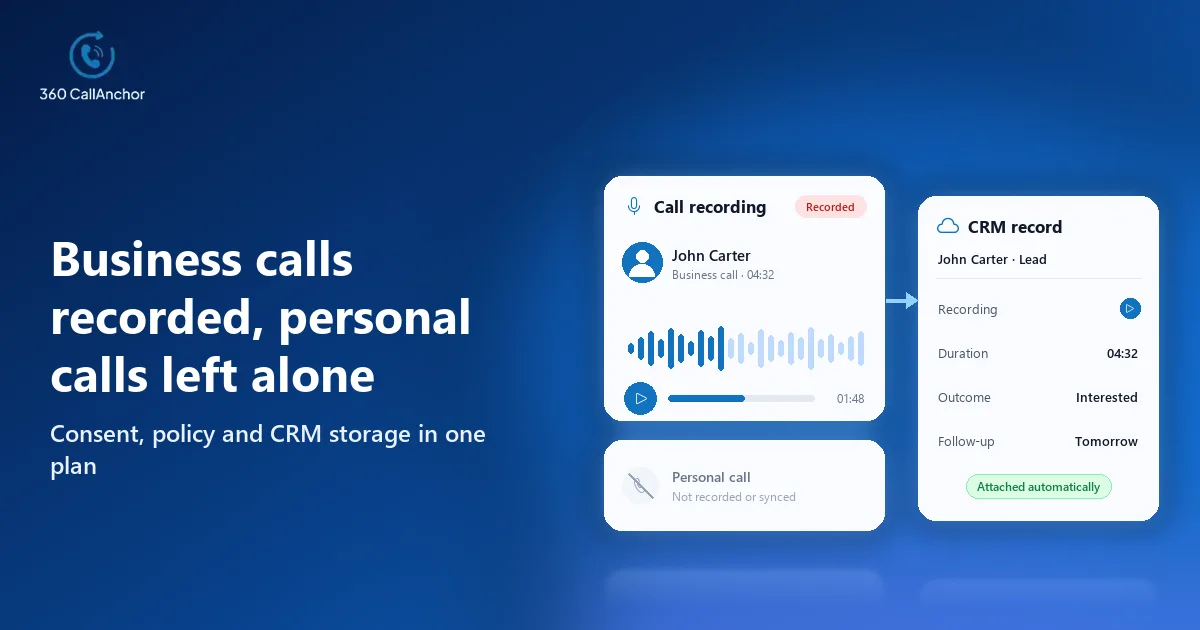
The data that travels is richer than a basic call log, which keeps reporting consistent across systems. Call data, analytics and dispositions are synced into any platform that accepts a webhook or API connection. The full call record, audio included, is sent into the CRM the team uses.
Admins can confirm that every call arrived, whichever system it went to. Each call shows a per-call sync status with full sync details, and calls can be searched by CRM record. The CRM call sync page explains the matching logic in more detail.
Your own systems remain the place where call data lives over the long term. Call data is not stored permanently on the vendor's servers. Call data that has already synced stays in the CRM permanently and is not deleted when a license is removed. The SIM-based call logging page covers how calls are captured on Android phones.
Conclusion
The right logging tool for a mixed or changing CRM landscape is one that captures every call the same way and delivers it wherever each team works. Three points usually decide it: direct integrations for your mainstream CRMs, a documented webhook or API for everything else, and rich call data that includes outcomes and recordings rather than bare details. A sensible next step is to agree one outcome list across teams, map the fields for each system and pilot the tool with one team before connecting the rest.
Frequently asked questions
Can call logging work with an in-house or industry-specific CRM?
Yes, if the tool can send call data through a webhook or an API that your system accepts. Your team then maps the incoming data to the right records, which usually takes some initial developer time.
What happens to call logging if we change CRMs?
With a CRM-agnostic tool, you reconnect it to the new system rather than replacing the logging itself. Check during your evaluation that both the old and the new CRM can be supported during the switch.
Do webhooks include recordings and outcomes?
It depends on the vendor, so ask exactly which fields the webhook sends with each call. Outcomes and recordings make the data far more useful than basic call details alone.
Is a direct integration better than a webhook?
A direct integration is usually quicker to set up, while a webhook offers more flexibility for unusual systems. Many businesses use direct integrations for mainstream CRMs and webhooks for everything else they run.
Put your team's calls into your CRM
Tell us which CRM you use and we'll set up a walkthrough.
Prefer to compare plans first? See pricing.