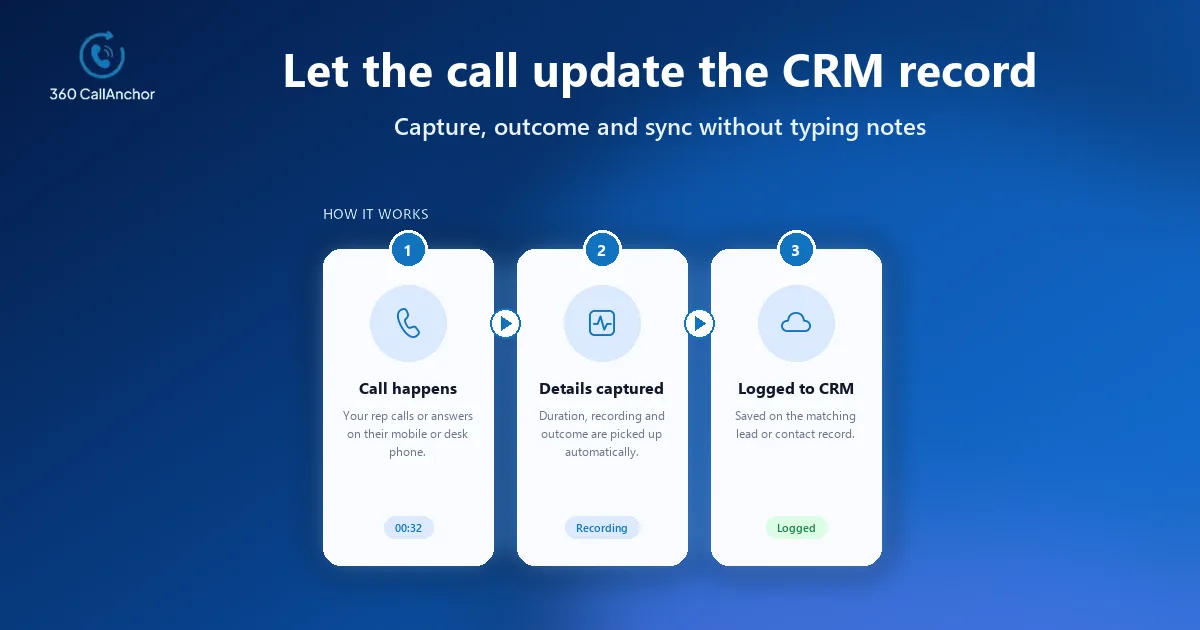
The most dependable way to automatically log phone calls to CRM is to capture each call where it actually happens, whether that is a browser softphone, a cloud telephony platform or the SIM in a rep's mobile, and write the details into the matching lead or contact record the moment the call ends. Native CRM telephony, CTI connectors and SIM-based logging apps all achieve this, and the right choice depends on where your team spends its talk time. This guide compares the three capture methods, lists what a complete call record should contain and shows how to roll the setup out without slowing reps down.
Why manual call logging keeps failing
Most CRM leaders have asked reps to log their calls, and most have watched compliance fade within a few weeks. Typing notes after each conversation competes with the next call, the next meeting and the drive to the next customer site, so entries arrive late, incomplete or not at all. The damage shows up later, when a manager cannot tell whether a stalled opportunity was ever called, or when a colleague picks up an account with no record of the last conversation. Automatic logging removes that dependency on memory and discipline by treating the call itself as the trigger for the CRM update, which is why sales operations teams now treat it as a baseline requirement rather than a nice-to-have.
Three ways to automatically log phone calls to CRM
Each capture method listens for calls in a different place, so the best fit depends on which devices your reps actually use to talk to customers during a normal working week.
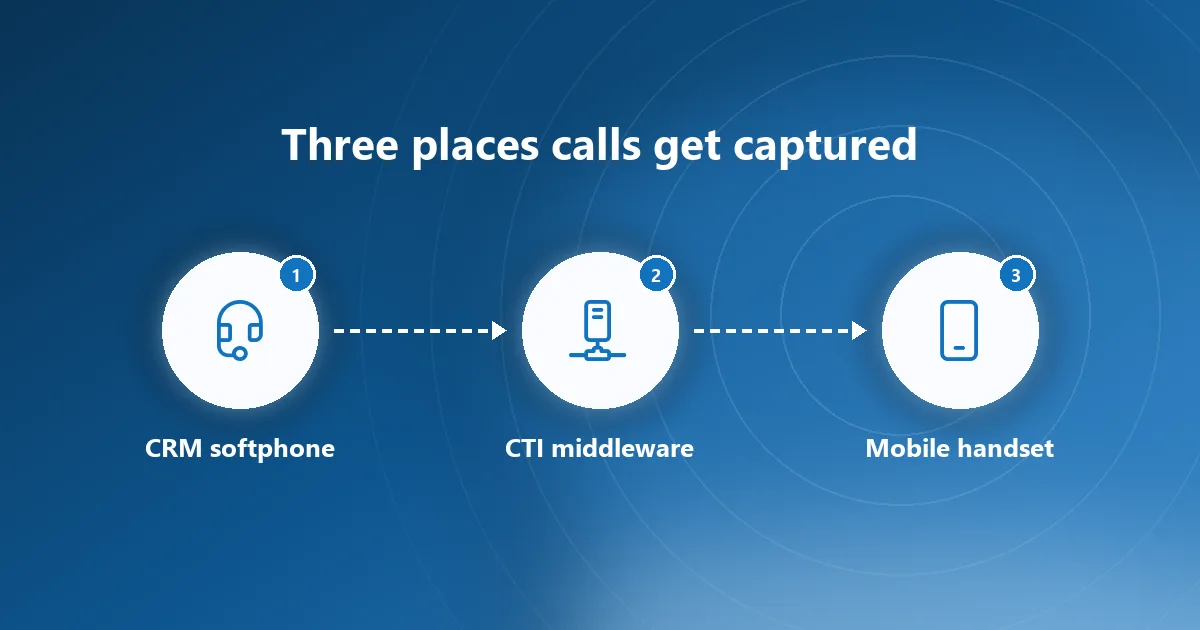
Native CRM telephony suits desk-based teams
The first option is native CRM telephony or a cloud phone system with a built-in CTI connector. Reps dial from inside the CRM or a companion softphone, and the platform writes the activity against whichever record was open at the time. This works well for inside sales teams who sit at a desk all day, but it assumes every call goes through that softphone, which is rarely true once people leave the office.
CTI middleware protects an existing phone system
The second option is a CTI or middleware layer that sits between an existing PBX or VoIP service and the CRM. It listens for call events from the phone system and creates activities through the CRM's API, which protects an investment in current telephony. It also inherits the same blind spot, because calls made from a personal or company mobile over the carrier network never reach the PBX and therefore never reach the CRM either.
Handset capture covers mobile and field reps
The third option captures calls on the handset itself, which is where field sales, account managers and recruiters actually spend their day. 360 CallAnchor records calls placed and received through the phone's own dialer over the mobile SIM network, although WhatsApp calls are not supported at present. It runs quietly alongside the calls reps already make, so nobody needs a new SIM, a new dialer or another app to learn. For a deeper look at the mechanics behind this approach, read our explanation of how mobile call logging software works.
What a complete automatic call log should contain
Automation only pays off if the record it creates is rich enough to act on. At minimum, the log should say who called whom, in which direction, when, for how long and what happened next, and all of that should land on the right record without a rep touching a keyboard. Incoming, outgoing and missed business calls are captured automatically, together with their timestamp, duration, direction and the user they belong to. The six data points logged for every call are the direction, the duration, the caller's number, the outcome, the recording and the follow-up date.
The outcome field deserves special attention, because it is the one piece of context that software cannot infer from signalling data alone. 360 CallAnchor shows a disposition prompt the moment a business call ends, it cannot be skipped, admins define the outcome options and reps add notes plus a follow-up on the same screen. Capturing the disposition while the conversation is still fresh turns a bare activity line into something a manager can coach from and a forecast can rely on.
Unknown numbers are the other gap to close, because inbound enquiries from people who are not yet in the database are exactly the ones that tend to vanish. When an incoming number has no matching record, the software creates a new lead automatically. That single behaviour is worth testing explicitly during any evaluation of automatic call logging software, since it decides whether new demand reaches the pipeline at all.

How the sync into your CRM actually works
Once a call is captured, the integration method decides how much admin effort you inherit, how failures surface and how quickly another CRM can be added later if the business changes platforms.
The connection method depends on your CRM
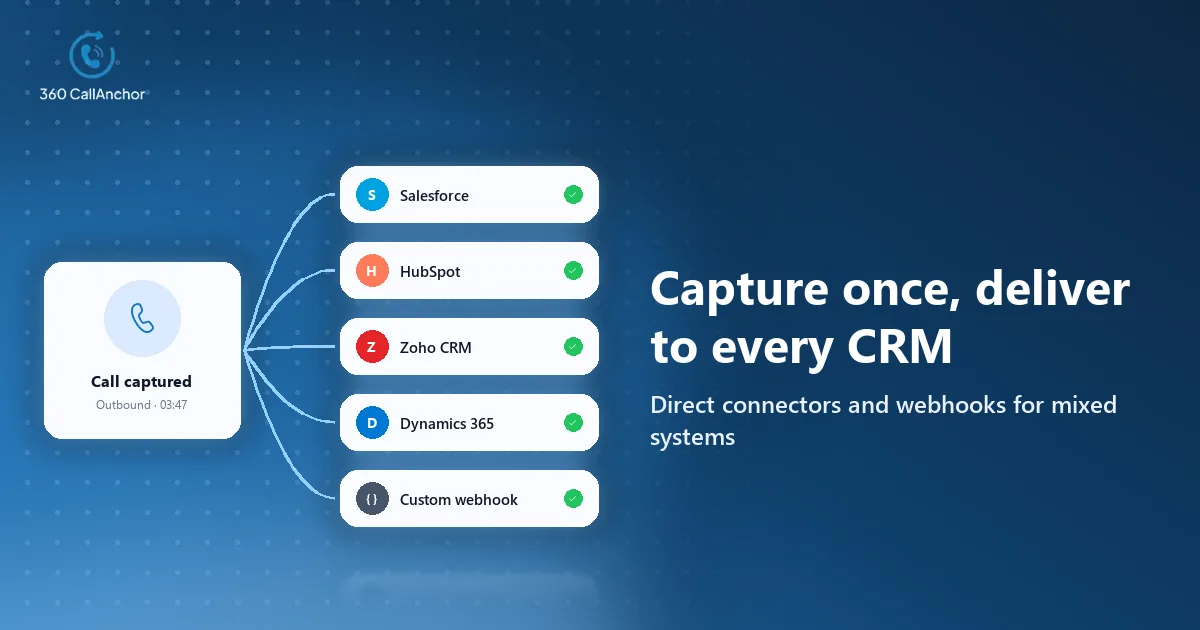
360 CallAnchor integrates with Salesforce, Zoho CRM, HubSpot and Microsoft Dynamics 365. How each connection is made affects who in IT owns it, so it helps to know the pattern before a pilot starts.
Salesforce uses an authorised connection
The Salesforce connection itself is handled through OAuth rather than a stored password. An administrator approves access once, and the same permission model that governs other connected apps in your org then applies to call activity as well.
Other CRMs and custom systems use webhooks
Every other CRM connects over a webhook or an API connection instead. Beyond the direct Salesforce integration, a Custom Webhook option lets you send call data to any endpoint your team manages, such as middleware, an internal system or another CRM that accepts inbound webhooks.
Sync status shows when something goes wrong
Visibility into the sync matters as much as the sync itself, because a silent failure is worse than having no automation at all. Each call displays its own sync status with full details, and calls can be searched by the CRM record they are attached to. Ask any vendor to show you what a failed sync looks like and how an admin would retry it before you sign anything, since that demo reveals more than a feature list ever will.
Call history stays inside your CRM
Data residency is the question your security team will raise first, and the answer should be simple. Customer data is stored directly in your CRM rather than on the app's own servers. That arrangement keeps your existing access controls, retention policies and audit trails in charge of call history, which is usually what a security review wants to hear.
Rolling out automatic call logging without disrupting reps
A good rollout is short, visible and measured, and the sequence below works for most teams, from a handful of account managers to a distributed field force.
- Map where calls happen: List which reps call from a desk softphone, which use a company mobile and which rely on their own handset, because that mix decides the capture method.
- Choose the capture layer: Pick native telephony, a CTI connector or SIM-based logging for each group, and resist forcing field reps into a desk-bound tool they will quietly bypass.
- Define outcomes and fields: Agree the disposition list, the follow-up conventions and which CRM object a call should attach to before anyone installs anything.
- Connect and assign licenses: Link the CRM, assign numbers to reps and confirm that a test call lands on the correct record with every field populated.
- Pilot with one team: Run it for two weeks with a single team, compare logged calls against carrier records and fix any mismatches before the wider rollout.
- Review the numbers weekly: Use the dashboard during the first month to catch reps whose calls are not appearing, then shift the focus to coaching.
Licensing is simpler than most teams expect, and it should not slow the pilot down. An admin adds a license, a SIM number is assigned and verified by OTP, the rep signs in, and a license can later be reassigned without losing any history. Each license is tied to a single mobile number, which keeps the mapping between reps and numbers unambiguous.
What to measure once calls are logging themselves
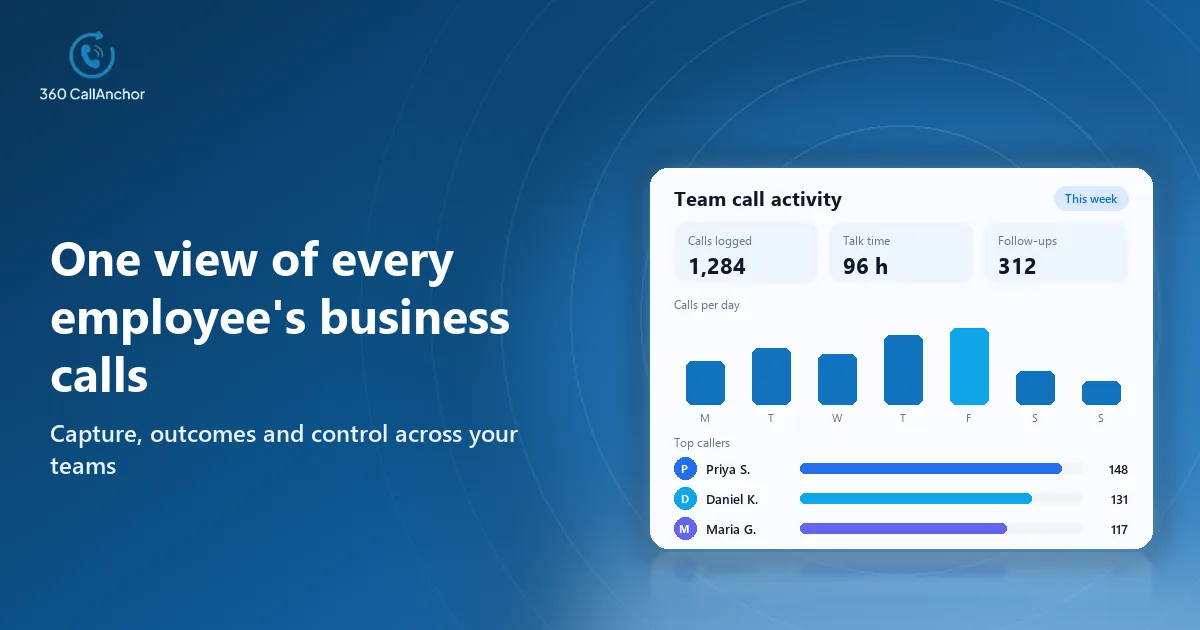
Automatic logging produces a steady stream of activity data, and the value lies in what you do with it. Start with volume and talk time per rep to see who is actually working the pipeline, then look at the ratio of missed to answered calls and the spread of dispositions to find process problems. The app reports total calls, total and average talk time, each agent's call duration, missed calls and the breakdown of dispositions. Its analytics dashboard refreshes in real time, so a manager sees the day as it unfolds. Pair those figures with pipeline stages in the CRM and you can finally answer whether call activity is moving deals, not just whether it is happening. The call sync page explains how the records and the reporting fit together.
Conclusion
The reliable way to log calls into a CRM without relying on reps is to capture each conversation where it happens and write it to the matching record as soon as it ends. Three points usually decide the choice: whether the capture method covers the devices your team really uses, whether each record carries an outcome and a follow-up rather than a bare timestamp, and whether admins can see and fix a failed sync quickly. A sensible next step is to map where your calls happen today, shortlist one capture method per group, and run a short pilot with a single team before rolling the setup out more widely.
Frequently asked questions
Can business calls be logged automatically from a personal mobile?
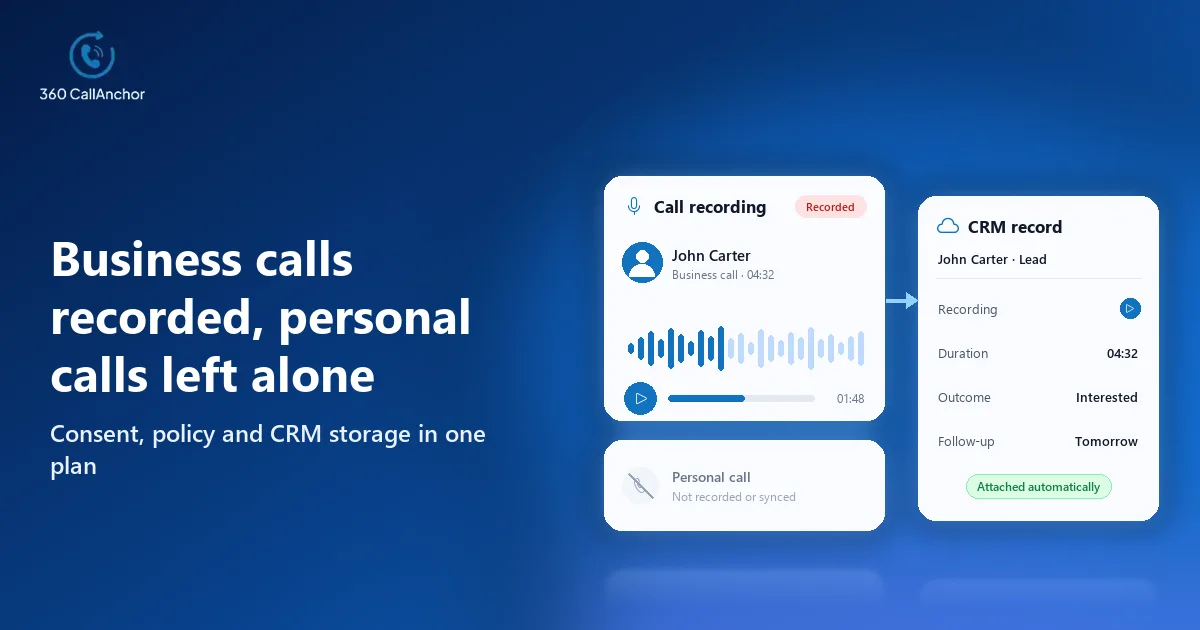
Yes, provided the logging app can tell work calls from private ones, which is the first thing to verify under any bring-your-own-device policy. The software keeps business calls separate from personal calls. That distinction keeps private conversations out of company records while still giving managers a complete picture of work activity.
Are missed calls logged as well?
They should be, because a missed inbound call is often the most valuable signal in the whole data set. Missed calls are logged too, logging continues after a phone restart, every entry is attributed to the rep and the number is matched to its CRM record. A missed call that is already attached to the right lead can drive a callback task in the CRM the same way any other activity does.
Does the recording sync with the call log?
It can, depending on the recording rules your admins set and the consent requirements that apply where your reps work. Admins set the recording rules, reps classify a call as business and the recording then syncs to the CRM record. The full call record, audio included, is sent into the CRM your team already uses. Check the consent rules in each jurisdiction before switching recording on for every rep.
What happens to logged calls when a rep leaves?
Records should outlive the license, otherwise every departure punches a hole in account history. Call data that has already synced to the CRM stays there permanently and is not deleted when a license is removed. That means whoever inherits the territory starts with the full conversation history instead of a blank timeline.
Book a short demo
Leave your details and we'll schedule a short demo.
Prefer to compare plans first? See pricing.