The best call management app for sales teams in India is one that works with the mobile numbers and SIM cards reps already use, logs every call to the CRM automatically and gives managers a clear view of calling activity across the team. Because so much Indian selling happens on mobile phones in the field, a SIM-based app usually fits better than a desk-based phone system that asks reps to switch to a new number.
How sales teams in India actually make calls
Across real estate, education, insurance, lending and B2B services, a large share of sales conversations in India happen on mobile phones rather than at desks. Reps visit sites, meet customers in person and follow up by phone from wherever they are, often from a number that customers have saved for years.
That pattern makes the CRM hard to keep complete. Calls stay in each phone's history, managers rely on reps to report what happened, and the record of a customer relationship can disappear when a rep moves on. A call management app is meant to close that gap without slowing the team down.
What to look for in a call management app
Indian sales teams tend to share a few practical requirements, and checking them early keeps the shortlist realistic.
- Works with existing SIM numbers: customers should keep calling the number they know, and reps should keep their usual dialer.
- Automatic CRM logging: every call should reach the right lead or contact without reps typing notes on a small screen.
- Required call outcomes: a quick outcome after each call keeps follow-ups and pipeline stages accurate.
- Missed call tracking: missed calls from interested leads should show up as follow-ups, not disappear.
- Clear rules on personal calls: many reps use one phone for work and home, so personal calls must stay private.
- Manager dashboards: team leads should see calls, talk time and outcomes by rep without asking for reports.
Cloud telephony or SIM-based call management?
Cloud telephony gives reps virtual numbers and routes calls through an app, which works well for centralised telecalling teams that sit together and handle high volumes. It can be harder for field teams, because customers see an unfamiliar number and reps have to change how they call.
SIM-based call management keeps calling exactly as it is and captures calls from the phone's own dialer. For field sales, channel partners and relationship managers whose customers expect a call from a familiar mobile number, this is usually the more natural choice, and many companies use both approaches for different teams.
Language and connectivity also shape the choice. Reps who travel between cities and towns need an app that keeps working when data coverage is patchy and catches up once the phone reconnects, while managers need reports that make sense across branches that sell in different ways. Testing the app in a real field environment, not just in the office, shows quickly whether it can cope.
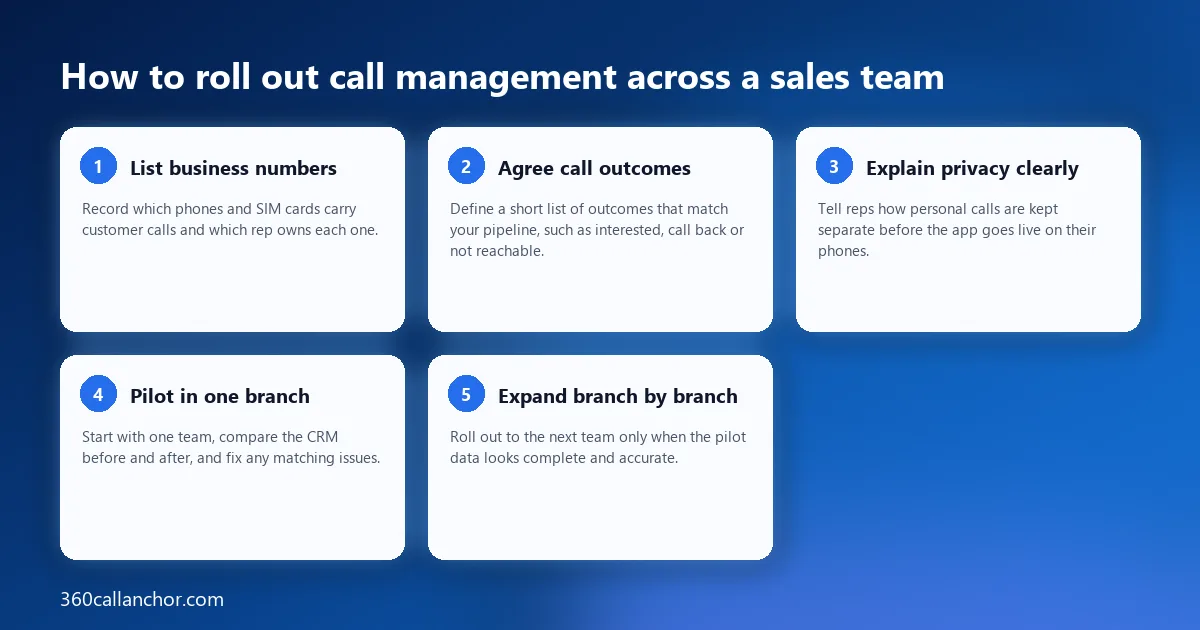
How to roll out call management across a sales team
A phased rollout keeps adoption high and lets managers fix problems before they spread to every branch:
- List business numbers: record which phones and SIM cards carry customer calls and which rep owns each one.
- Agree call outcomes: define a short list of outcomes that match your pipeline, such as interested, call back or not reachable.
- Explain privacy clearly: tell reps how personal calls are kept separate before the app goes live on their phones.
- Pilot in one branch: start with one team, compare the CRM before and after, and fix any matching issues.
- Expand branch by branch: roll out to the next team only when the pilot data looks complete and accurate.
A SIM-based option built for mobile teams
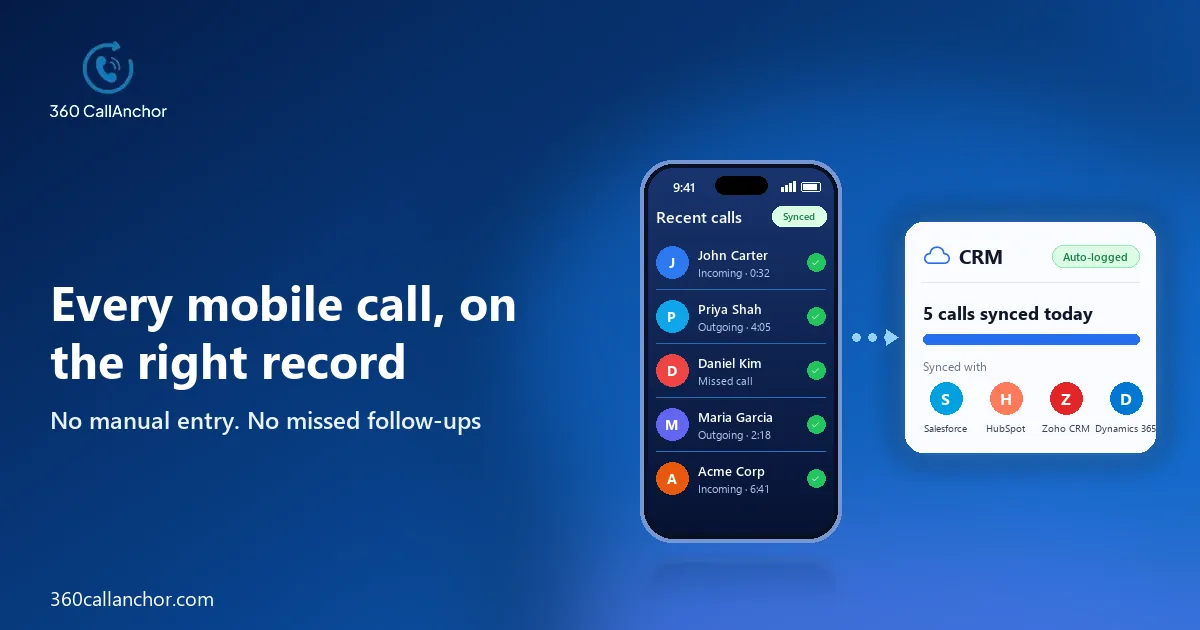
For teams that sell from their own mobile numbers, a SIM-based app captures calls without changing how reps work. 360 CallAnchor runs quietly alongside the calls your team already makes, without a new SIM card, a new dialer or an app to learn. It captures calls made through the device's native dialer over the mobile SIM network, although it does not currently support WhatsApp calls, which is worth noting for teams that also talk to customers on messaging apps.
Privacy is handled at the level reps care about most, which helps adoption on shared work and personal phones. The app separates business calls from personal calls. Missed calls are logged too, logging survives a phone restart, every entry is attributed to the rep, and the number is matched to the CRM record.
Managers gain a single view of their team instead of collecting updates over the phone. Managers can see every call, every lead and every agent in one place. The call analytics dashboard updates in real time, and the field sales page shows how this works for teams on the move.
Licences are tied to numbers, which suits teams where phones and SIM cards change hands. An admin adds a license, a SIM number is assigned and verified by OTP, the rep signs in, and licenses can be reassigned without losing history. The number and license management page explains the process.
Why telecalling teams need more than a phone
Telecalling teams in India often juggle spreadsheets, messaging groups and personal call logs to manage large lead lists, which makes it hard to know who has called whom and what was promised. When those tools are disconnected, leads fall through the gaps, two reps call the same prospect, and managers spend their evenings stitching reports together by hand.
CRM calling software brings those pieces together. It connects calling to the lead list, logs each call automatically and keeps the next action on the record, so the whole team works from one up-to-date view instead of several partial ones that never quite agree.
Lead assignment and follow-up management
Fast follow-up is one of the biggest drivers of conversion in phone-led sales, so look closely at how a tool handles new leads and callbacks. Leads should reach the right rep quickly, every call should end with a clear next step, and overdue follow-ups should be visible to managers before they turn into lost deals.
After every business call, a disposition prompt appears that cannot be skipped, with outcome options set by admins and room for notes and a follow-up on the same screen. When an incoming number does not match an existing record, a new lead is created automatically and the call data is attached to it, so enquiries from new numbers never go missing.
Recording, summaries and analytics
Many Indian sales teams also want recordings and AI call summaries so they can coach large telecalling teams efficiently. These features are most useful when they sit on the lead record next to the outcome, and when managers can compare trends across branches rather than only reviewing individual calls.
The app tracks total calls, total talk time, average talk time, agent call duration, missed calls and the disposition breakdown. Pair those numbers with regular call reviews, and new telecallers learn faster from the conversations that actually converted.
Frequently asked questions
Can a call management app work with personal SIM numbers?
Yes, a SIM-based app runs on the rep's phone and captures calls made through the normal dialer on that number. Look for clear separation of business and personal calls so reps are comfortable installing it.
Do these apps capture WhatsApp calls?
Many do not, because WhatsApp calls travel over mobile data rather than through the phone's dialer. Confirm this with each vendor if your customers often prefer WhatsApp for conversations.
Is call recording allowed for sales calls?
Rules on recording and consent vary, so check the requirements that apply to your business and tell customers when calls are recorded. Choose a tool that lets admins control which calls are recorded.
What happens when a rep leaves the company?
When calls are logged to the CRM, the history stays on the customer record rather than on the rep's phone. The next rep can pick up the relationship with the full call history in front of them.
What is CRM calling software?
CRM calling software connects phone calls to your CRM, so every call to a lead is logged with its outcome and next step. In India it often works with reps' existing SIM numbers rather than requiring every rep to switch to a new virtual number.
Book a 360 CallAnchor demo
Leave your details and we'll schedule a short demo.
Prefer to compare plans first? See pricing.