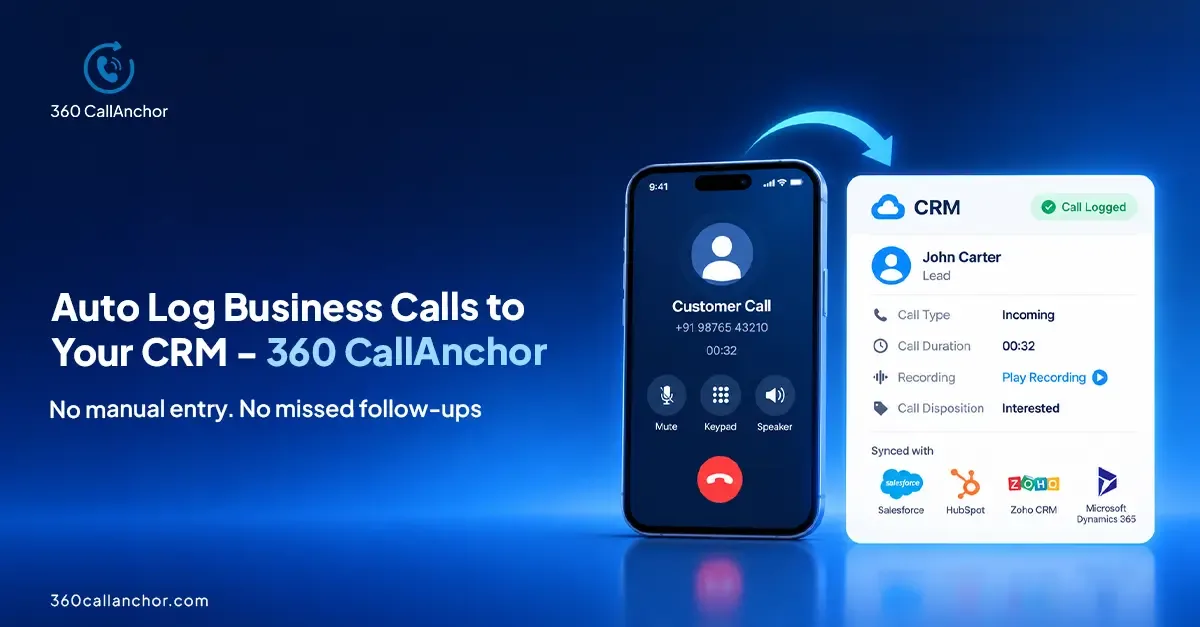
360 CallAnchor is a mobile call logging app that captures business calls made from a rep’s SIM and syncs the activity to the team’s CRM. Reps keep using their phone’s normal dialer and existing number. After a call, they can record the outcome and next step while the conversation is fresh.
That solves a familiar problem for outbound sales managers: the team is making calls, but the CRM tells an incomplete story. A lead may have been contacted twice this morning, asked for a quote, and agreed to speak again on Friday. If none of that reaches the record, the manager sees a lead with no recent activity and the next rep has no useful context.
360 CallAnchor connects those mobile conversations to the CRM where the team already manages its pipeline. It does not require a new calling number or a move away from Salesforce, Zoho, or another compatible CRM.
Why Your CRM Doesn't Reflect What's Actually Happening?
Your CRM only shows what gets logged, not what actually happens. Every customer conversation contains valuable information, but when call updates depend on manual effort, important details get missed. Reps move fast, follow-ups pile up, and CRM records slowly become incomplete and unreliable. The data gap starts after every call.
1. Calls happen. Records don't: Reps move to the next task instead of manually logging every conversation.
2. Every rep logs differently: Notes vary from short updates to detailed summaries, making customer history inconsistent.
3. Important context gets lost: Customer intent, objections, commitments, and follow-up actions often disappear between calls.
4. Managers lack real visibility: Sales leaders cannot accurately track conversations, team activity, or pipeline health.
5. CRM data becomes outdated: Without automatic capture, the CRM reflects assumptions instead of real customer interactions.
So What Is 360 CallAnchor?
360 CallAnchor is a SIM-based call logging software that captures every business call a rep makes or receives, automatically, and syncs it into whatever CRM your team runs on.
It's not a new CRM. No migration required, no second portal to manage, no retraining your team on a different tool. Your reps keep using their phones the same way they always have. The difference is that every call now creates a structured record in your CRM without anyone touching a keyboard.
Think of it as the layer that's been missing between your sales team's phones and your CRM.
How 360 CallAnchor Actually Works
360 CallAnchor automatically captures business calls from a mobile device and syncs them with your CRM, helping teams maintain accurate call activity visibility without manual updates.
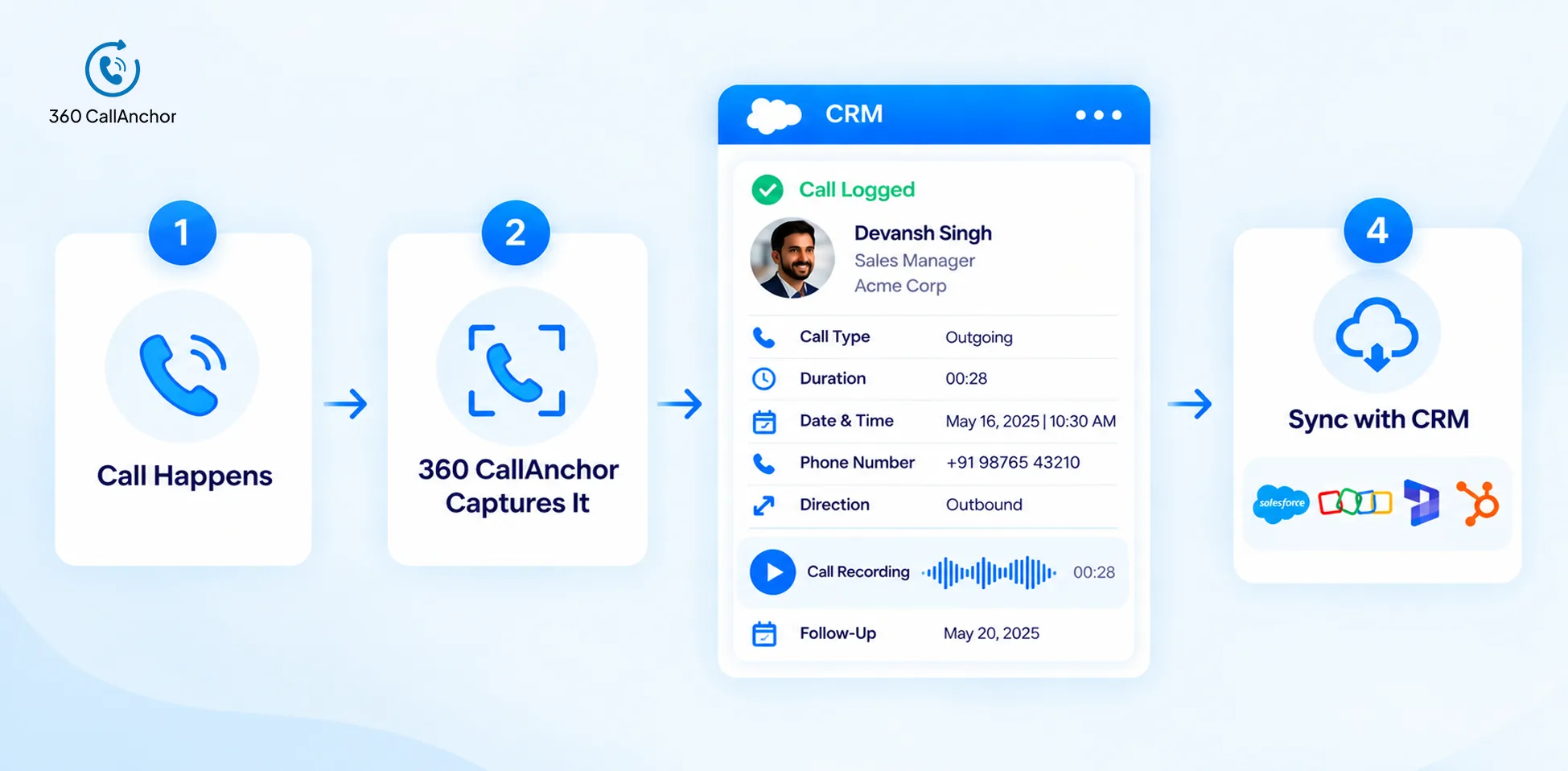
1. Connect Your Phone and CRM
2. Calls Are Logged Automatically
3. Add Call Context After the Conversation
4. Sync Call Data With CRM
5. Access Complete Call History
If connectivity drops, data is saved locally and syncs when the connection returns. Offline sync is handled automatically.
Who Actually Uses 360 CallAnchor and Why?
Honestly, the question is who doesn't need it. If your team makes business calls from mobile phones and your CRM is supposed to be the record of those conversations but isn't, then this is built for you.
That said, a few roles get the most out of it immediately.
Sales Managers
Get complete visibility into rep call activity, including call volume, talk time, follow-ups, and customer conversations, without chasing manual reports.
Sales Ops Teams
Maintain clean and consistent call data across the team with every interaction logged in the same structured format.
CRM Admins
Reduce manual activity updates with automatic call logging linked to the right leads, contacts, and CRM records.
Field Sales Teams
Capture business calls directly from mobile devices without spending extra time logging conversations after every customer interaction.
Industries With High Mobile Calling Needs
Real estate, EdTech, lending, recruitment, and field sales teams can track conversations, manage follow-ups, and maintain complete customer history.
Can 360 CallAnchor Work With My Existing CRM?
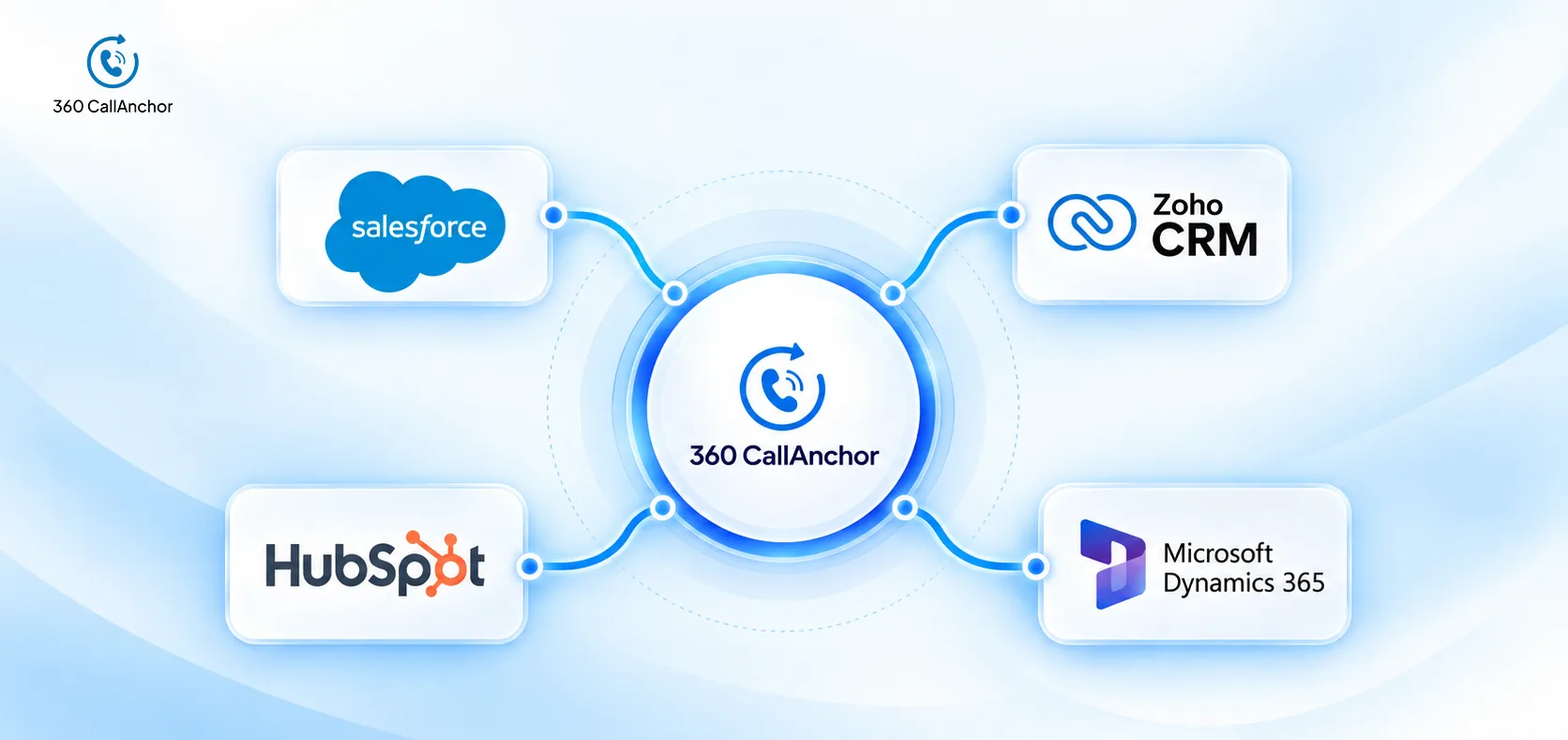
360 CallAnchor works with any CRM that has a webhook endpoint. Salesforce and Zoho are the pre-built integrations. Other platforms, including HubSpot, Dynamics 365, and LeadSquared, connect via webhook with a one-time configuration.
Data doesn't sit on 360 CallAnchor's servers permanently. It passes through and lands in your CRM, which means your customer data stays in the system you've already audited, secured, and have control over. For finance, healthcare, or compliance-sensitive teams, that's not a minor point. It changes the entire compliance conversation.
Admins also control how long data is held during the sync window: from real-time deletion right after sync, all the way up to 30 days. Configurable per org.
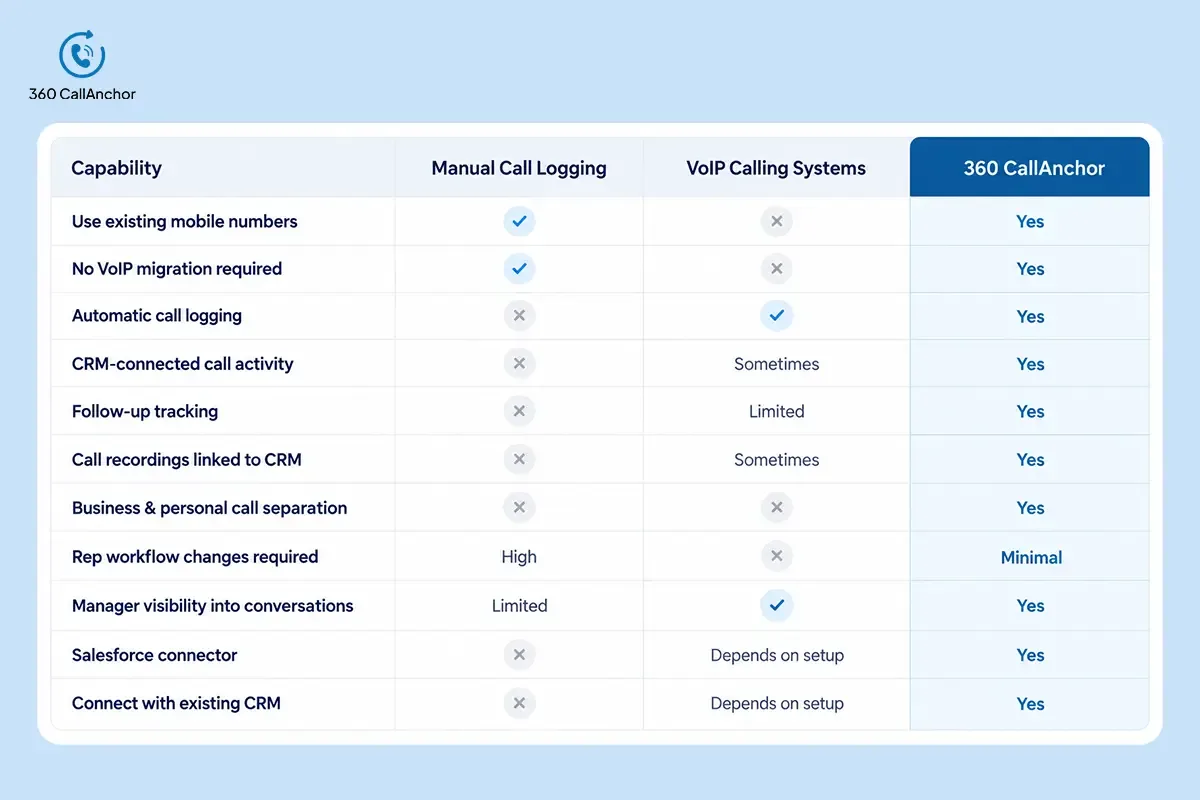
How 360 CallAnchor Compares With Traditional Call Logging Options
Choosing the right call tracking approach depends on how your team works. Manual logging creates gaps in CRM data, while VoIP systems often require teams to change their calling setup. 360 CallAnchor captures mobile calls directly and syncs them with your CRM without changing existing workflows.
Final Thoughts
Sales teams don't struggle with call logging because they lack discipline. The real challenge is the gap between mobile conversations and CRM records. 360 CallAnchor bridges that gap by turning every business call into structured, CRM-ready data.
Every call made from a rep's phone is automatically captured with details like call duration, timestamp, and call activity. Each conversation outcome is recorded through a simple post-call disposition, giving teams better follow-up tracking for sales and complete rep call data in CRM.
With automatic call logging and seamless CRM call sync, managers get real-time visibility into customer conversations without relying on manual updates, separate dashboards, or weekly reporting meetings. 360 CallAnchor helps sales teams maintain accurate call history while keeping their existing mobile workflow unchanged.