
SIM-Based Call Logging Software That Lets Reps Keep Their Numbers
Turns every call from your rep's own number into a logged CRM activity. A SIM based call logging software that captures the call, locks in the outcome, and syncs it to your CRM.
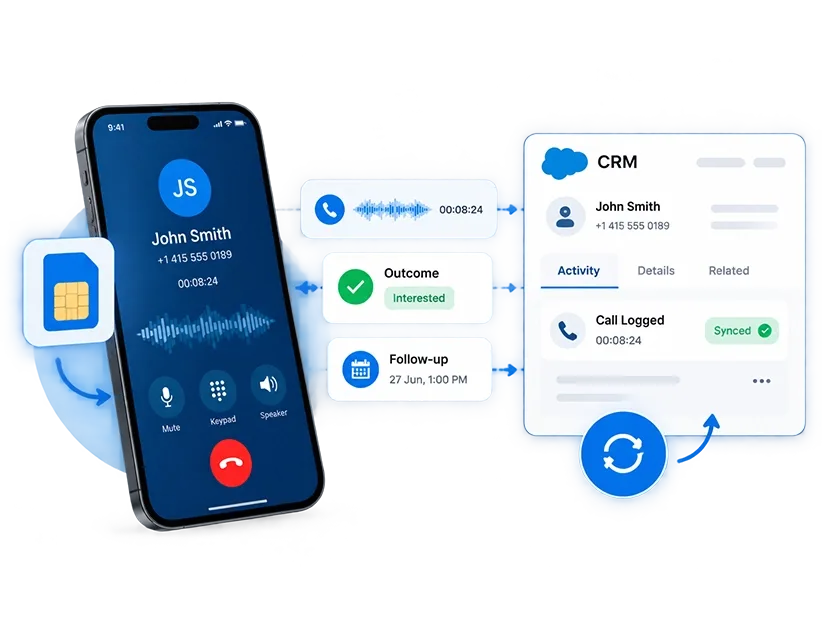
How SIM-based Call Management Software Works
SIM call logging runs quietly on the rep's Android phone and reads native call events the moment they happen
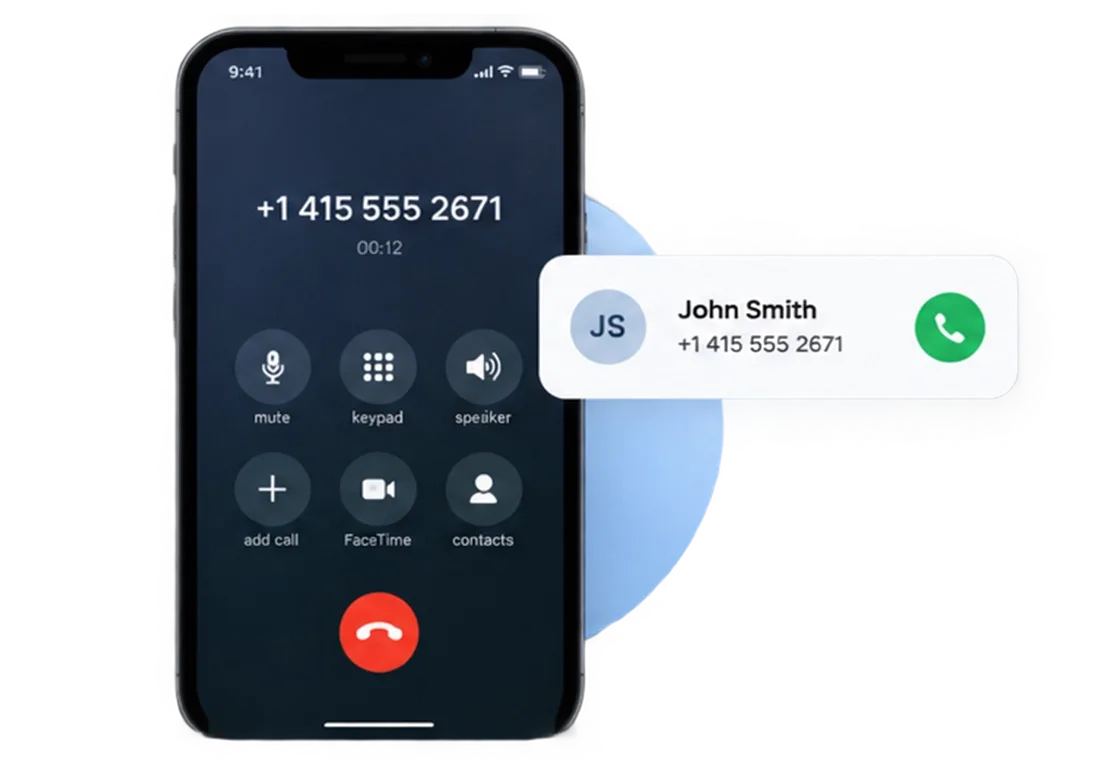
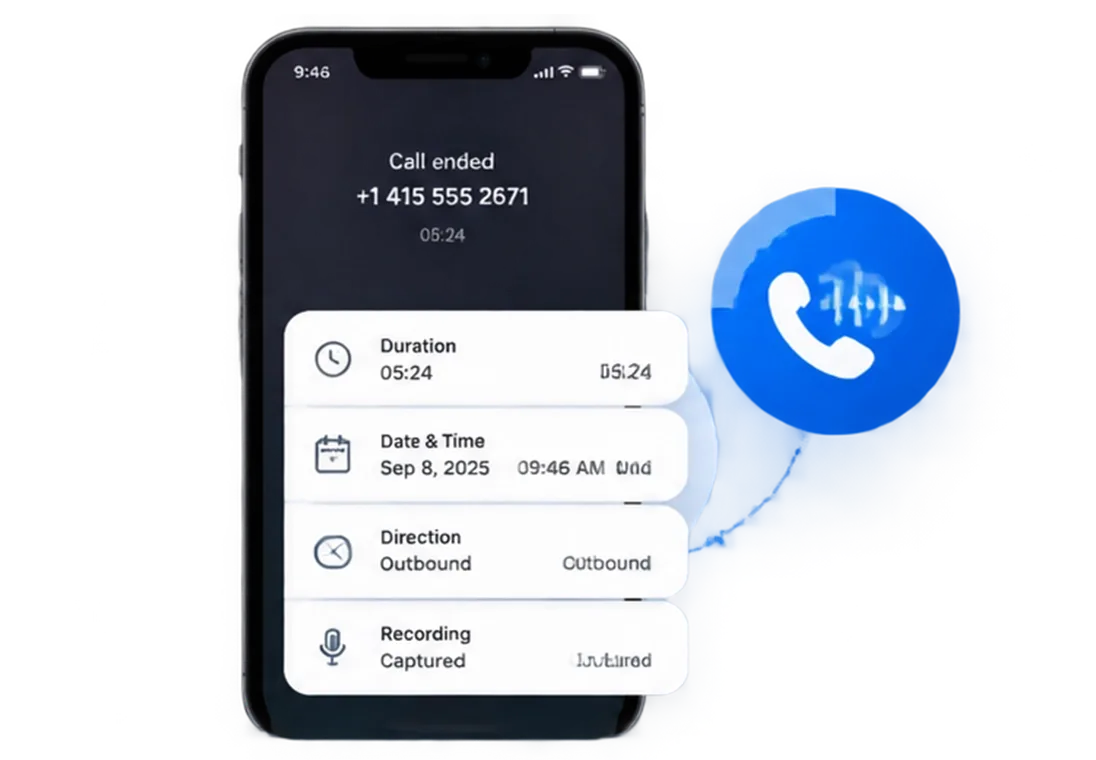
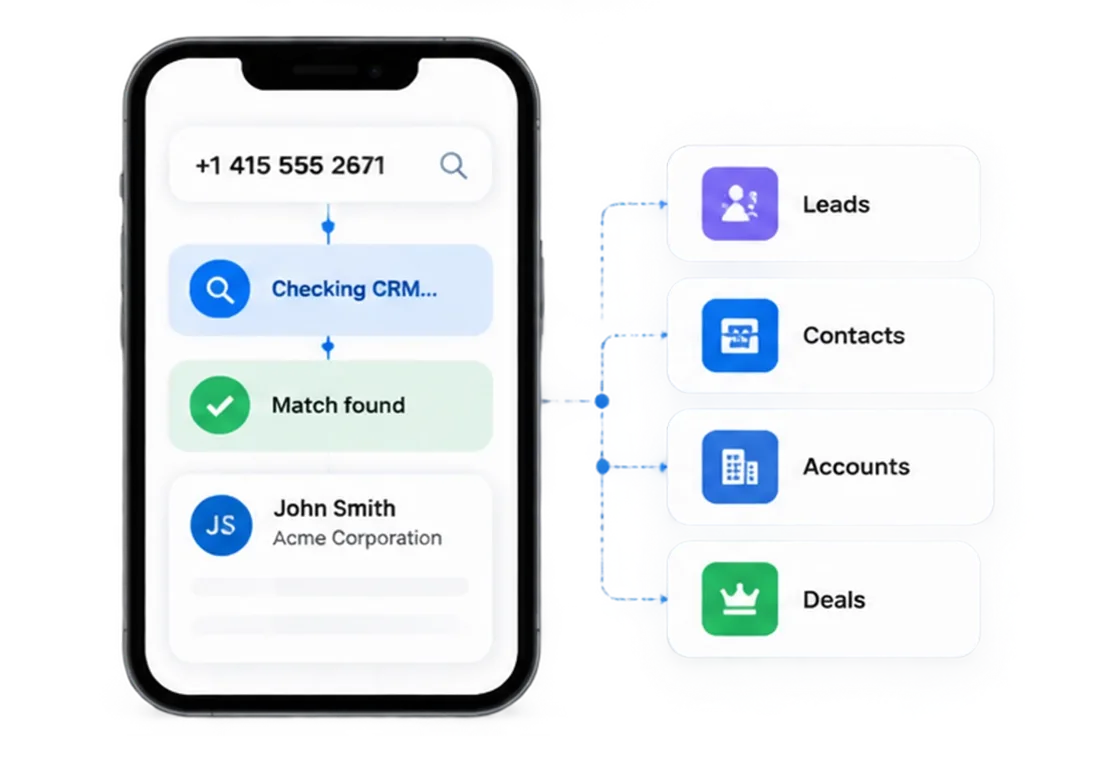
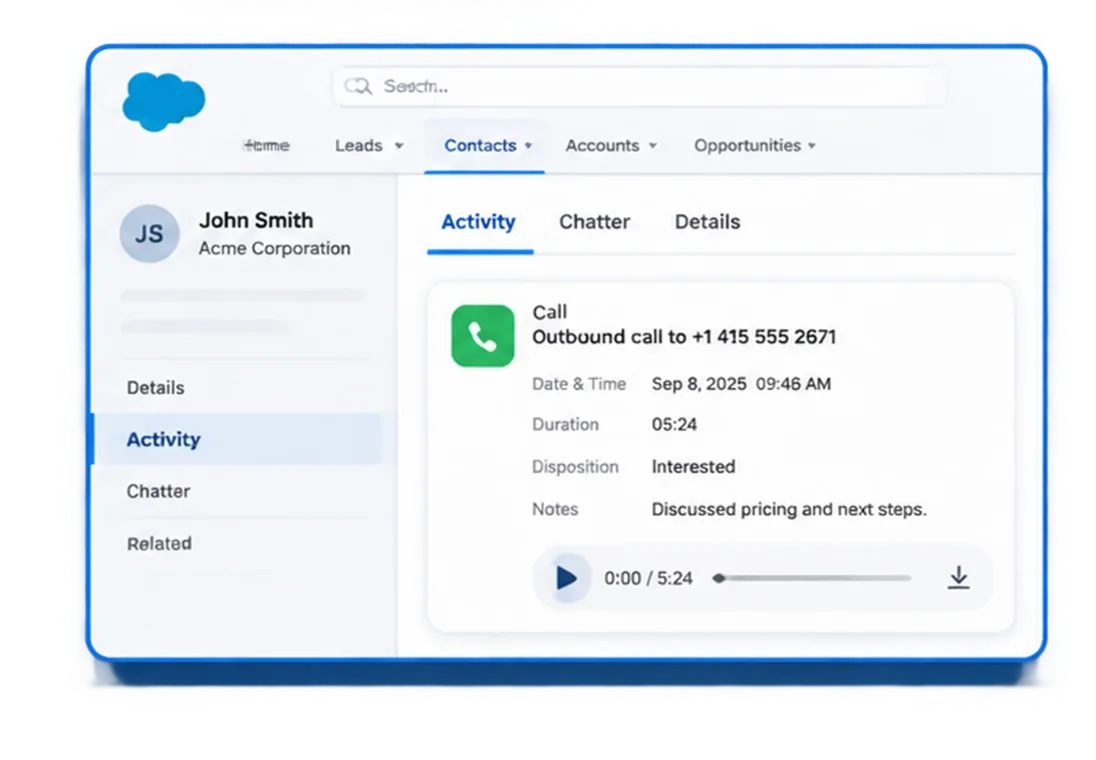
Everything SIM Based Call Recording Software Captures Out of the Box
One platform covering the core call management needs of outbound sales, telecalling, and field teams.

Automatic Call Logging
Incoming, outgoing, and missed business calls captured automatically including timestamp, duration, direction, and user attribution.

Business and Personal Call Separation
Reps classify each call as Business or Personal immediately after it ends. Only business calls sync to the CRM.

Call Logs and Dispositions
Outcomes stay structured, searchable, and linked to the right CRM record.

Call Analytics Dashboard
Track call volume, talk time, missed calls, and agent-level activity from the admin portal without pulling a manual report.

Smart Call Matching
Every call is checked against CRM records. Matched calls sync to the right record, while unmatched numbers create a new lead.

CRM-First Data Storage
Call data passes through 360 CallAnchor and lands in your CRM. No customer data stored permanently on our servers.
Every Business Call Logged. Every CRM Record Updated. No Manual Step.
Works With Every CRM Platform. No Migration Required.




Your Stack, Your Rules. 360 CallAnchor Around It.
SIM based call data should not be locked to a preset list of supported CRMs. If your platform accepts a webhook, 360 CallAnchor sends the call record there.
-
One-Time Setup
Add your endpoint URL and auth details in Settings once. Every call syncs from that point forward.
-
Full Record, Every Time
Duration , outcome, recording, disposition, and follow-up land as one activity.
-
No Developer Needed
Configuration lives in the portal. No code, no middleware, no IT ticket.
- Call log & direction
- Talk time
- Disposition outcome
- Recording reference
- Scheduled follow-up
Where SIM Based Call Logging Software Makes the Biggest Difference
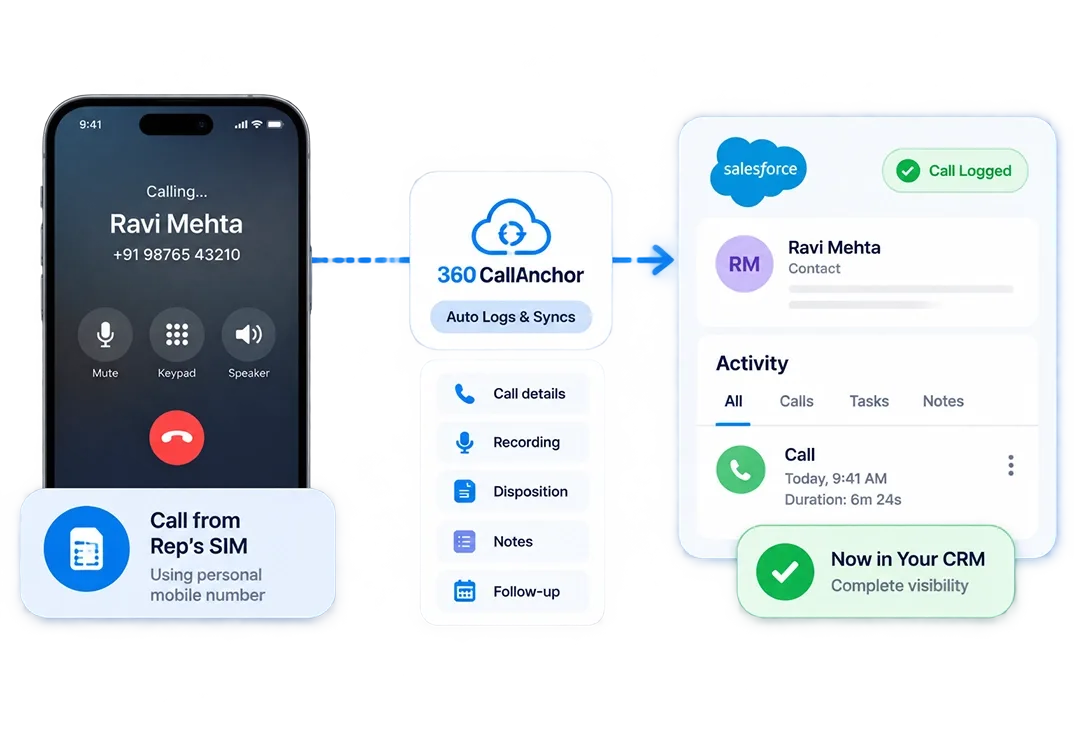
Your Reps Call From Personal Numbers.
- The Problem:Calls made from reps’ SIMs never reach the CRM, leaving managers without visibility.
- What Changes:360 CallAnchor automatically logs and syncs every SIM call to the CRM.
- Best For: Field sales and telecalling teams using personal mobile numbers.
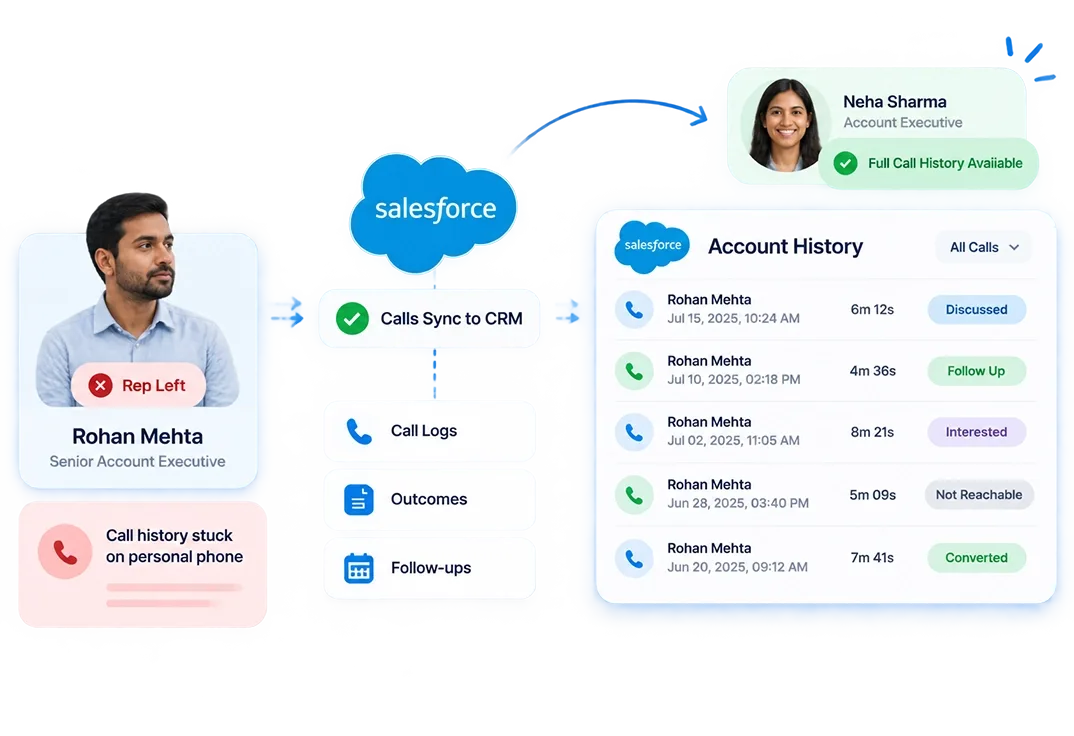
A Rep Leaves. Client Call History Leaves Too.
- The Problem: Call history stays on the rep’s phone, leaving their replacement without context.
- What Changes: Calls, outcomes, and follow-ups sync to the CRM, preserving the complete history.
- Best For: Account management and recruitment teams..
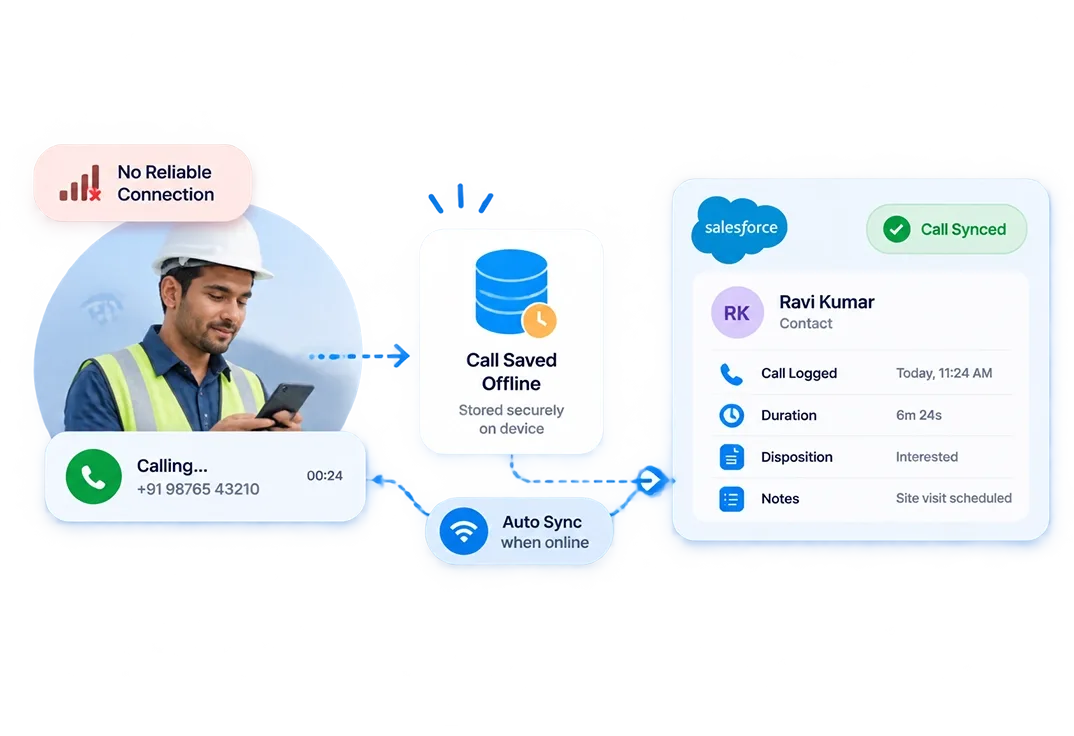
Your Team Works Where There Is No Reliable Data Connection.
- The Problem: VoIP dialers fail in low-connectivity areas, resulting in missing call data. .
- What Changes: Calls are captured through the SIM, queued offline, and synced when connectivity returns.
- Best For: Field and on-site teams working in low-signal areas.
SIM Based Call Logging Software vs Other Call Tracking Approaches
What your team needs from GSM call logging software is different from what a contact center dialer or a VoIP platform delivers.
| Capabilities | SIM-based (360 CallAnchor) | Manual CRM Logging |
|---|---|---|
| Works with rep's existing mobile number | ✓ | ✓ |
| Functions without internet during the call | ✓ | ✓ |
| Recording attached to CRM record automatically | ✓ | ✗ |
| Disposition captured immediately post-call | ✓ | ✗ |
| No change to how reps dial | ✓ | ✗ |
| Data stored in your CRM, not a third-party server | ✓ | ✗ |
Your Reps Already Have a SIM. That Is All 360 CallAnchor Needs
Sales reps shouldn't waste time logging calls. Capture every conversation automatically and send to the right place.